Internet users aged 16 and above use an average of 6.83 social platforms per month, according to GWI research cited by DataReportal's Digital 2025 report. That makes cross-platform publishing an audience-coordination problem, not just a shortcut for busy marketers. The useful question isn't how many destinations an app can reach, but whether it can deliver the right version of your message to the accounts you actually operate.
A multi platform posting app should reduce repetitive work without removing editorial control. Choosing one means assessing account eligibility, adaptation options, scheduling behavior, and plan limits before treating a low subscription price as good value.
Table of Contents
- What a Multi Platform Posting App Does for You
- Core Features Side by Side
- Platform Access Rules That Can Block Publishing
- How Scheduling and Auto Publishing Work
- When to Adapt a Post Instead of Copying It
- What Each Plan Costs and Which Limits Matter
- Choose the App That Fits Your Posting Volume
What a Multi Platform Posting App Does for You
Approximately 207 million creators existed worldwide in 2025, according to Visa's 2025 Creator Report. That figure establishes the scale of the creator economy, although it doesn't establish how many creators need a publishing tool. Your need depends on the work involved in maintaining your particular accounts.
A multi platform posting app gives you a dashboard for preparing, scheduling, and publishing content to multiple social accounts. Instead of opening each network separately, you select destinations, attach media, adjust the post, and set its publication time. The app coordinates delivery, but the receiving network still decides whether the account and content qualify for publication.
What you're actually buying
The practical benefit is less repeated handling of the same campaign. Independent creators can batch updates, small businesses can coordinate product announcements, and social media managers can organize client work without scattering drafts across separate interfaces.
Agencies need account separation and permissions as well as publishing. Indie hackers promoting a product may care more about a fast composer and reusable evergreen updates than elaborate reporting. Those are different buying requirements, even when everyone uses the same category of software.
- Platform coverage determines whether the app reaches your required destinations.
- Scheduling and customization determine how much preparation remains manual.
- Analytics determine whether you can evaluate results inside the tool.
- Upload limits and price determine whether your actual workload fits the plan.
Where the dashboard stops
A shared composer doesn't make every audience interchangeable. A bedding retailer, for example, might prepare visual product demonstrations alongside educational copy, with different versions serving different buyer questions. BEDHEAD's a social media guide for bedding teams provides a relevant industry-specific planning resource.
Decide what each channel contributes before deciding how to distribute content. A multi-channel marketing strategy helps separate the role of the channel from the mechanics of posting to it.
Buying principle: Pay for fewer repetitive actions, not for the promise that every network can be managed identically.
Core Features Side by Side
Core features to compare in a multi platform posting app
| Feature | Why it matters | SleekPost |
|---|---|---|
| Platforms supported | Covers where your audience actually is | 10 platforms including X, Instagram, LinkedIn, Facebook, YouTube, TikTok, Threads, Pinterest, Bluesky, and Telegram |
| Scheduling and recurring posts | Sets the posting workload and timing control | Scheduled posts with recurring and auto-repost settings |
| Per-platform customization | Adapts copy and media to each network | Per-platform post variants |
| Analytics | Shows which channels earn results | Analytics scope isn't specified; confirm available metrics and exports before buying |
| Large file uploads | Matters for video, reels, and carousels | Large file uploads supported, with 500MB uploads on Starter |
| Free plan | Lets you test before paying | Free plan available |
| Price | Sets the monthly budget | Tiered paid plans; confirm current subscription amounts before purchase |
We let users publish to multiple destinations from a shared dashboard, with a media library for organizing assets. That's a concrete publishing offering, not evidence that every destination supports every media type or that advanced reporting is included.
A defensible comparison with alternatives needs equivalent product documentation. Without confirmed competitor specifications, assigning named tools prices, upload limits, or reporting capabilities would create false precision. Use the same rows when evaluating another vendor, and record the exact plan that includes each requirement.
Eliminate incompatible tools first
Start with platform coverage and upload compatibility. A tool that omits an essential destination or rejects your normal video exports can't replace your existing workflow, regardless of how polished its calendar looks.
Test a representative media file rather than an unusually small sample. Include the formats you use, such as a video, an image carousel, or a text update, and inspect the published result on the destination network.
Next, compare scheduling and customization. Check whether changing a caption for LinkedIn alters the Instagram version, whether recurring content stays editable, and whether the calendar makes campaign conflicts easy to spot. These actions reveal daily workload more clearly than a long feature list.
Compare price against the complete workflow
Only compare subscription costs after identifying suitable tools. If an app requires a separate reporting product, that additional workflow belongs in your evaluation even when its subscription looks inexpensive.
Release-driven campaigns also need sequencing rather than indiscriminate repetition. SCHelper's guide to social scheduling tools for music releases offers useful context for evaluating a campaign built around announcements, previews, and release-day posts.
Keep an unresolved requirements list for every candidate. Missing analytics documentation, unclear media support, and ambiguous account eligibility are questions to resolve before purchase, not features to assume are included.
Platform Access Rules That Can Block Publishing
A connected account isn't proof that an app can publish everything you need. The Invisible API social-media API guide identifies restrictions including Instagram's professional-account requirement, separate LinkedIn member and organization permissions, and possible private-only publishing for unaudited TikTok applications.
These are distinct failure conditions. Changing the caption won't fix an unauthorized company-page role, and upgrading a subscription won't automatically change a network's app-review decision.
Publishing restrictions that can block a post
| Platform | Restriction to check | Effect on your posts |
|---|---|---|
| API publishing is restricted to professional accounts | Personal accounts cannot be scheduled through the API | |
| Separate permissions for member and organization posts; company pages need an appropriate page role | Company-page posts can fail if the role is missing | |
| TikTok | Unaudited third-party apps can be limited to private-only posts | Public publishing requires suitable app-review status |
| YouTube | Confirm channel authorization and support for your intended video format | Treat automated publishing as unconfirmed until a representative upload succeeds |
Test the account, not just the network name
Our publishing system sends posts and media through each network's official APIs, on your behalf. That means platform permissions still apply. An integration can't bypass an account-type restriction merely because the dashboard lists the network.
For Instagram, confirm the account category and the particular format you intend to publish. A workflow for scheduling Instagram Story posts deserves a format-specific test rather than an assumption based on a successful feed post.
For LinkedIn, test the organization destination separately from the member profile. For TikTok, verify that the actual published post has the intended visibility. Apply the same discipline to other destinations whose detailed access requirements haven't been established.
Look for recoverable failures
A cross-platform batch can produce mixed outcomes. Some destinations may publish successfully while another remains pending or rejects the request, so a single batch-level success indicator isn't enough.
Ask a vendor to demonstrate how its system handles these situations:
- Destination-level status should distinguish published, pending, and failed posts.
- Actionable errors should identify missing permissions or incompatible media.
- Independent retries should avoid resending destinations that already succeeded.
- Account records should track authorization, account type, supported formats, and publication state.
Behind the interface, platform-specific adapters and duplicate-safe jobs are sensible design requirements. Buyers don't need to inspect the code, but they should test the behavior those design choices are meant to produce.
A successful connection is an authorization milestone. A successful public post is the publishing test.
Publish a representative post to every required destination before filling a long-term calendar. Record any failed account-and-format combination as an unresolved blocker.
How Scheduling and Auto Publishing Work
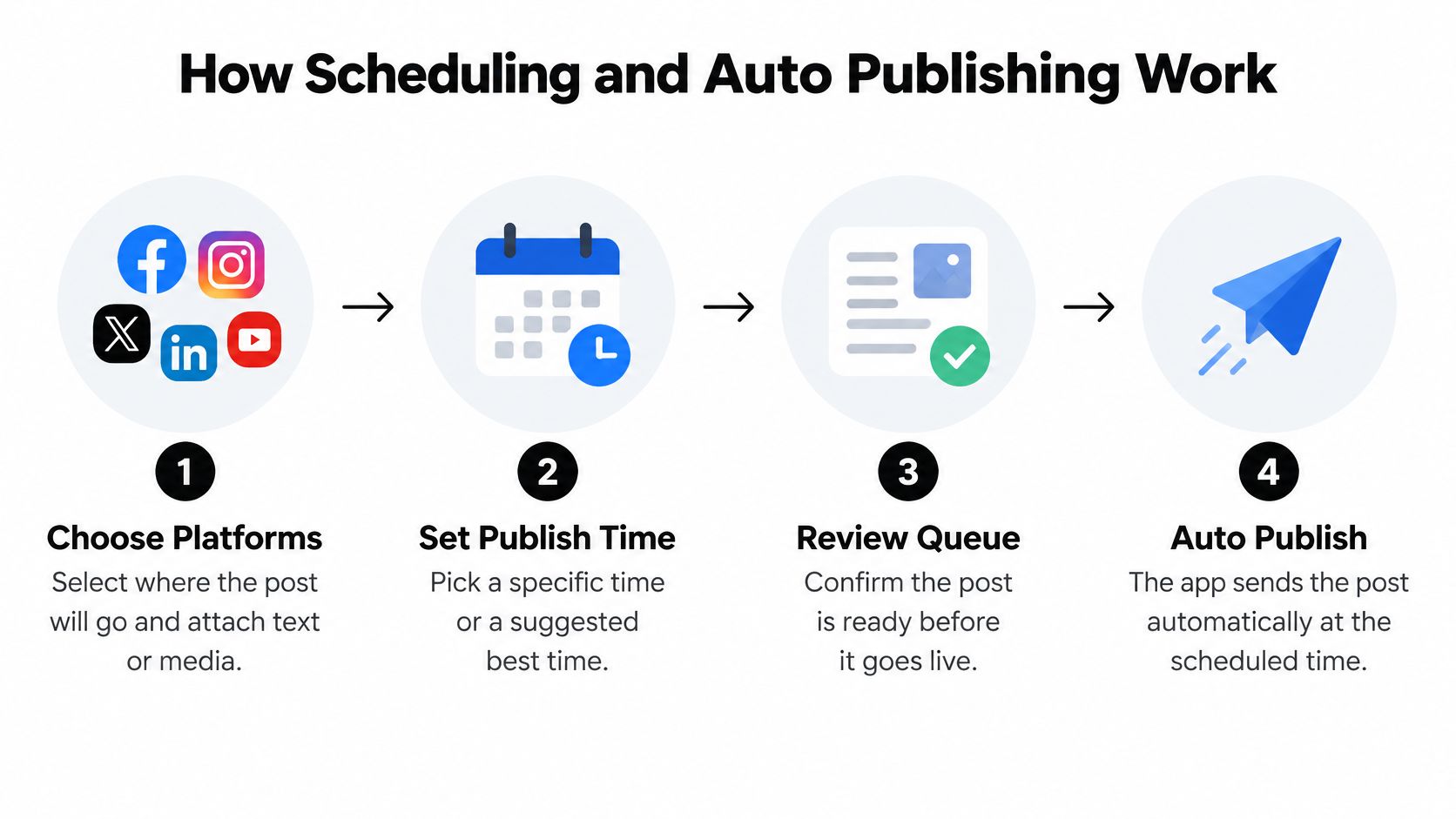
Scheduling separates preparation from delivery. You approve the content and timing in advance, then the app submits the post when that time arrives. The important checks concern local time, content readiness, and the result after submission.
Prepare the queue deliberately
Choose the destinations and attach content. Select the intended accounts, then add text, images, or video. Review the destination names carefully so a client update doesn't enter another account's queue.
Set the publish time. Our scheduling feature publishes at a time you choose, allowing you to schedule for your selected best posting time. Don't interpret that capability as proof that an app automatically calculates an optimal time.
Confirm the time zone. We publish at the correct local time based on your device's time zone. If you're traveling or preparing content for an audience elsewhere, translate the intended audience time into the device's displayed local time before saving.
Apply repetition selectively. Our scheduling options include recurring posts and auto-repost settings. Reserve repetition for content that remains accurate, such as a durable tutorial, rather than a launch deadline or temporary offer.
Review the calendar before delivery. We provide a content calendar and let users view scheduled and past posts and edit scheduled content. Check the final copy, media, destination, and time together rather than approving each in isolation.
Verify delivery rather than assuming it
For our scheduled posts, reach is the same as for manually published posts. That doesn't promise identical performance between different pieces of content, nor does it guarantee engagement. Scheduling controls delivery timing, not audience response.
A useful social media post scheduler workflow includes a post-publication check. Inspect the live post's media rendering and local timestamp, then reconcile it with the queue.
- Before delivery verify that the offer, link, and publication date remain accurate.
- After delivery check the destination itself, especially when the dashboard reports an ambiguous result.
- Before repeating remove expired claims and refresh any context that no longer makes sense.
For a practical trial, spread a small set of posts across a fortnight on an account you control. Confirm that each appears at the intended local time before relying on unattended publishing.
When to Adapt a Post Instead of Copying It
Among small and midsize businesses surveyed in Verizon's April 2025 State of Small Business report, 54% struggle to produce enough content for multiple channels, while 56% find social media difficult to prioritize. Those pressures make identical reposting attractive. They don't establish that identical posts are the most useful output.
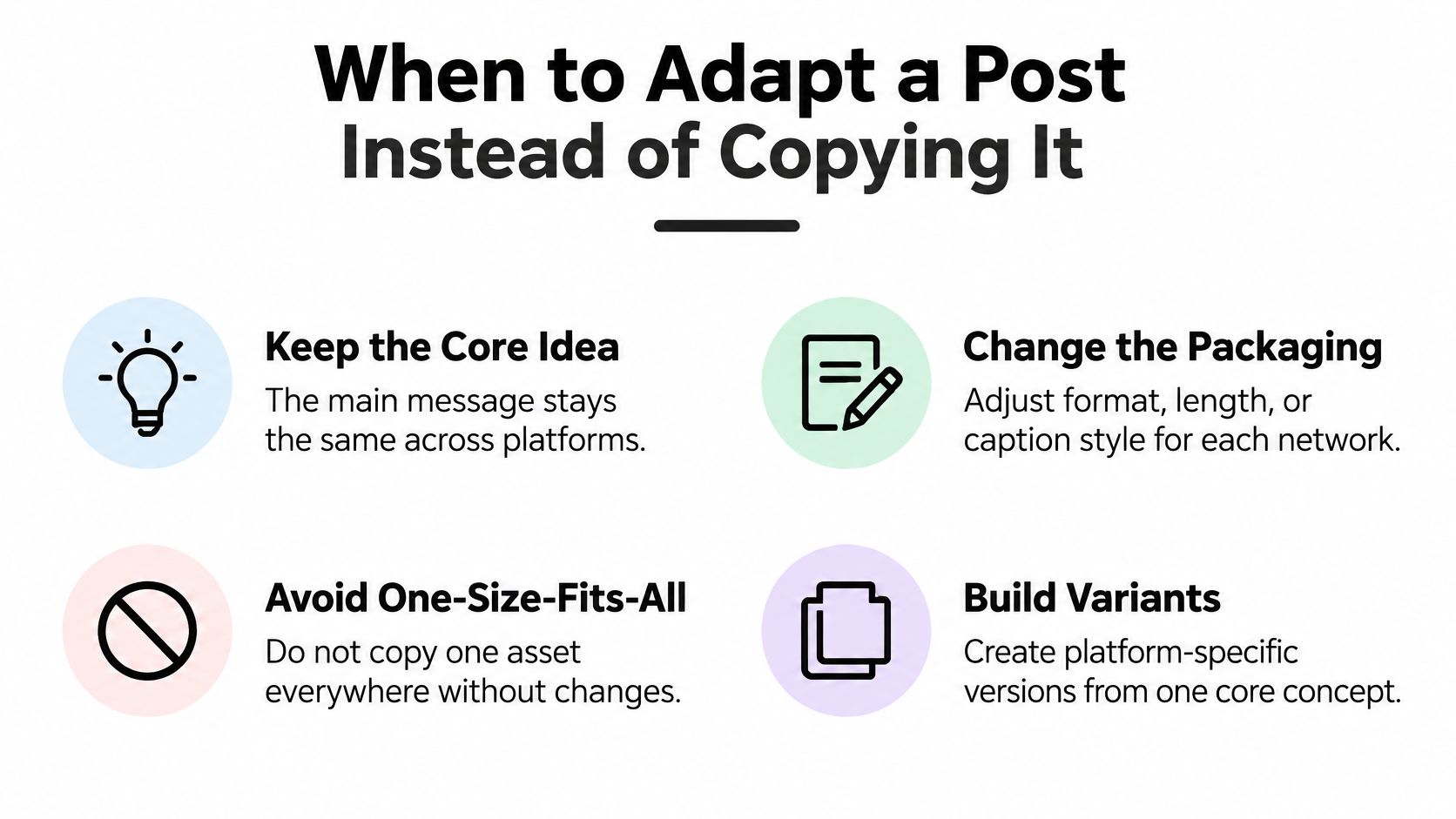
The better unit of work is the core idea, not the finished asset. Keep the underlying claim consistent, then change the presentation where the audience, format, or intended action warrants it.
Build variants around a shared idea
Say a software founder demonstrates how to organize customer feedback. The core idea is that grouping requests by customer problem produces a clearer product discussion than copying every request into a backlog.
For TikTok or Instagram, the founder could lead with the messy backlog and show the transformation in a short vertical demonstration. For YouTube, a longer walkthrough could explain the grouping decisions, supported by a descriptive title and chapter markers where useful. On LinkedIn or X, a text-led version could open with the product-management mistake and explain the alternative.
These are editorial options, not guaranteed performance improvements. The adaptation is justified when it makes the same idea easier to understand in the chosen format.
Our per-platform customization and post variants let you prepare those differences without separating the campaign into unrelated drafts. The content calendar, drafts, and media library support planning around the idea and its associated assets.
Spend editing effort where it changes comprehension
Use a simple effort rule: review the hook and caption for every destination, but restructure the content only when the format changes how the message works. Don't create a lengthy new edit for a peripheral channel without a clear reason.
A content repurposing strategy should identify what can remain unchanged as well as what needs rewriting. A product specification may stay constant; an opening line, thumbnail, or call to action may need a different treatment.
Before approving a variant, check:
- Hook opens with something relevant to that audience.
- Length gives the idea enough room without retaining unnecessary setup.
- Caption and hashtags fit the destination rather than carrying copied instructions.
- Media ratio and thumbnail preserve important visual information.
- Call to action asks for the next step that matches the campaign goal.
Adaptation rule: Change what improves understanding or action. Don't change content merely to make every version look different.
The strongest reason to automate distribution is to preserve time for those decisions, not to eliminate them.
What Each Plan Costs and Which Limits Matter
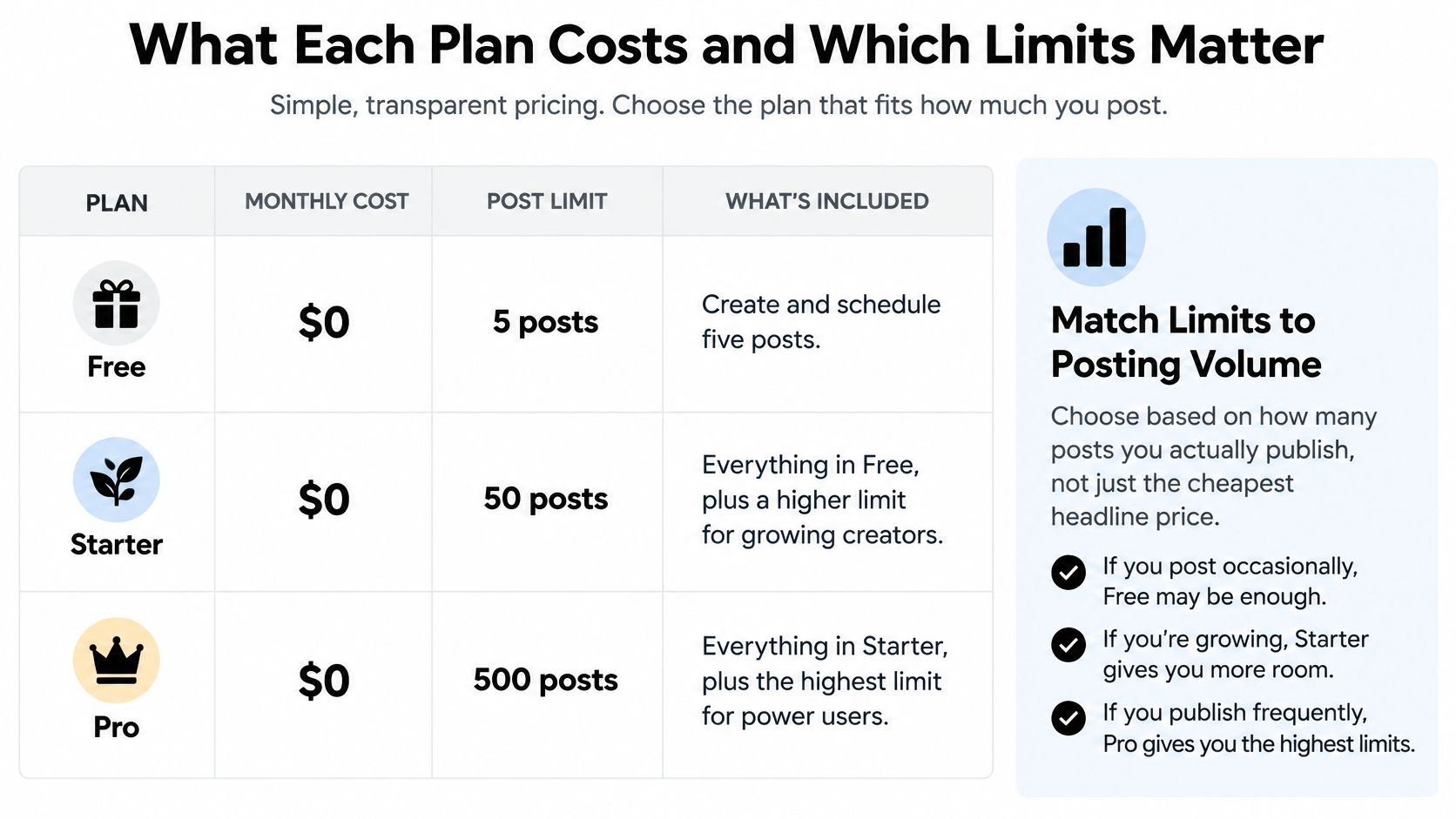
Exact paid subscription amounts aren't established here, so there's no defensible dollar-price ranking. Confirm the current subscription price and billing terms before purchase, then compare them against the workload the plan must support.
SleekPost plan limits by tier
| Plan | Connected accounts | Posting limits | Extras |
|---|---|---|---|
| Free | Account allowance isn't specified; confirm during signup | Create and schedule 5 posts per month | Trial access to scheduling |
| Starter | 5 accounts, multiple per platform | Unlimited posts and scheduled posts | Unlimited carousels, Media Library, 500MB large file uploads |
| Pro | Unlimited accounts | Unlimited posts | All Starter features, 1 team member seat, team access controls, unlimited recurring posts and auto reposts |
The graphic below is a plan-selection aid, not a paid-price quotation. Use the confirmed limits in the table and current subscription terms when making a purchase decision.
Match the plan to the constraint
Consider a creator who publishes daily to an account. Starter is the relevant paid tier to evaluate because ongoing daily activity exceeds the free posting allowance. The decision should then turn on file compatibility and whether the publishing workflow suits the creator's formats.
For a hypothetical agency managing ten client accounts, Starter's account allowance would be insufficient. Pro addresses that account-count constraint, but its included team seat shouldn't be confused with unlimited collaborators. A larger team needs to resolve its seat requirements separately.
A founder publishing five times a week can use Free to inspect the composer and test delivery, but not to sustain that launch cadence. Choosing a trial plan as if it were an ongoing production plan creates an avoidable switch back to manual publishing.
Count the work before comparing the bill
An unlimited posting allowance doesn't mean unlimited accounts, seats, or media compatibility. Our limited versus unlimited plan guide is useful context for separating those constraints.
Build a short inventory before choosing:
- Accounts include every client, brand, and secondary profile you must connect.
- Monthly output includes campaign updates and recurring material, not just newly written posts.
- Media files include your usual exports and the largest files you expect to publish.
- People include everyone who needs workspace access, with their required permissions.
Also establish how a vendor counts a post distributed to multiple destinations. The stated posting allowance alone doesn't resolve that accounting question.
Choose the App That Fits Your Posting Volume
The best fit is the tool that removes your actual bottleneck without introducing a more serious one. A solo creator may need straightforward preparation and dependable uploads; an agency may need controlled access to client accounts. Neither should choose primarily by the longest list of supported networks.
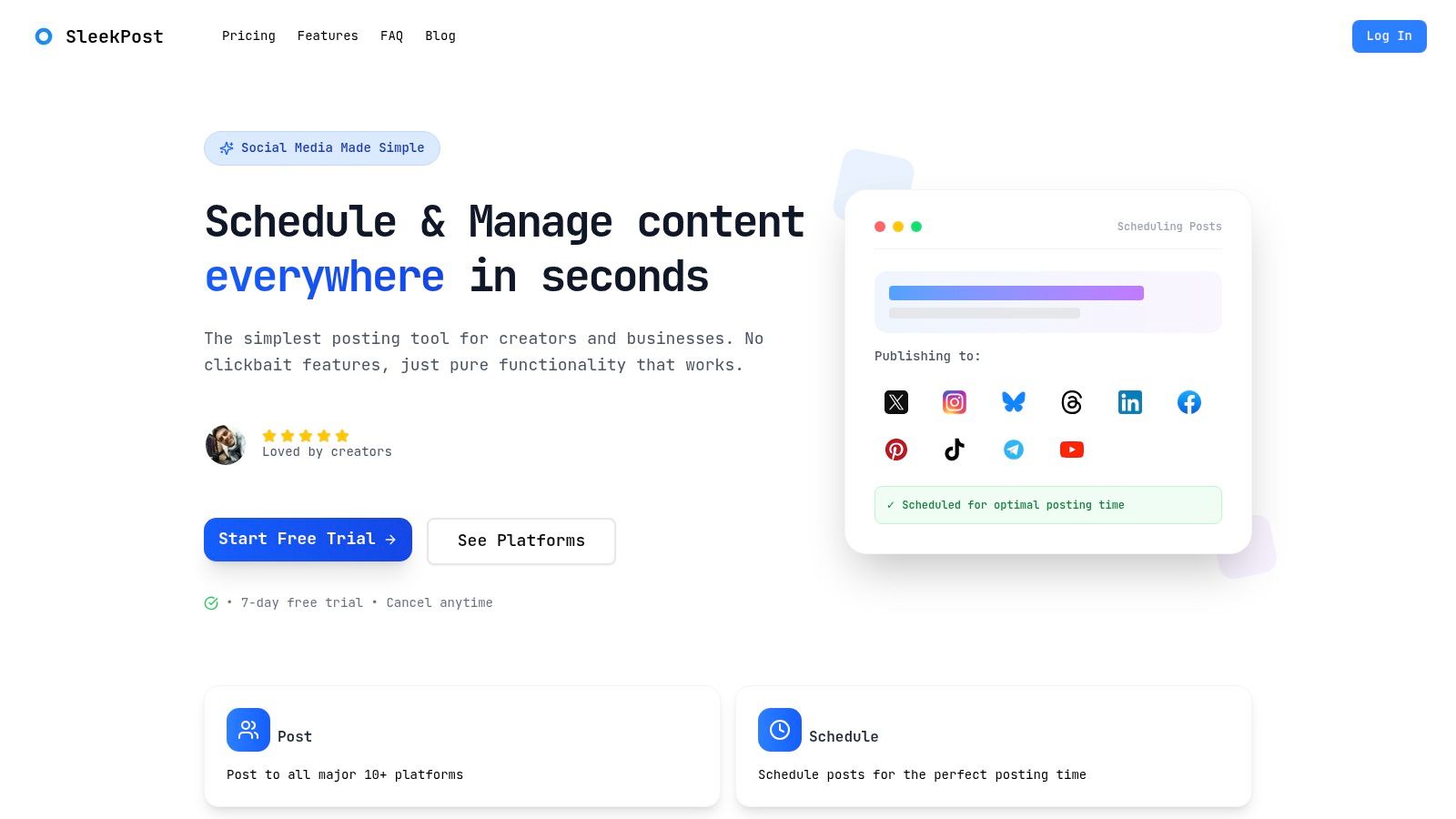
The interface is worth inspecting, but a screenshot can't establish publishing eligibility or operational reliability.
Match the workflow to the buyer
Independent creators should test how quickly they can turn an asset into publishable versions. Our supported content includes videos, images, text posts, carousels, and reels, but the meaningful test is whether your intended destinations accept the versions you produce.
Small businesses and startups should prioritize campaign accuracy and account eligibility. Assign someone to approve claims, links, and offers before queuing them, especially when adapting a product announcement for different audiences.
Social media managers and agencies should evaluate access controls alongside account capacity. Our teams let users invite members and assign roles and permissions within a workspace or group. Test those roles with the actions colleagues need rather than assuming that access to the workspace permits every task.
Indie hackers should compare composer speed and recurring-content management against the effort of their current routine. A testimonial about affordability can suggest a product is worth testing, but it can't establish a current price advantage over competitors.
Keep production and distribution separate
Some businesses need help making assets before they need help distributing them. For an apparel team evaluating creative production, WearView's ai video generator for clothing brand is a separate resource to assess alongside the publishing workflow.
An asset-generation tool doesn't resolve account permissions. Likewise, a posting dashboard doesn't prove that an asset communicates a useful idea. Evaluate creation quality, adaptation effort, and delivery eligibility as separate stages.
If your monthly volume fits the plan and every required destination accepts your account type and content, choose the tool with clear per-platform control. If an essential account-and-format combination can't publish, that gap is a dealbreaker.
List your accounts, expected monthly output, media requirements, and collaborators before starting a trial. Use a small, representative queue across a fortnight, staying within the free allowance, and inspect the live results before committing to a paid workflow.
SleekPost offers shared-dashboard publishing, scheduling, and per-platform customization so you can coordinate distribution without giving up control of each version. Visit SleekPost to test your real accounts and media, then choose a plan only after confirming that its limits fit your publishing workload.