 SleekPost
It's Sunday night, and you're moving unfinished posts into next week again. The launch announcement is waiting for approval, the video still needs captions, and your Instagram draft doesn't quite work on LinkedIn. Your calendar looks busy, but you're still deciding what to publish at the last minute.
The fix isn't filling more dates. It's separating campaign decisions from production tasks, setting a workload your team can finish, and leaving room to learn. A useful content calendar tells you what to make, who owns it, when it must be ready, and what you'll change if it doesn't work.
Table of Contents
- Planning Horizons for Each Calendar Layer
- How to Build Your Calendar Step by Step
- Choosing Platforms and Adapting One Idea
- Setting Weekly Capacity and Production Timing
- Reviewing Results and Deciding What to Keep
- Build Your First Four Weeks This Month
Planning Horizons for Each Calendar Layer
Say you're a creator publishing across several platforms without a campaign map. Every Sunday, you choose topics from whatever assets are closest to finished. You stay active, but product education, customer questions, and upcoming promotions compete for attention without a clear priority.
Use two planning layers instead: a campaign map for direction and a production queue for execution. HubSpot's 2022 Media and Content Planning Report recommends planning major initiatives approximately 3–4 months ahead and near-term publishing details roughly 3–4 weeks ahead.
Planning horizons by calendar layer
| Layer | Planning horizon | What it records |
|---|---|---|
| Quarterly campaign map | 3–4 months ahead | Campaigns, launches, seasonal moments and content pillars |
| Production queue | 3–4 weeks ahead | Platform copy, assets, approvals and publishing dates |
| Asset brief | Before the idea enters production | Audience segment, objective, pillar, owner, call to action and success metric |
The campaign map should describe priorities, not finished captions. A bakery might plan around celebration orders, everyday products, and baking advice, then attach relevant promotions and seasonal deadlines. That gives the owner a reason to approve a topic before anyone spends time filming it.
Give each idea a permanent home
The asset brief connects strategic intent to production. Include the audience segment, business objective, content pillar, topic, format, call to action, owner, and success metric. Add links to reference material and approved assets so nobody has to reconstruct the assignment from chat messages.
Keep platform variants attached to that brief. A product demonstration can become a video, carousel, and text post without becoming several disconnected assignments with conflicting instructions. The shared idea stays stable while the execution changes.
Practical rule: Keep uncertain campaign ideas on the map. Move them into production only when someone can explain the audience need and intended outcome.
A documented content planning process makes those handoffs easier to maintain. In Google Sheets, create separate tabs for the campaign map and production queue, then use a shared brief identifier to connect them.
For example, start your quarterly map with three to five pillars based on recurring customer questions. Leave the production queue empty until you've checked goals, ownership, and available time. An empty queue is better than a queue full of promises nobody has accepted.
How to Build Your Calendar Step by Step
Build the calendar in a working session with whoever creates and approves the content. Don't populate dates alone and ask the team to make the workload fit afterward.
In Content Marketing Institute and MarketingProfs' 2021 B2B benchmark research, four out of five top-performing organizations used an editorial calendar, compared with about half of the least successful organizations. That's an association, not proof that a calendar causes success. The useful distinction is whether your calendar supports disciplined execution.
Turn intentions into assignments
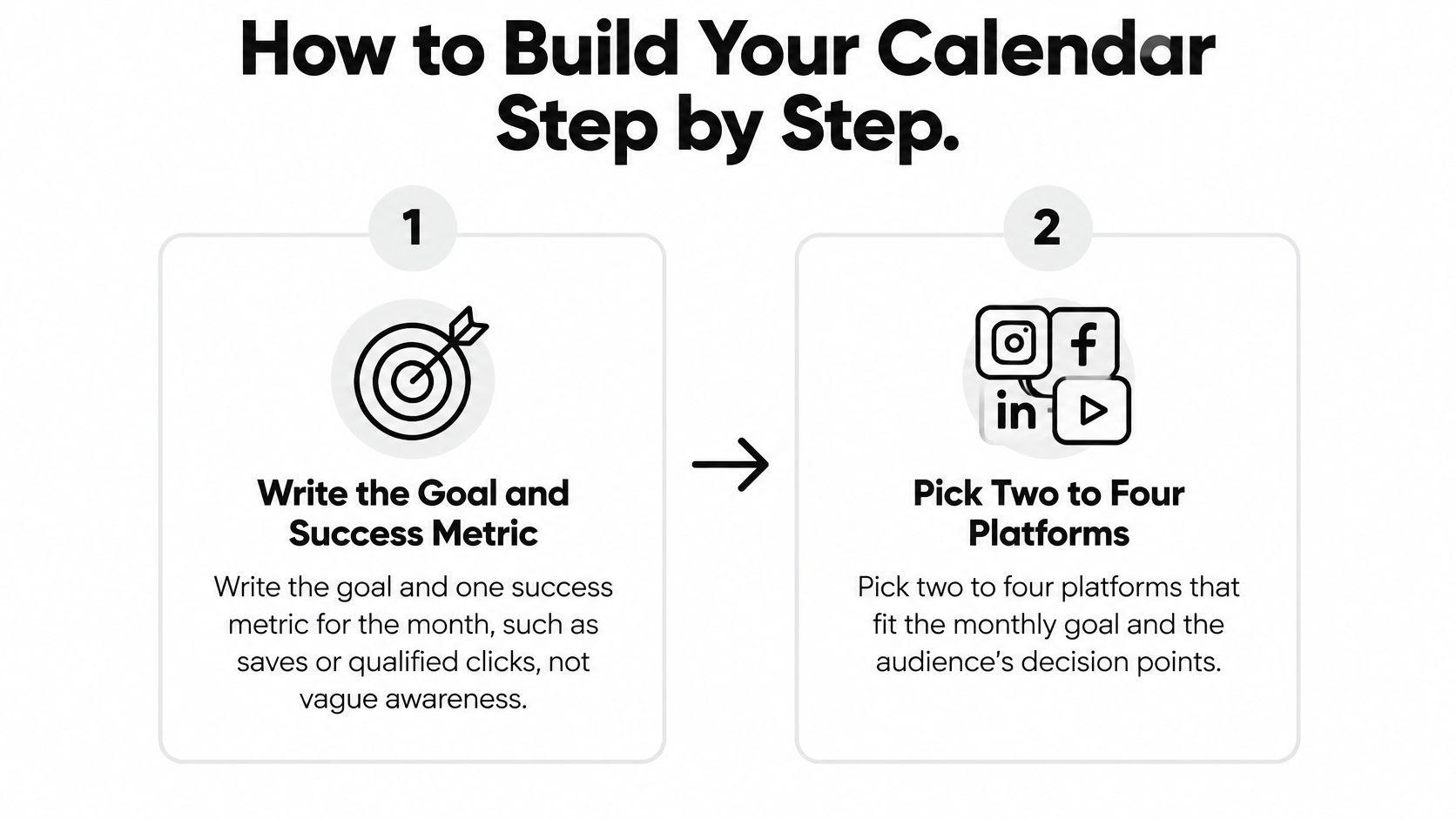
Write the monthly goal and its success metric. Choose a business outcome, then select a signal that helps you judge progress, such as qualified clicks for a product education campaign. Common slip: writing “awareness” without defining what meaningful attention looks like.
Choose platforms by their role. Select channels where your audience discovers answers, evaluates options, or takes action; don't include an account because it exists. Common slip: assigning every platform the same job and expecting comparable results.
Define content pillars around recurring questions. Use sales questions, support requests, search queries, and audience comments to create durable topic groups. Common slip: using broad labels such as “inspiration” that don't help anyone decide what to make.
Place publication dates, then schedule backward. Give research, drafting, design, approval, and scheduling their own deadlines, with the approver's availability checked before you commit. Common slip: recording only the publishing date, so a late draft pushes every later task into a backlog.
Assign an accountable owner. Other people can contribute, but someone must chase feedback, resolve blockers, and confirm readiness. Common slip: assigning an asset to “marketing,” which leaves everyone assuming somebody else is handling approval.
Leave room for changes. Mark flexible slots explicitly and give them a purpose, such as responding to customer questions or replacing an unsuitable post. Common slip: treating spare capacity as permission to add more routine work.
Schedule only approved assets and record their status. Check the caption, media, destination, tracking link, and publishing time before moving an item to scheduled. Common slip: treating a scheduler upload as proof that the post is finished.
Use the visual sequence as a quick reminder before you start assigning production work.
Check readiness before committing
A practical workflow for managing social media posts should make blocked, approved, and scheduled work visibly different. If video is part of the plan, revid.ai's guide can help you work through how to schedule posts across TikTok and Instagram.
Your readiness check is simple: every committed asset needs an owner, a publication date, and a success metric. Flexible slots need a named person responsible for deciding whether to use them. Anything awaiting a brief or an approver belongs in the backlog, not in a promised publishing slot.
Choosing Platforms and Adapting One Idea
Choose platforms according to where your audience makes decisions, not where the largest audience exists. A smaller professional community can be more useful for qualified inquiries than a larger channel that produces attention without interest in your offer.
For a business owner, every extra channel also means extra editing and response work.

Short-form video deserves consideration, not automatic priority. HubSpot's social media strategy guidance reports that 60.1% of marketers use short-form video, while 48.6% say it produces the strongest ROI. Your decision still needs to account for audience fit and your ability to produce useful footage.
Compare the adaptations before accepting the work
Say your core asset is a tutorial showing how to prepare a product for use. Plan distinct executions rather than exporting the same file everywhere.
| Channel format | Minimum useful adaptation | Intended response |
|---|---|---|
| Short video | Open with the problem, show the result quickly, and add readable on-screen text | Watch the demonstration and ask a practical question |
| Instagram carousel | Break the process into clearly labeled images with a strong cover | Save the instructions for later |
| Text-first post | Explain the decision behind the method and ask a specific question | Share an experience or discuss an alternative |
The adaptation rule is same idea, channel-specific delivery. Change the hook, length, visual treatment, call to action, and way you invite conversation. Don't force a viewer to interpret a caption written for a different platform.
Column Five's account of its content production workflow illustrates the value of backward scheduling through a defined pipeline. Apply that discipline to adaptation too: captions, cropping, cover images, and final checks need production time.
Use this video as another reference while thinking through your publishing workflow.
A focused multi-channel marketing strategy should explain why each channel earns its place. Start with fewer platforms and add another only when you can sustain useful output, answer responses, and evaluate results without rushing the existing work.
Setting Weekly Capacity and Production Timing
Available production time minus committed work minus contingency time equals usable capacity. Don't calculate output from the number of empty calendar cells. Calculate it from the work your team can complete, approve, publish, and support.
Say a small team has ten possible publishing slots in a hypothetical week. They reserve two for revisions or timely responses, and their planned filming sessions can support six finished video posts. That leaves two possible routine slots, but those slots aren't automatically available: design, approvals, and comment handling still have to fit.
If the approver is away, the filming capacity doesn't solve the bottleneck. If editing is already full, another recording session creates unfinished inventory rather than publishable content.
Count the whole production cost
Track time against the actual work involved:
- Creation: Research, scripting, filming, writing, and asset selection.
- Adaptation: Editing, captions, graphics, platform copy, and accessibility checks.
- Approval: Review time, revision rounds, and final sign-off.
- Distribution: Scheduling checks, link testing, and publishing exceptions.
- Community work: Replies, moderation, and follow-up questions.
Use a simple timesheet during an initial production cycle. You don't need detailed employee monitoring; you need to know whether a carousel consumes the same effort as a demonstration video. Treating every post as an equal-sized unit hides the workload that causes missed deadlines.
A spare publishing slot isn't spare production capacity.
Separate batch work from release timing
Use content batching for tasks that benefit from shared setup, such as recording demonstrations under the same lighting or designing related carousel templates. Don't batch approvals into a last-minute pile. Reviewers need a manageable queue and a clear decision deadline.
Keep evergreen material ready ahead of publication, but leave time-sensitive claims and topical openings open to a final check. Completing everything far ahead reduces pressure, yet it can also lock you into messaging that no longer fits.
Use linked views rather than separate tracking documents: a campaign view for priorities, a publishing queue for release order, and a production-status view for blockers. Update the underlying record once.
The operating limit is straightforward: don't accept more scheduled work than the team can finish while preserving contingency time. When a new request arrives, explicitly replace, postpone, or decline something else.
Reviewing Results and Deciding What to Keep
A full calendar isn't the objective. You can publish every planned post and still learn nothing about what your audience needs or which themes support the business. A smaller schedule with deliberate tests can give you better decisions than a packed schedule of interchangeable updates.
Hootsuite's social media trends guidance describes social as a research channel and highlights interest signals such as rewatches, pauses, and hover time in discovery. It also offers a 70/20/10 starting mix of reliable evergreen content, proven variations, and experiments. Treat that as a planning model, not a universal allocation: an established account and a new account don't have the same evidence to work from.
Review series, not isolated winners
For each post, record its purpose, format, audience signal, and business outcome. Group related posts into a series so you can distinguish a weak execution from a weak topic. Compare results over equivalent observation windows rather than judging a fresh post against an older one.
Metrics that trigger a keep, revise or retire decision
| Metric | What it tells you | Decision |
|---|---|---|
| Reach and saves | Whether the hook and format earn attention | Revise the hook or format if reach is strong but saves are weak |
| Qualified clicks and leads | Whether posts move people toward the offer | Adjust the call to action if clicks come without leads |
| Conversion rate by pillar | Which content theme converts | Promote winning themes into recurring series |
| Repeated misses against threshold | Whether a theme has stopped working | Retire the theme after several misses, not after one |
These are diagnostic prompts, not automatic verdicts. Clicks without leads can also indicate a poor landing page, broken tracking, or an offer mismatch. Check the path before blaming the caption.
Change something you can evaluate
When a planned post underperforms, inspect the opening and format first. Did the post make the problem clear? Did the useful part arrive too late? If related posts still generate qualified interest, revise the execution rather than abandoning the pillar.
For paid creative experiments, Nim's guide to build AI ad variants at scale can help you think through variant production. Keep the testing question narrow: changing the hook, offer, visuals, and audience together won't tell you which change mattered.
Review discipline: Record the next decision beside the result, not in a separate meeting document.
A repeatable performance tracking routine should end with keep, revise, or retire for each active series. Define acceptable performance before reviewing results, using your own comparable posts and business needs. Then assign the resulting changes to an owner so the review affects what gets produced.
Build Your First Four Weeks This Month
Don't wait for a perfect template. Use the opening month to establish a workable routine, then refine it with actual production experience.
Make the rollout manageable
- Week one: Draft the quarterly campaign map around recurring audience questions and upcoming business priorities. Give each pillar a success metric that matches its purpose, rather than making every theme responsible for immediate sales.
- Week two: Choose a focused platform mix and write an adaptation rule for each channel. Decide which format you'll produce, what response you want, and which work you won't take on yet.
- Week three: Populate the production queue with accepted briefs, owners, and task deadlines. Keep flexible space visible, and move unapproved ideas back to the backlog instead of pretending they're scheduled.
- Week four: Review the first completed series and assign keep, revise, or retire decisions. Early results may be inconclusive, so record what needs another test rather than forcing a confident verdict.
Choose your working tool before populating the queue. Look for drafts, per-platform variants, asset storage, user-selected publishing times, and access to past and scheduled posts. Test whether you can find an asset's source brief without searching through messages.
SleekPost offers a content calendar, drafts, per-platform post variants, and a media library. Our Scheduling feature publishes at your chosen time, while Content Managing lets you view past and scheduled posts together and edit scheduled posts.
Start with a system your team will update, not the most elaborate template you can build.
Today, open your spreadsheet or planning tool, create the first campaign map, and name the owners of the first few posts. That's a concrete commitment you can build on.
SleekPost gives you a content calendar, drafts, platform-specific variants, and a media library to organize the work before publication. Visit SleekPost to build your production queue, schedule posts at your chosen times, and keep past and upcoming content available for your weekly review.