
At 9:14 a.m., a small bakery owner has Instagram open in one tab, Facebook in another, LinkedIn in a third, Canva open for a quick resize, and a Google Sheet listing last week's posts. The Instagram caption looks polished, but it feels awkward when pasted into LinkedIn. The hashtags look spammy, Facebook needs a different version, and one of the week's planned posts has already disappeared into the spreadsheet. By the time she finishes adapting the first update, forty minutes have gone and the queue still isn't complete.
That routine is why social media management software has become more than a convenient scheduling shortcut. The category has grown from a specialist toolset into a substantial enterprise software segment. One market estimate valued social media management software at USD 19.84 billion in 2025, with a projected rise to USD 21.98 billion in 2026 and USD 42.76 billion by 2031, according to Mordor Intelligence's market estimate.
The important question for a small team isn't whether a platform has an impressive feature list. It's whether the product removes repeated decisions, duplicated work, and unnecessary logins. A tool that adds another dashboard without reducing the daily workload isn't solving the problem.
Table of Contents
- Juggling Five Platforms and Losing Your Mind
- What Social Media Management Software Actually Is
- The Core Features That Matter Most
- Why More Features Do Not Always Mean More Value
- How to Choose the Right Tool for Your Situation
- A Practical Evaluation Framework Before You Buy
- Making the Right Choice for Your Workflow
Juggling Five Platforms and Losing Your Mind
The bakery owner doesn't have a content problem. She has a coordination problem.
Her product photo is ready. The offer is clear. She knows which customers she wants to reach. Yet every network asks her to repeat the same sequence: open the platform, upload the image, paste the caption, adjust the wording, check the preview, choose a time, and remember what has already been published. Then she has to repeat the process elsewhere.

The work feels small in isolation. A caption here, a crop there, a quick switch to another tab. Together, those fragments consume the part of the morning that should go toward serving customers, planning promotions, or making the next piece of content.
The hidden cost isn't typing the post. It's remembering all the places where the post has to be changed, approved, scheduled, and checked.
Using social media management software changes the shape of the morning. The owner can upload product images to a media library the night before, prepare one campaign from a calendar, and create platform-specific versions without rebuilding the post five times. Instagram can keep a conversational caption, LinkedIn can use a more informative introduction, and Facebook can carry the local offer without forcing identical copy everywhere.
The calendar provides another useful shift. Instead of asking, “Did I post this already?”, she can see what has gone live, what is waiting for approval, and what is scheduled across the week. That visibility matters because a calendar turns memory into a system. Guidance on managing multiple social media accounts for business follows the same practical principle, centralize the work before trying to increase its volume.
The difference between automation and organization
Software isn't magic. It won't choose the right offer, take a strong photograph, answer a sensitive customer complaint, or decide whether a trend fits the bakery's voice. It also won't repair a content strategy that has no audience, purpose, or publishing rhythm.
What it can do is remove avoidable repetition. It can keep assets in one place, show the full queue, route drafts to the right reviewer, and preserve different versions for different networks. The value appears when the owner can spend one focused session preparing content rather than scattering the same work across browser tabs.
That is the workload test worth applying to every product. Does it let you prepare, adapt, schedule, and review content in one coherent flow? If not, the platform may only relocate the chaos from several native apps into another interface.
What Social Media Management Software Actually Is
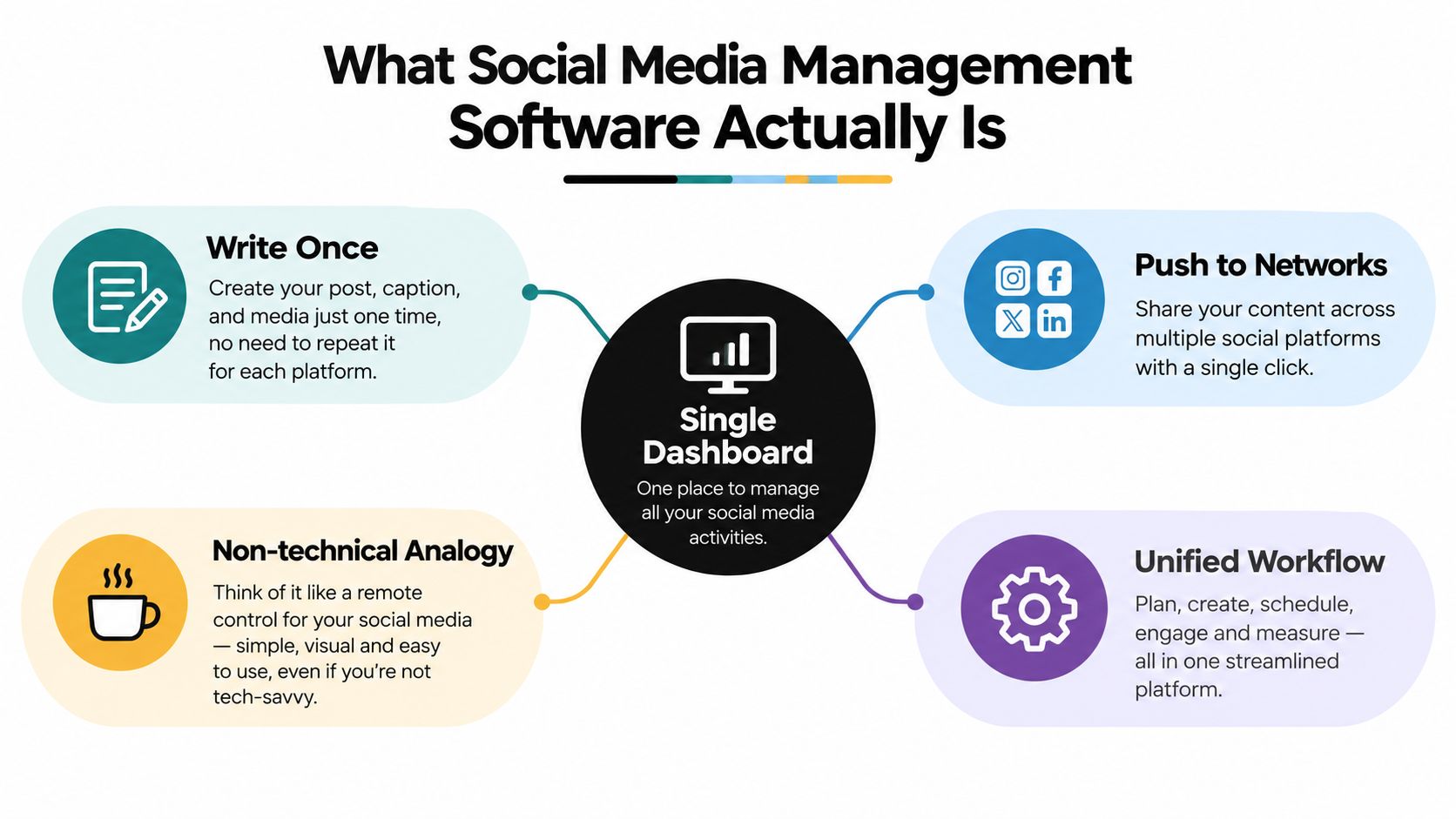
At its simplest, social media management software is a shared dashboard for running social accounts. You write or upload content, select the networks, tailor the post where necessary, and schedule or publish it from one workspace.
A useful analogy is a universal remote control. Without one, you walk to each television to change the channel or adjust the volume. With one, you still need to decide what to watch, but you no longer repeat the same physical trip for every device. Social media management software works in a similar way. It centralizes routine controls while leaving judgment with the person running the accounts.
From scheduler to operating workspace
Scheduling is usually the entry point, but the category now covers a wider workflow:
- Publishing: Prepare, customize, queue, and release posts across connected networks.
- Planning: Use calendars, campaigns, recurring slots, and content statuses to organize upcoming work.
- Asset storage: Keep approved images, videos, logos, templates, and reusable content accessible to the team.
- Analytics: Bring performance information into reports that support decisions about topics, formats, and timing.
- Collaboration: Let people draft, comment, revise, approve, and publish according to their responsibilities.
- AI assistance: Generate starting points for captions, variations, or ideas when the blank page slows progress.
The range is broad. A solo creator might need a visual calendar and dependable queues. A larger organization may require account groups, permissions, approval chains, reporting layers, and engagement management across many brands. Both products can be described with the same category label, even though their daily workflows are very different.
A scheduler also isn't the same thing as a social network. It doesn't create an audience for you, guarantee distribution, or make content go viral. It can't replace positioning, creative judgment, community participation, or a clear reason for publishing. It gives those activities a more organized place to happen.
For a lighter introduction to the category, this guide to a social media scheduler app is useful because it starts with the basic publishing job before moving into broader management features.
The best buying question remains direct: after connecting the tool, will your real work require fewer steps? If you still need separate spreadsheets for the calendar, cloud folders for assets, native apps for every edit, and manual reports for every review, the unified dashboard may be more cosmetic than operational.
The Core Features That Matter Most
Feature names don't tell you how a product behaves during a busy publishing session. A tool may advertise scheduling, analytics, approvals, and AI, yet still force users to duplicate content or hunt through several menus. Evaluate each feature by the work it removes.
| Feature Group | What It Does |
|---|---|
| Scheduling and multi-platform publishing | Organizes posts in a calendar or queue, supports platform-specific versions, and reduces repeated publishing steps |
| Analytics and reporting | Collects reach, engagement, follower movement, and content performance into a more usable view |
| Team workflows | Controls drafts, comments, approvals, roles, and publishing permissions |
| Media library | Stores brand assets, templates, product imagery, and approved files for reuse |
| AI content generation | Creates caption drafts, variations, or prompts that help users begin faster without replacing editorial judgment |
Scheduling and multi-platform publishing
A useful scheduler does more than send the same text everywhere. It should let you adjust the opening, call to action, hashtags, links, media format, and timing for each network. A vertical video may suit one channel, while a text-led explanation or a professional update makes more sense elsewhere.
Look for a visual calendar, a queue that can be rearranged easily, time-zone controls when relevant, and previews that reflect the destination network. Bulk scheduling can save effort, but only if the editor makes exceptions easy. A bulk upload that creates a second cleanup project isn't efficient.
Analytics that answer a question
Analytics should help you decide what to do next. A useful report might show which themes receive meaningful engagement, which formats attract attention, or whether a publishing change affected results. A wall of charts isn't useful if the owner still has to export data from every native dashboard and interpret it manually.
Small teams usually need clarity before depth. Ask whether the report helps answer practical questions such as, “Which posts should we make more often?” or “Which network deserves the next campaign?” If it only presents numbers without a decision path, it adds review work.
Workflow controls for teams
A draft, comment, and approval system prevents the wrong person from publishing the wrong version. Role-based permissions can separate content creation from final approval, while internal notes keep feedback attached to the post instead of scattered through email or chat.
This matters even in a small business. A freelancer may prepare the content, an owner may approve claims or offers, and a community manager may handle replies. The workflow should support those handoffs without requiring a separate project management system for every post. Teams exploring a broader all-in-one platform should still check whether each part of the workflow is fully connected.
Media libraries and AI assistance
A media library solves a mundane but expensive problem: searching for the right logo, product image, or approved template. Good organization should make assets searchable and reusable without creating uncertainty about which file is current.
AI can help with the blank-page problem. A content creator might use a social media AI generator to create a first draft, then refine the wording to match the brand's voice and the platform's audience. Treat generated copy as raw material, not a finished post. The editor still needs to check facts, tone, claims, and context.
Depth varies sharply between vendors. A feature list tells you that a tool has analytics, but only a trial reveals whether the analytics are clear. It tells you that the product supports multiple networks, but not whether it can customize each post without forcing extra steps. Those details determine whether the software saves time.
Why More Features Do Not Always Mean More Value
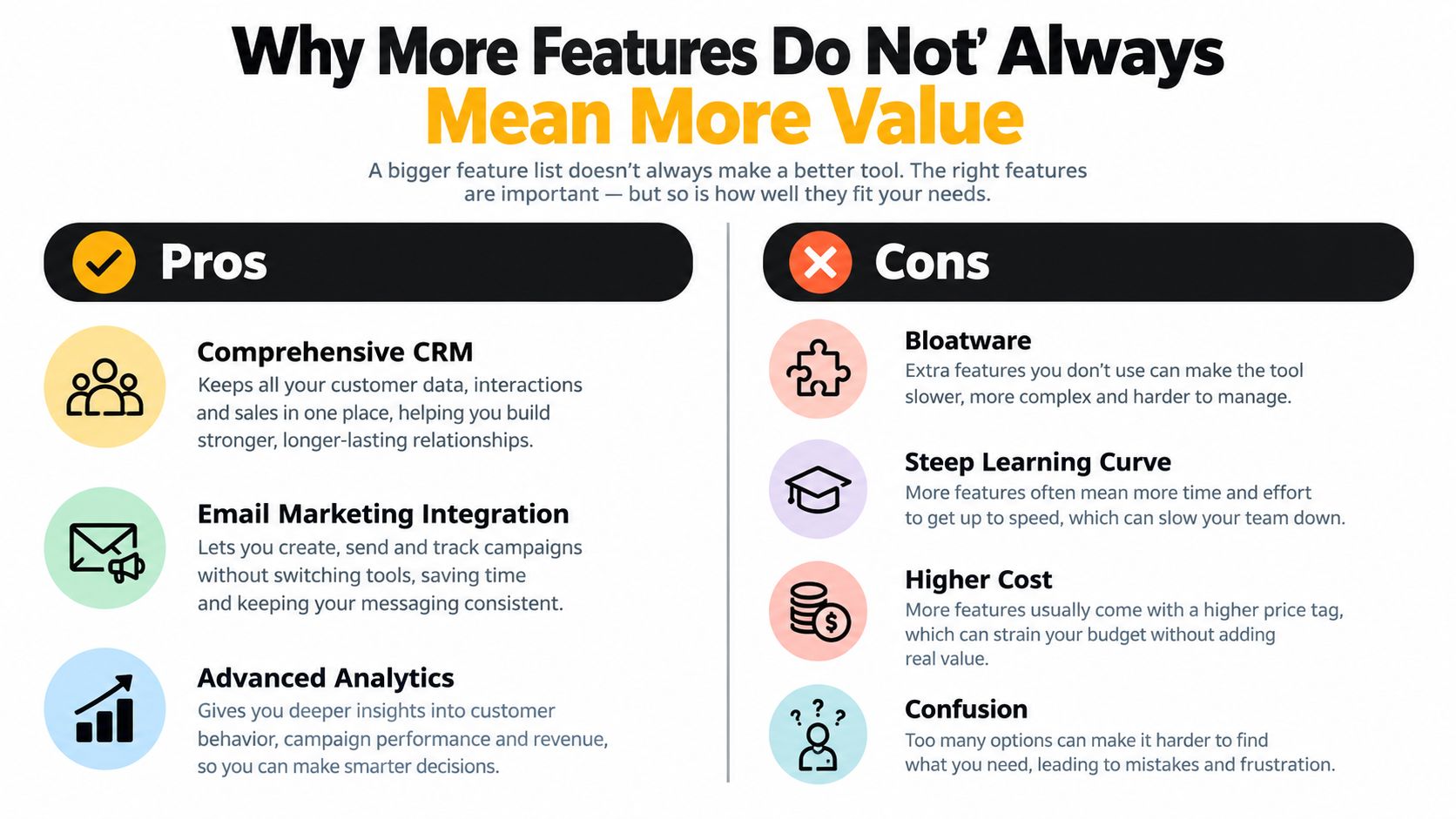
A larger feature list can make a product look safer to buy. It suggests that the platform will handle every future need, from publishing and analytics to customer relationship management, email campaigns, listening, and workflow automation.
For a small team, that promise can become a burden. A product that includes functions you never use may still charge for them, place them in the main navigation, and require time to understand their relationship to the task you need to complete.
The minimum viable toolset
A solo creator may need only a reliable calendar, platform-specific editing, a media library, basic reporting, and a quick publishing flow. Adding customer records and complex campaign orchestration won't necessarily improve that creator's work. It may make a simple action harder to find.
A small business often benefits from a slightly broader set of controls, especially approvals and clear performance summaries. An agency has a different problem entirely, because client separation, permissions, reporting, and account volume can justify a more substantial system. The right product is not the one with the most capability. It's the one that covers the work you repeat.
A feature earns its place when it removes a step, prevents an error, or improves a decision.
The cost of unused features is easy to miss. You may pay for a higher plan, spend time in onboarding sessions, create internal documentation, and delay publishing while someone searches for the correct workflow. A focused tool that opens quickly and makes the next action obvious can outperform a heavier suite for everyday publishing, even if the suite has more impressive enterprise functions.
A simple filter for every feature
For each promised capability, ask:
- Problem: Which recurring task does this solve?
- Frequency: How often does that task happen?
- Friction: How many clicks, handoffs, or logins disappear?
- Proof: Can you test the benefit with your own content during a trial?
External services can still be valuable, especially when you need a specialized function. A practical review of third-party tools can help you decide whether to add a focused companion product instead of moving your entire workflow into a large suite.
The strongest buying decision often feels less exciting than the longest feature comparison. It starts with the few actions you need to perform repeatedly and removes everything that distracts from them.
How to Choose the Right Tool for Your Situation
The same platform can feel perfect to one buyer and frustrating to another. A creator who works alone wants speed and visual confidence. A small business needs control without bureaucracy. An agency must protect separation between clients while moving a large amount of content through review.
| Criteria | Solo Creators | Small Businesses | Agencies |
|---|---|---|---|
| Main priority | Fast publishing with minimal setup | Consistent publishing and understandable reporting | Multi-client control and repeatable operations |
| Scheduling | Visual calendar, previews, easy queues | Multi-platform scheduling with platform-specific editing | Bulk scheduling, account groups, and reusable workflows |
| Collaboration | Optional comments or simple review | Approval steps and clear publishing permissions | Granular roles, client approvals, and workspace separation |
| Analytics | Simple signals about useful content | Reports that connect activity to business questions | Client-ready reporting with brand or account breakdowns |
| Asset management | Quick access to personal templates and media | Shared library for approved brand files | Libraries separated by client, campaign, or team |
| Best fit | Lightweight scheduler | Focused management workspace | Heavier platform with multi-client layers |
Solo creators
A creator often loses time through interruption rather than volume. The ideal product should make it easy to move from idea to draft to scheduled post without a training project. A visual calendar helps creators understand how their feed or publishing rhythm will look before content goes live.
Platform coverage matters too. If the creator relies on short-form video, text updates, and visual posts across different networks, the product must support those formats in a practical way. Logos on a pricing page aren't enough. The creator should test the exact media and copy combinations used in normal work.
Small businesses
Small businesses need a system that more than one person can understand. An owner may approve content, a staff member may prepare it, and an outside contractor may manage the queue. Clear statuses and permissions reduce the risk of publishing an outdated offer or sending a draft to the wrong account.
Analytics should remain readable. The owner doesn't need a research department to see which content deserves more attention. A clean report that supports a weekly decision is often more useful than an advanced dashboard that nobody opens.
Agencies
Agencies should prioritize structure before convenience. Client workspaces, account separation, bulk scheduling, approval links, team permissions, and branded reporting can matter more than a polished single-brand calendar. The agency also needs to know whether the platform keeps media, drafts, comments, and reports clearly separated.
A focused product such as SleekPost is positioned for the creator and small-business end of this spectrum, with scheduling, multi-platform publishing, platform-specific customization, and analytics in a shared workspace. Agencies with complex client governance may need a heavier platform if those controls are central to their delivery model. The best choice fits the actual workload, not the longest list of available features.
For teams organizing ideas before they schedule them, a dedicated content planning tool can also clarify whether the missing problem is publishing, planning, or both.
A Practical Evaluation Framework Before You Buy
A free trial should be treated as a work simulation, not a guided tour. Don't connect an account, admire the dashboard, and assume the product will save time. Bring in the material that usually causes friction.
Start with your real workload
Load two weeks of actual content into the trial. Include the awkward posts, not only the easy ones. Add a video, a carousel, a platform-specific caption, an approval request, and an asset that someone else needs to find.
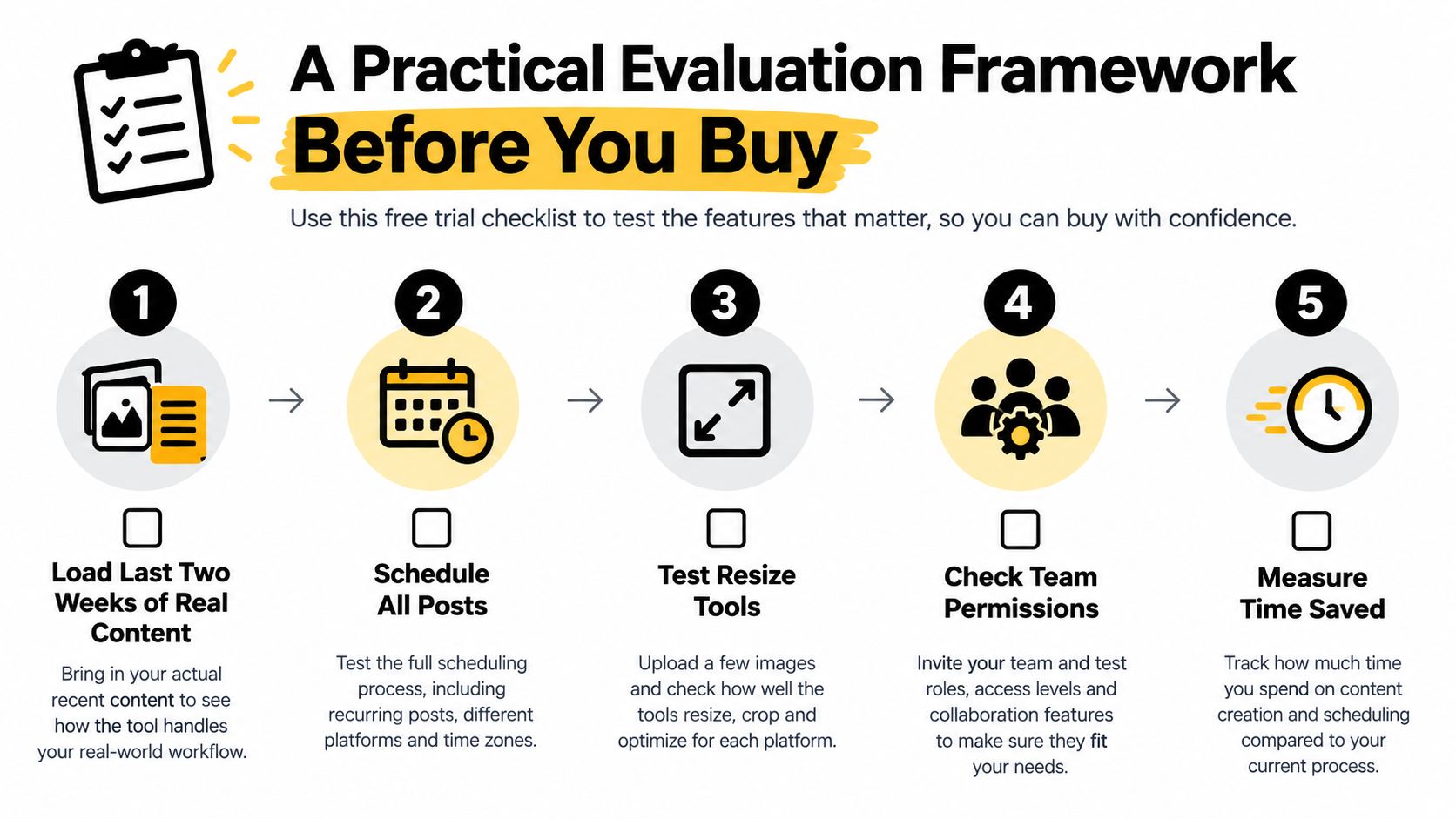
Then schedule the same batch across the networks your team uses. Record how long it takes, where the workflow slows down, and which actions force you back into a native app. The point isn't to produce a scientific benchmark. It's to compare the candidate against your current routine using familiar work.
A trial should expose your normal exceptions, not reward the product for handling only its demo scenario.
Check coverage and platform behavior
Confirm that every important network is available on the plan you're considering. Check whether the tool publishes the formats you rely on, whether it supports native features, and whether copy and media can be customized without creating duplicate drafts.
Technical limits can affect the experience even when the interface looks smooth. Meta usage can vary with app and user activity, with published examples including limits such as 200 calls per user per hour, while the YouTube Data API is commonly metered at 10,000 quota units per day, as explained in this overview of social media APIs. A well-designed scheduler should batch requests, cache metadata, and reserve capacity for writes and retries. Otherwise, one network may publish while another fails.
Audit the commercial and operational details
Read the pricing page carefully. Look for per-seat charges, account limits, annual commitments, paid analytics, media restrictions, and costs for adding collaborators. Test the integrations you already depend on, such as Canva, Google Drive, a design workflow, or an RSS feed.
Also check the less glamorous trust signals:
- Status visibility: Look for a public status page or clear incident communication.
- Editor behavior: Watch for aggressive upsells that interrupt normal publishing.
- Data handling: Read retention and export terms before storing important assets.
- Onboarding burden: Note whether the first useful workflow takes minutes or requires a training session.
- Support quality: Ask a specific question and judge the clarity of the answer.
A lightweight approach, as represented by SleekPost, can be evaluated through this same lens: connect the accounts you use, prepare real posts, test queues and recurring content, and see whether the central workflow reduces switching. Don't accept a product's positioning as proof. Let your own calendar provide the evidence.
Score each candidate on speed, clarity, platform fit, reliability, reporting usefulness, and total cost. Keep feature count as a secondary note. A product that wins on the measures you use every week is more valuable than one that wins a theoretical comparison.
Making the Right Choice for Your Workflow
The decision comes down to one practical test. Does the tool collapse your posting routine into one focused workspace, or does it add another login to a stack that already feels crowded?
Four checkpoints usually reveal the answer:
- Platform coverage: The product should support the networks and formats your audience uses, not merely display a long list of logos.
- Scheduling depth: You should be able to queue, adapt, preview, and reschedule content without learning an unnecessarily complicated system.
- Useful analytics: Reports should help you decide what to repeat, change, or stop. They shouldn't bury a small team under dashboards.
- Predictable pricing: Costs should remain understandable as you add accounts, collaborators, or reporting needs.
Run one or two contenders against the same week of real posts. Measure the time spent learning the tool as well as the time spent scheduling. Count the moments when you leave the platform to resize media, check a status, retrieve an asset, or confirm whether a post went live.
The market's expansion reflects a broad need for centralized publishing and reporting. One forecast projects the broader social media management market from USD 17.5 billion in 2022 to more than USD 51.8 billion by 2027, with a projected 24.2% CAGR, as described in Research and Markets' market report. That growth doesn't mean every buyer needs an enterprise suite. It means organizations are paying more attention to the operational problem.
For creators and small businesses, a lightweight, opinionated tool often makes more sense than a bloated suite when the main goal is faster execution. Agencies should give collaboration depth, client separation, and reporting governance more weight, even if those requirements lead to a larger platform. The right choice is the one that gives your team fewer places to work and more time to think.
SleekPost gives creators, marketers, and small businesses a shared workspace for scheduling and publishing content across their social channels, with platform-specific customization, queues, recurring posts, media storage, and AI-assisted drafting. Visit SleekPost to test your real publishing workflow and see whether it reduces context switching before you commit to another social media management platform.