You've got a post idea in a notes app, a calendar for publishing, a separate scheduler, an image editor, an analytics dashboard, and perhaps a spreadsheet keeping track of what went where. None of the tools is necessarily bad. The problem is the handoff between them. Every switch creates another chance to forget a format, lose an asset, duplicate a task, or publish the same message without adapting it for the channel.
That's the problem an all in one platform tries to solve. Instead of making you operate a collection of disconnected tools, it brings related work into one environment, with shared data and connected workflows. The important question isn't whether consolidation sounds convenient. It's whether one platform gives your team enough depth for the work you do.
This guide builds a practical way to answer that question. You'll start with a plain-language definition, then examine the benefits and tradeoffs, identify the capabilities that matter, score potential platforms, and see how a creator workflow can work in practice. If you're comparing options for publishing and planning, this guide to choosing a platform for content creators provides useful context for the decision.
Table of Contents
- Introduction to the All in One Platform Idea
- What an All in One Platform Really Means
- Benefits and Tradeoffs You Should Weigh Honestly
- Core Features That Define a Strong All in One Platform
- How to Evaluate an All in One Platform Before You Commit
- Real Use Cases and Workflow Examples With SleekPost
- Practical Tips to Adopt Your All in One Platform Successfully
Introduction to the All in One Platform Idea
A solo creator might begin the week by writing a newsletter, turning the main idea into social posts, designing a visual, scheduling each version, and checking performance across several dashboards. A small marketing team faces the same pattern at a larger scale. One person owns the calendar, another edits copy, a third prepares media, and a fourth reports on results. The work looks connected from the outside, but the software often keeps it fragmented.
That fragmentation creates hidden integration costs. You pay not only for subscriptions, but also for repeated logins, manual exports, copied data, connector maintenance, permissions, and time spent checking whether one tool passed information correctly to another. A platform can appear affordable while the surrounding workflow consumes attention.
Practical rule: Count the handoffs around a tool, not just the tool's monthly price.
An all in one platform emerged as a response to this problem. It offers a central place for a group of related jobs, such as planning, creation, automation, publishing, customer management, or reporting. The platform may not replace every specialist application, and it shouldn't be expected to. Its value comes from reducing unnecessary movement between systems while preserving enough control for the user.
The decision has two sides. Consolidation usually helps when your team repeats straightforward workflows across channels and loses time coordinating tools. Specialization may be better when your work depends on advanced capabilities that a broad suite can't match. A photographer with complex color-management needs, for example, may still need a specialist editor even if an all in one platform handles planning and distribution.
Use the rest of this guide as a decision aid. First, define what “all in one” should mean. Then weigh convenience against feature depth, inspect the platform's underlying capabilities, test it with real work, and roll it out gradually. The right choice is the one that removes meaningful friction without forcing your most important tasks into a shallow compromise.
What an All in One Platform Really Means
Think of separate tools as a room full of remote controls. One controls the lights, another controls the sound system, and a third controls the screen. You can make everything work, but only by remembering which remote does what. An all in one platform acts more like a central command center. You still access several functions, but the controls, data, and workflow live in one environment.
A true platform usually combines four connected layers:
- A shared workspace, where people sign in and manage related tasks.
- Shared data, so a customer, campaign, content item, or project doesn't need to be recreated in every module.
- Connected actions, allowing one step to trigger another without a manual export.
- Unified reporting, so the results of several activities can be viewed together.
The exact modules depend on the category. In marketing, one 2026 industry comparison defines an all in one marketing platform as a single software system combining CRM, email, SMS, automation, landing pages, funnels, and analytics in one dashboard. You can see the same design logic in other categories, including finance, operations, and publishing. Financial consolidation software, for instance, automates the combination of data from multiple entities into unified statements. A market report estimates the global financial consolidation software market at $5.8 billion in 2025, with a projection of $13.4 billion by 2034 at a 9.7% CAGR, as reported by this market overview.
A bundle isn't always a platform
Some products place several tools under one brand but keep them technically separate. You might use one login, yet still move data manually between modules. Others provide a shared dashboard but rely on loosely connected add-ons for essential functions. Those products can still be useful, but they don't deliver the same level of unification.
Ask what happens after you create an item. Can a content brief become a scheduled campaign without downloading a file? Can audience data inform automation and reporting in the same workspace? Can you control permissions and billing centrally? The answers reveal whether you're looking at an integrated system or a convenient collection of products.
The same principle applies outside marketing. If you're exploring media products, an audio streaming solution for creators can help clarify how a creator-focused platform might bring content delivery, audience access, and management functions into a more coherent experience. For publishing teams, a dedicated content planning tool offers another example of how one workflow can gather ideas, schedules, and execution in one place.
Benefits and Tradeoffs You Should Weigh Honestly
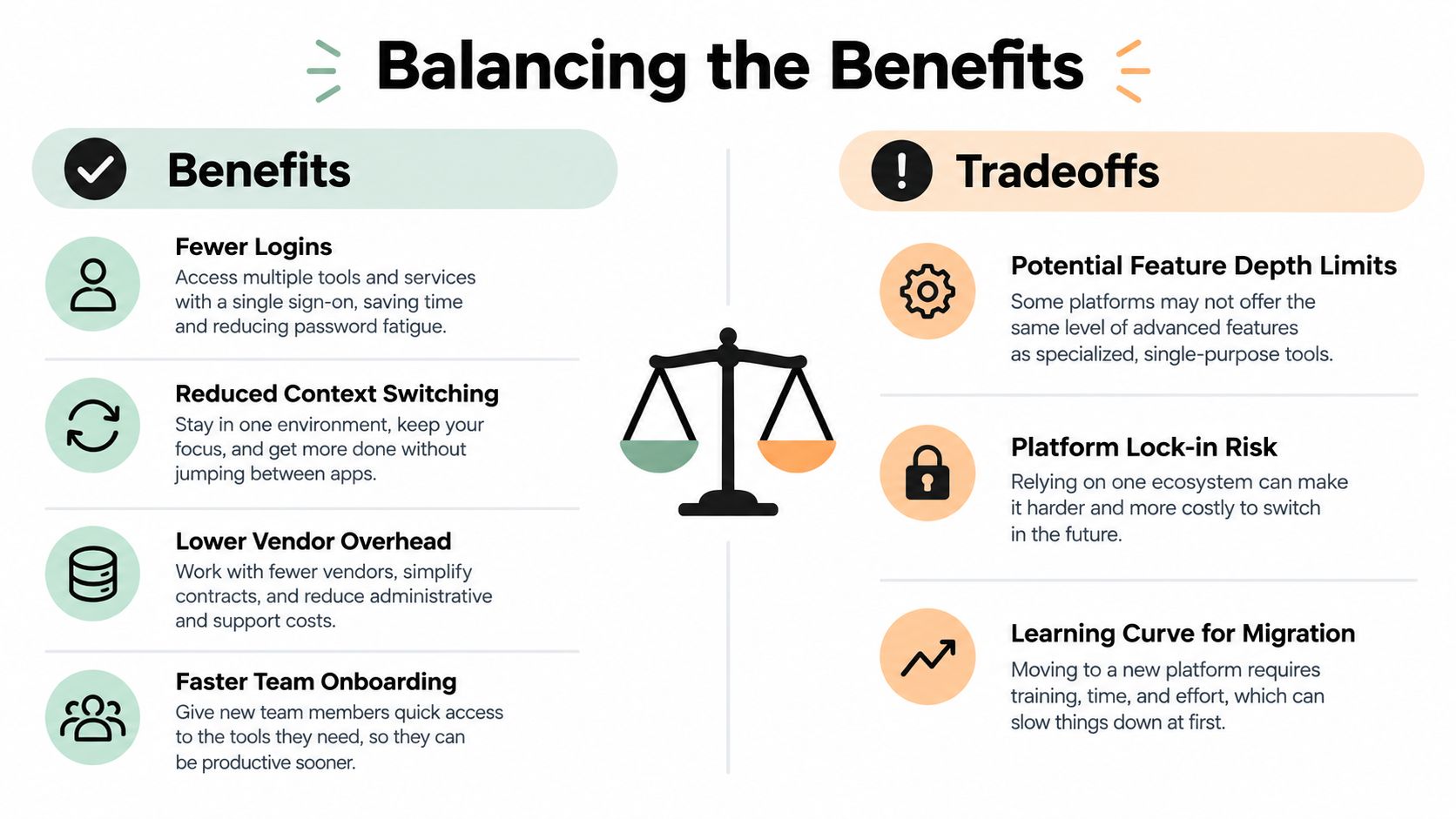
An all in one platform earns its place by removing work that adds no creative or strategic value. You shouldn't have to copy a campaign name into several tools, reconcile different contact lists, or train every new teammate on a chain of disconnected interfaces. Consolidation can also reduce vendor management, because fewer products mean fewer renewals, support conversations, permissions systems, and billing records.
The strongest benefit is often continuity. A creator can move from draft to review to scheduling without exporting the work. A small team can see the same status and source material. A manager can understand results without asking someone to combine reports from several systems.
| Potential benefit | What it changes in daily work |
|---|---|
| Fewer logins | People spend less time locating the right application and credentials. |
| Less context switching | Related tasks stay in one workspace instead of moving across tabs. |
| Lower vendor overhead | Billing, permissions, support, and renewals become easier to manage. |
| Faster onboarding | New users learn one main environment rather than a chain of tools. |
The integration case can be measurable. One industry summary reports a 34% integration failure rate for disparate stacks versus 12% for all in one platforms, while implementation time falls from 67 hours to 28 hours when tooling is consolidated. Those figures come from this SaaS consolidation analysis. Treat them as directional evidence from that source, not a promise that every platform will produce the same result.
Where consolidation can disappoint
The central tradeoff is breadth versus depth. A broad suite may handle ordinary scheduling, automation, analytics, and collaboration well, but a specialist tool may offer more control for advanced users. Neutral guidance on best-of-breed and all in one software makes this distinction clearly. Suites can reduce vendor management and onboarding, yet they often lack the specialized functionality power users expect.
Configuration creates another cost. A platform with many modules may need careful setup before it reflects your team's naming conventions, approval paths, templates, and permissions. Shared architecture can also make a platform-wide upgrade more consequential. If several workflows depend on the same codebase or middleware layer, one change may affect tasks that previously seemed unrelated.
Decision test: Consolidate routine coordination. Keep specialist tools where advanced control directly affects the quality of the finished work.
For a small creator, an all in one platform may be a sensible center for planning and distribution while a specialist video editor remains in place. For an agency, the right answer might be a unified publishing layer connected to dedicated client reporting or design tools. The goal isn't maximum consolidation. It's deliberate consolidation, based on the work that causes the most repeated friction.
Core Features That Define a Strong All in One Platform
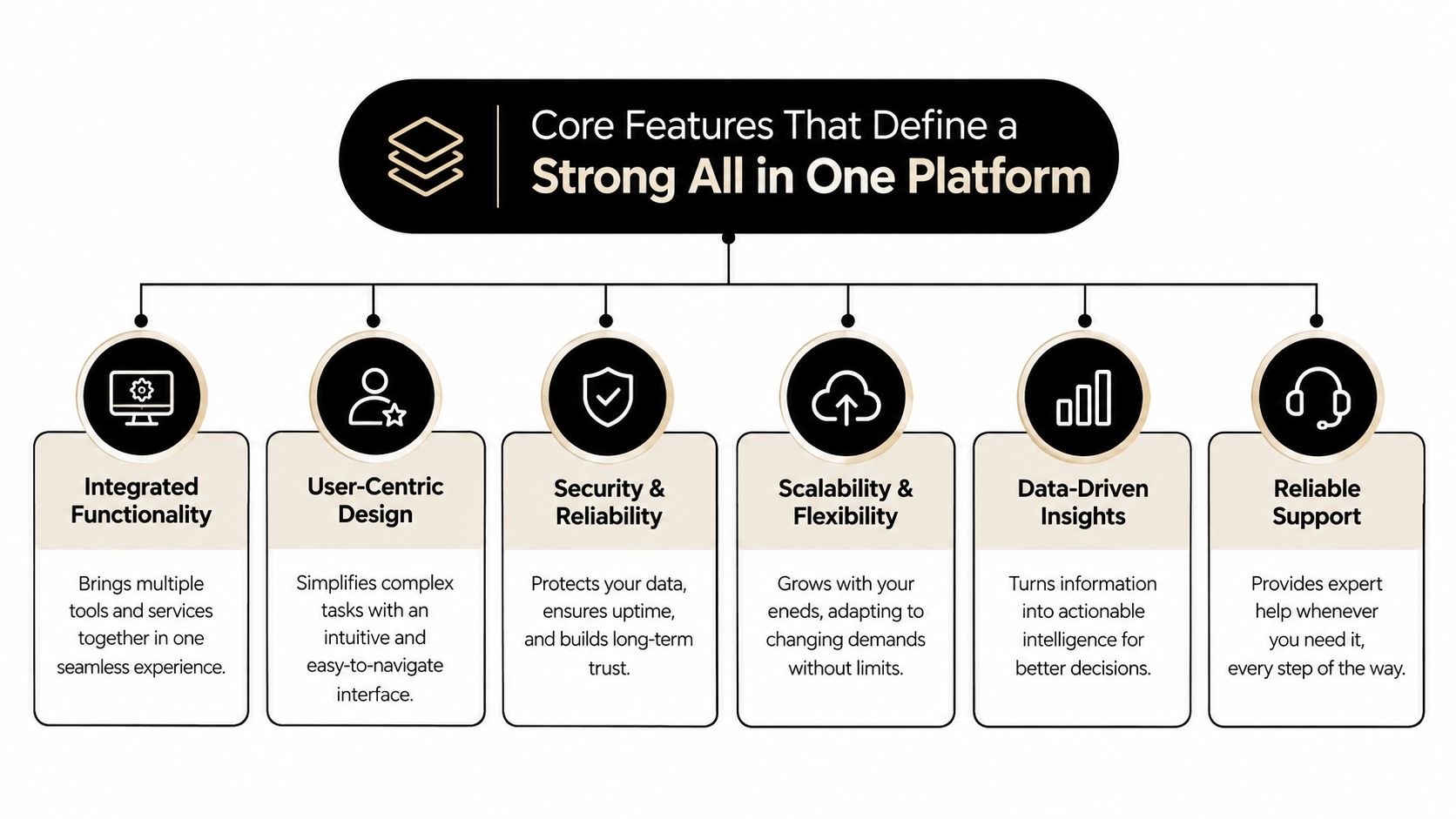
A strong platform isn't defined by the number of icons in its navigation bar. It's defined by how reliably those functions work together. Evaluate the system through four practical pillars: integration, channel-specific control, automation, and analytics.
Integration breadth and reliability
Start with the systems your team already uses. Check whether the platform connects directly to the networks, storage services, customer records, payment tools, or collaboration apps that matter to you. Then test what the connection supports. A logo in an integrations directory doesn't tell you whether the connector can publish media, retrieve reporting data, handle permissions, or recover from an interrupted action.
Reliability matters more than a long list of integrations. Look for clear status messages, retry behavior, activity logs, and useful error explanations. The consolidation figures cited earlier indicate why this deserves a dedicated test. Fewer connectors can reduce failure points, but only if the remaining connections are maintained and transparent.
Channel-specific customization
One source idea often needs several finished versions. LinkedIn may need a more explanatory post, X may reward a concise angle, Instagram may depend on visual context, and a video network may require a different title or description. A capable platform should let you start with a common idea while editing the details for each destination.
Test this with a real campaign rather than a sample. Add a link, image, carousel, or video and check what the platform preserves. Review character handling, previews, tags, first comments, thumbnails, and platform-specific settings. Creator teams comparing product features for creators can use the same approach, focusing on the actions they perform repeatedly rather than the features that look impressive in a demo.
Automation and templates
Automation should remove repetitive decisions without taking away editorial control. Look for reusable templates, approval stages, queues, recurring posts, triggers, and safe ways to pause or edit scheduled work. A useful automation tells you what will happen before it runs.
Templates should standardize the parts that benefit from consistency, such as campaign labels or calls to action. They shouldn't force every channel into the same wording. If your team manages regular publishing, compare the workflow with a social media scheduler app and ask whether it supports both batch work and individual review.
Unified analytics and performance
A shared dashboard is useful only when it helps answer a decision. Check whether reports connect content, channel, timing, and outcome in a way your team can interpret. Make sure you can export the information when needed and distinguish between platform-wide summaries and channel-specific details.
Speed belongs here too. Slow loading, delayed previews, or unclear processing states can turn a supposedly simple workflow into another source of hesitation. Run the platform during the busiest part of your normal process. You're evaluating the experience your team will repeat, not the polished path shown in a sales demonstration.
How to Evaluate an All in One Platform Before You Commit
A trial should look like a small production project. Don't judge a platform by how quickly you can create a test account. Judge it by whether your real content, users, approvals, integrations, and reporting needs fit together without hidden manual work.
Begin with a tool-sprawl inventory. List every application involved in one recurring workflow, the person responsible for each step, the data passed between tools, and the failure points. Include time spent searching, renaming files, checking formats, and correcting failed actions. The inventory gives you a baseline for comparing the platform with your current process.
Then run one representative workflow from start to finish. Use a real asset, not placeholder content. Connect the destinations you care about, invite the people who would approve or publish, and deliberately test an exception, such as an edited caption, a removed channel, or a failed connection. You'll learn more from recovery behavior than from a smooth first run.
IBM's integration guidance recommends a structured, standardized common architecture. That points to a practical buying question: does the platform expose clear interfaces, predictable data relationships, and manageable components, or does every module depend tightly on every other module? The latter may feel integrated at first but can amplify technical debt as your setup grows. See IBM's integration strategy guidance for the architectural principle behind this test.
Score the platform against actual work
Use a simple scorecard rather than relying on a feature-count comparison. A low score in a mission-critical category should outweigh several attractive but rarely used extras.
| Evaluation Criteria | What to Test | Score 1-5 |
|---|---|---|
| Workflow fit | Can your most common task run without avoidable exports or duplicate entry? | |
| Integration quality | Do essential connections support the actions and data your team needs? | |
| Customization depth | Can each channel or workflow be adapted without breaking the shared process? | |
| Automation control | Can you create repeatable actions, pause them, and inspect what they'll do? | |
| Reporting clarity | Can the dashboard answer decisions your team actually makes? | |
| Architecture and portability | Are interfaces clear, and can you export or recover your information? | |
| Support and change safety | Are documentation, support paths, release notes, and migration tools adequate? | |
| Commercial fairness | Does pricing reflect active users, accounts, volume, and the features you need? |
Don't sign until you understand migration and exit. Ask how assets, schedules, analytics, permissions, and templates can be exported. A platform that saves time today but makes your information difficult to retrieve tomorrow creates a different kind of lock-in.
Real Use Cases and Workflow Examples With SleekPost
A creator named Maya publishes educational videos and turns each release into a short written post, a vertical clip, and a newsletter mention. Her old process required separate drafts for each network, manual scheduling, and repeated checks that the correct media file had been attached. The creative work was manageable. The coordination was the drain.
A unified publishing workflow changes the sequence. Maya prepares the source idea, adapts the copy for each destination, attaches the right media, and places the posts into a queue from one dashboard. She can also use an AI drafting action to turn a link or prompt into platform-specific starting points, then review every version before it goes live. The workflow still needs human judgment, but it removes repeated copying.
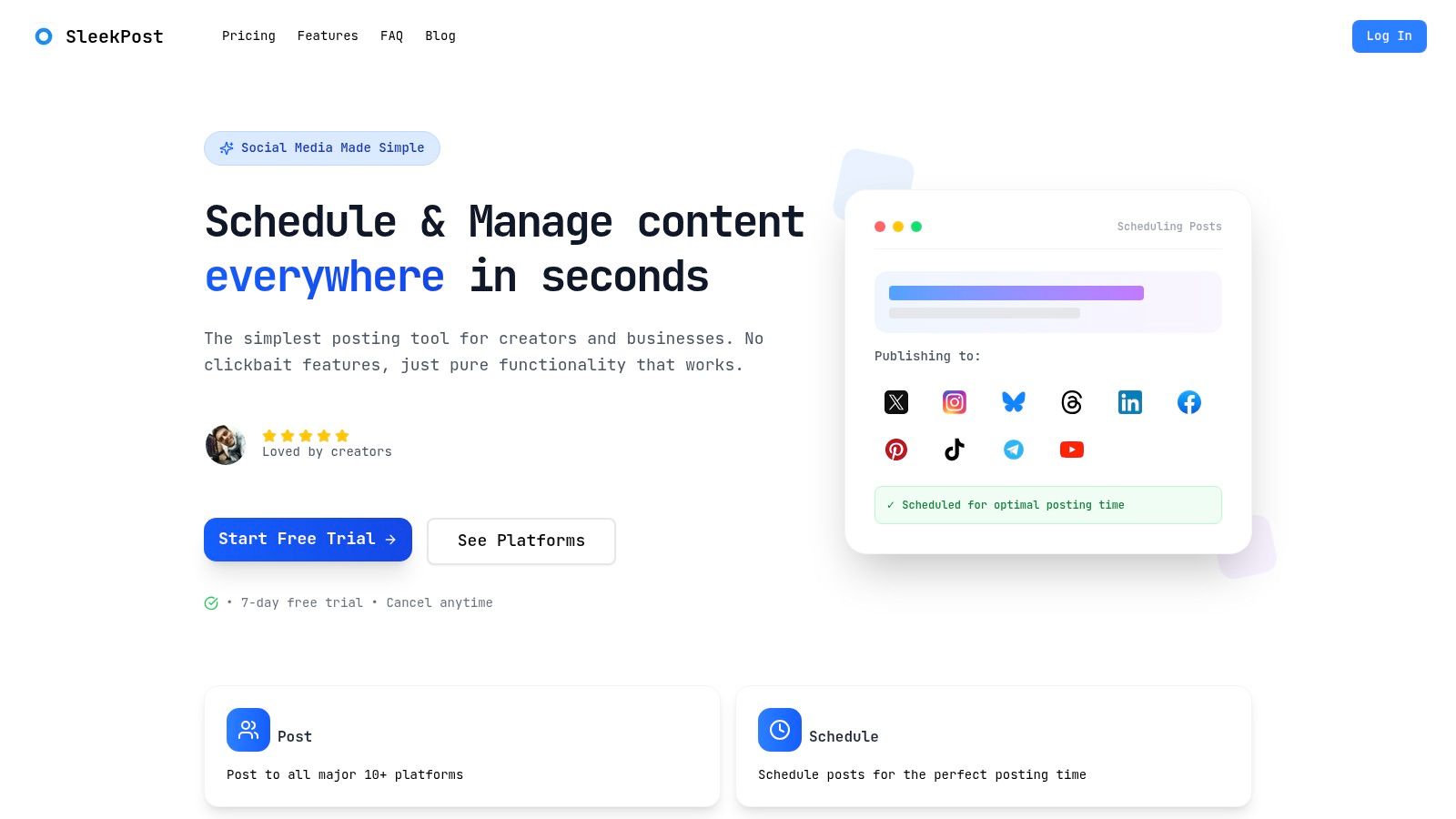
An independent consultant might use the same model differently. She writes one insight about a client problem, creates a longer LinkedIn version, shortens the argument for X, and adds a visual explanation for Instagram. A recurring queue keeps evergreen ideas circulating, while auto-reposting gives useful material another opportunity without rebuilding the schedule manually.
The scale of the underlying problem explains why this workflow matters. A recent industry roundup reports that the average company runs about 275 SaaS applications, with small companies averaging 152 and large enterprises 660. It also reports that 53% of SaaS licenses sit idle, wasting roughly $21 million per year at the average company. These figures are from the SaaS tool-sprawl roundup, and they show why a small team should examine unused complexity before adding another application.
Creators who teach online may also separate their content workflow from supporting resources such as applications for educators. The useful question is whether each tool has a clear role. A lightweight social publishing platform can manage channel distribution while a specialist education or media tool handles a deeper requirement that the publishing system isn't designed to cover.
For a more detailed process, the content creation workflow guide can help teams map the path from idea to published asset. The following video provides another way to see how a centralized scheduling process can work in practice.
Practical Tips to Adopt Your All in One Platform Successfully
A good platform won't fix a disorganized workflow by itself. Start with one repeatable publishing or marketing process, document the current steps, and migrate only the assets needed for that process. Keep your original tools available until the new workflow has completed a real cycle without missed approvals or lost media.
Use a short rollout sequence:
- Prepare the library. Rename important files, remove obvious duplicates, and organize assets around campaigns or content themes.
- Build the operating rules. Set queues, review permissions, naming conventions, and channel-specific templates before inviting the whole team.
- Run a controlled trial. Publish a small batch, inspect every destination, and record where people still need manual work.
- Measure operational change. Track time spent preparing, reviewing, scheduling, correcting, and reporting. Also check whether the team keeps channel customization intact.
- Expand gradually. Add another workflow only after the first one feels predictable.
Templates should provide a starting shape, not a permanent cage. Keep reusable hooks, calls to action, and campaign labels, but require a channel-specific review before publishing. That balance preserves consistency without making every post sound identical.
Your adoption plan should also include a simple exit review. Confirm that you understand trial limits, cancellation terms, data export, and what happens to scheduled work if you stop using the platform. Clear expectations protect a solo creator just as much as they protect a team.
For broader operational structure, marketing workflow management can help you connect ownership, timing, and review steps around the software. Start lean, remove the handoffs that waste the most time, and add complexity only when your workflow proves it needs more depth.
SleekPost brings scheduling, platform-specific post customization, queues, recurring publishing, media handling, and AI-assisted drafting into one dashboard for creators, marketers, and small teams. If you want to test consolidation on a real social publishing workflow, visit SleekPost and try the process with your own content.