You open the company's Instagram account to answer comments, switch to LinkedIn to approve a post, then jump to TikTok because a video needs a caption change. Meanwhile, a regional team is waiting for approval, a customer message has gone unanswered, and tomorrow's campaign still exists as an unfinished draft in someone's personal document.
That isn't a personal productivity failure. It's what happens when a business treats several social profiles as separate posting tasks instead of one coordinated operating system. Learning how to manage multiple social media accounts for business means controlling the handoffs, permissions, content versions, response duties, and measurement that sit behind every published post.
Table of Contents
- The Reality of Modern Account Sprawl
- Auditing and Assigning Platform Jobs
- Building a Sustainable Content Engine
- Implementing Governance and Team Permissions
- Streamlining Workflows with Lightweight Automation
- Measuring Cross-Platform ROI and Optimization
The Reality of Modern Account Sprawl
Audience behavior makes a multi-platform presence understandable. In 2025, 5.41 billion people used social media worldwide, representing about 65.7% of the world's population, while the typical user engaged with around 6.84 platforms per month, according to Planable's social media statistics overview. A customer might discover a product through a short video, evaluate the company on LinkedIn, ask a question in a comment, and later respond to a direct offer on another network.
The operational consequence is easy to underestimate. Each account has its own publishing format, audience expectations, inbox, analytics view, access settings, and failure points. A single campaign can require several versions of the hook, creative asset, caption, call to action, and approval record. Copying one post everywhere may look efficient, but it often creates weak platform fit and more revisions later.
Practical rule: More accounts only create more value when each account has a clear job and an owner who can perform that job consistently.
Market activity reflects this complexity. By 2025, the social media management software market had reached $28.1 billion and was growing at 23% annually, while reporting tied to HubSpot's 2025 Social Media Trends found that 64% of marketers managed three or more accounts and 28% managed more than ten, as summarized by Conbersa's multi-account platform analysis. The issue is not that teams have more posts to write. They have more relationships, deadlines, decisions, and account-specific risks to coordinate.
Why switching apps becomes a structural problem
Manual work hides the true cost of account sprawl. A manager may spend only a few minutes publishing a post, but lose far more time reopening context, checking whether an asset is approved, adapting the copy, and confirming that the correct profile is selected. Repeated context switching also makes small errors more likely, such as publishing the wrong regional offer or missing an important comment.
Businesses should therefore separate reach decisions from workflow decisions. A platform may deserve attention because its audience matters, but that doesn't mean the current account structure is sustainable. Before adding another profile, ask whether the team can assign ownership, maintain a response standard, preserve brand control, and measure the account's contribution.
For a broader view of the fundamentals behind a small-business presence, this guide to how small businesses use social media offers useful context. For teams coordinating paid, creator, and brand activity, a specialist resource on creator campaigns for growth teams can also help clarify where external campaign work should connect with the internal publishing system.
Auditing and Assigning Platform Jobs
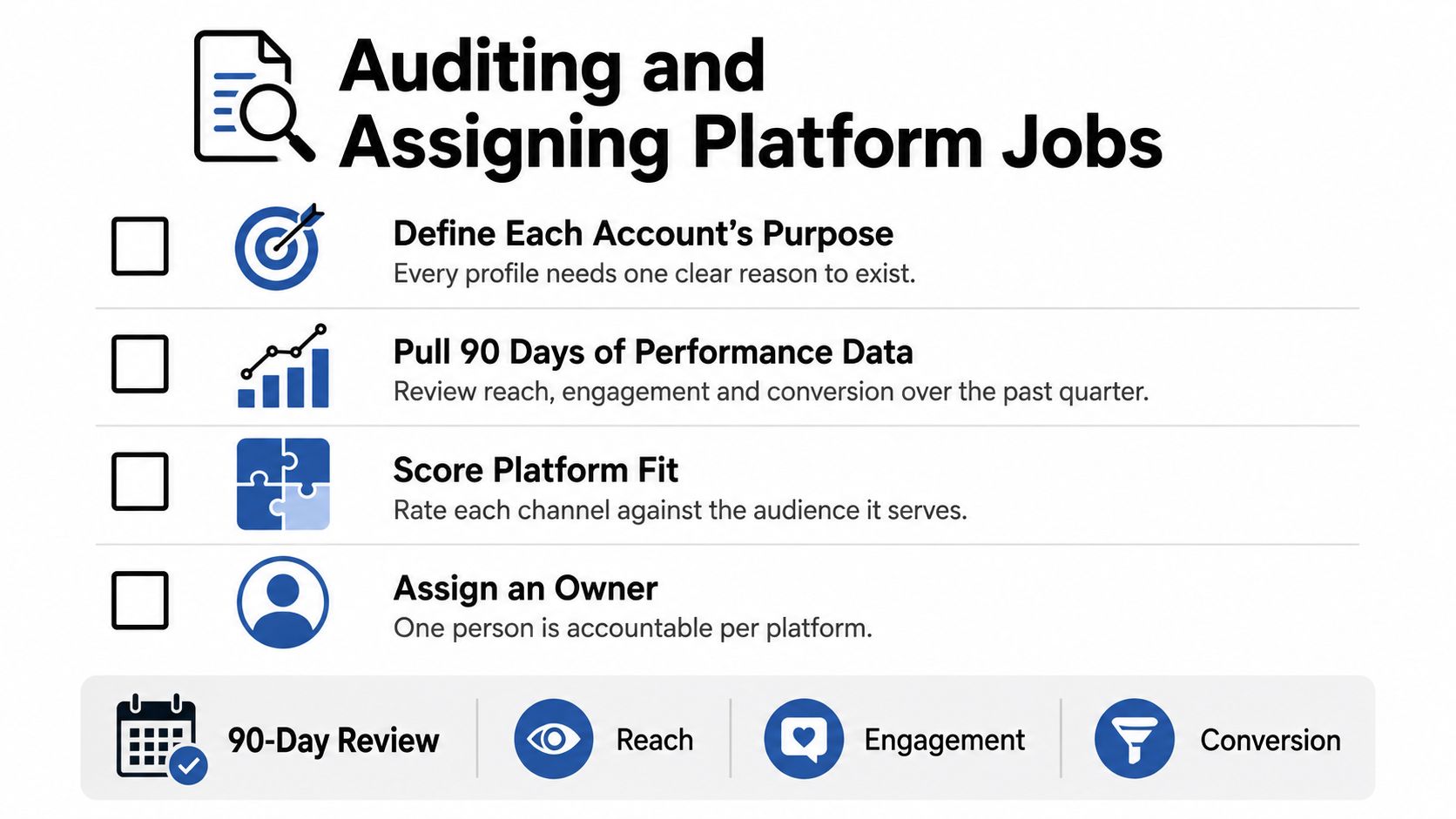
A channel audit should produce a decision, not a more attractive spreadsheet. Review every account across a 90-day performance window, then assign it a specific business job, audience, and primary metric before planning additional content. The review should also expose accounts kept alive by habit rather than strategy. Decide whether each profile earns its operating cost, has clear ownership, and can meet the team's response expectations.
Start with the account inventory
List every profile, handle, region, brand, owner, audience, and publishing responsibility. Include dormant accounts, duplicate regional pages, and profiles that nobody actively claims. An account without a named owner will eventually become an account nobody checks.
Record what each channel is supposed to accomplish. Useful jobs include:
- Demand creation: Build awareness around a problem or category.
- Education: Explain products, use cases, or industry topics.
- Conversion support: Move qualified people toward a landing page, demo, consultation, or purchase.
- Customer care: Handle questions, complaints, and service updates.
- Recruitment: Show the workplace and attract suitable candidates.
- Community building: Give an identifiable audience a reason to return and participate.
Assigning every platform the same job creates duplicated work and weak reporting. LinkedIn may support executive credibility, while Instagram may demonstrate products. Their content, publishing decisions, and success measures should reflect those different roles.
Use one scorecard for every channel
Pull the same categories of information for each account, then interpret the results in context:
| Audit area | Question to answer |
|---|---|
| Audience fit | Does the account reach the people the business can serve? |
| Content fit | Which formats and themes earn meaningful attention? |
| Business action | What does a useful visitor do after seeing the content? |
| Resource cost | Who creates, approves, publishes, and moderates the account? |
| Operational risk | Can the team protect access and respond reliably? |
Match the primary metric to the assigned job. A customer-care account should not be judged mainly by follower growth, just as an educational channel should not be evaluated only by direct sales. Track reach and engagement when they clarify distribution and content quality, then connect the final assessment to the business action the account is meant to support.
Add one operational test: can the named owner maintain the account during a busy week, an absence, or a sensitive incident? If the answer is unclear, the account carries structural risk regardless of its recent engagement.
Decide what to keep, combine, or stop
Keep an account when it has a clear audience, a defensible role, and enough support to remain active. Consolidate accounts that serve the same audience and duplicate publishing effort. Sunset a profile when audience fit is weak, its role is redundant, or maintaining it prevents higher-value work elsewhere.
Write the outcome in a one-page strategy. For each platform, include the job, audience, content pillars, owner, approval path, primary metric, and decision rule for the next review. That document filters future requests. If a proposed post does not serve the platform's job, it does not belong there merely because the calendar has an empty slot.
Building a Sustainable Content Engine
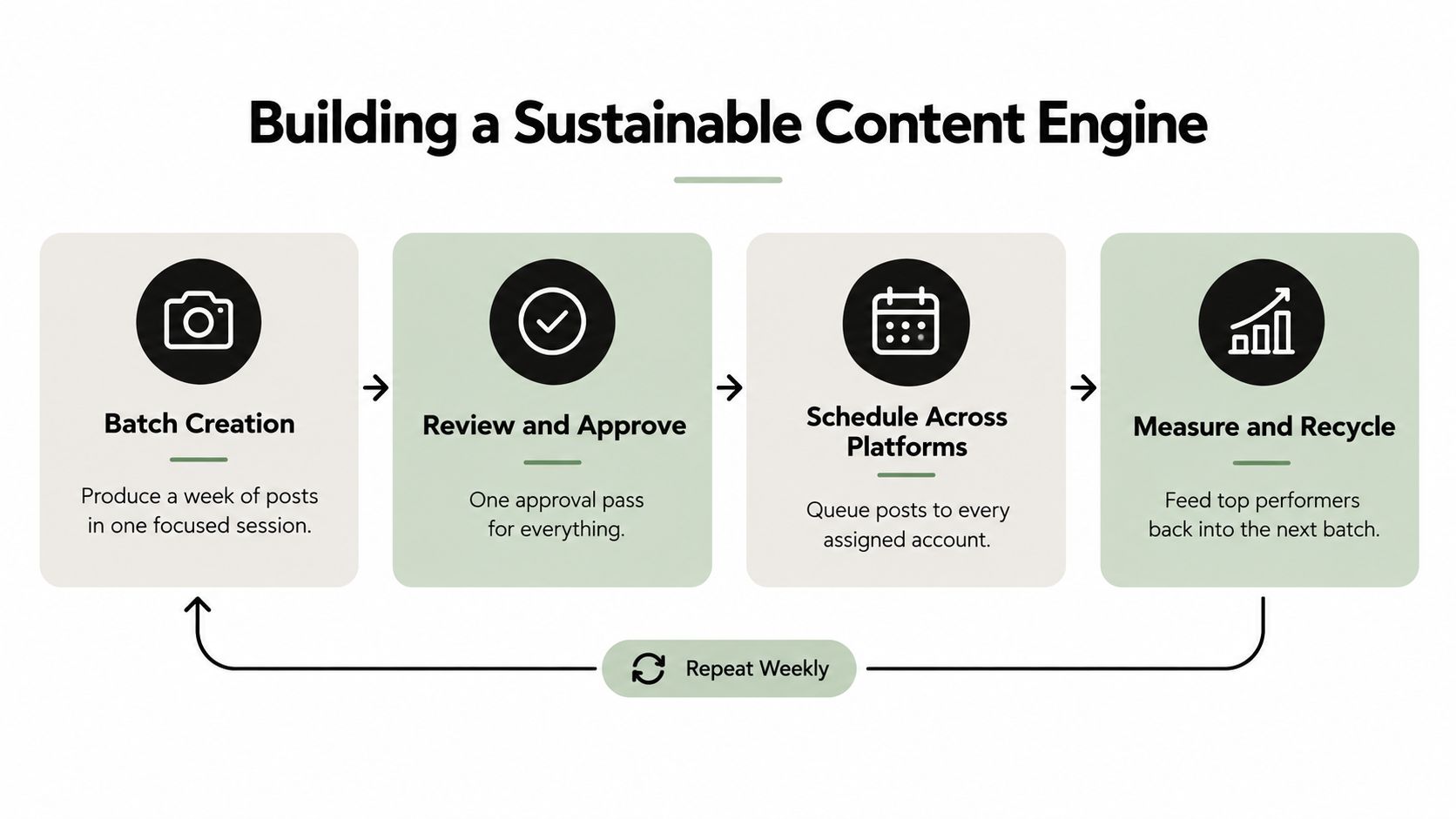
At 9 a.m., a scheduled post fails review, a product update arrives, and three community questions need replies. Without a repeatable production system, the team either delays publication or asks one person to rebuild the week from scratch. A sustainable content engine separates production from publication, so source material can be created in focused batches and adapted for each platform.
Keep the calendar roughly two weeks ahead, with about 20% of slots reserved for reactive posts. That practical workflow rule protects the schedule from becoming a cage. The team can respond to customer questions, timely events, useful trends, and product developments without disrupting every approved item.
Build from themes, not isolated posts
Choose a small set of recurring themes tied to the business strategy. A software company might cover product education, customer problems, implementation advice, team expertise, and proof of results. A retailer might focus on product use cases, seasonal guidance, customer questions, behind-the-scenes material, and offers.
For each theme, create a source package containing:
- A central idea and the audience problem it addresses.
- A long-form explanation, interview, webinar segment, or product note.
- Several short hooks for different networks.
- A visual direction that can be resized or reformatted.
- A clear action for the reader or viewer.
The package gives writers, designers, and community managers approved substance to adapt. It does not justify copying the same caption, crop, and call to action across every account.
Customize the execution
A LinkedIn post may need a professional argument and discussion prompt. An Instagram version may rely on visual sequencing and concise overlay text. Short-form video needs an immediate opening, while a community post may work better by asking for specific experiences.
Keep the central claim consistent, then change the entry point, length, proof, media treatment, and call to action. A shared content brief lets the team find the approved message without searching through separate conversations. A practical content creation workflow can standardize these handoffs while preserving each platform's format.
Protect time for community work
In practice, a small team managing 3-4 brand accounts may spend 15 to 25 hours per week, with about 35% of time spent on content creation and 25% on community management. Treat these figures as planning guidance rather than a staffing formula. A regulated brand, active support inbox, or high-volume video strategy can require a different allocation.
Create separate blocks for research, production, approvals, publishing checks, and inbox management. Community work cannot remain whatever time survives after content production. A polished calendar will not compensate for unanswered customer questions or feedback that never reaches the product team. Review the workload after a busy week, then remove low-value formats or reduce publishing frequency before adding another account.
Implementing Governance and Team Permissions
A campaign can be approved in one market and still be published by the wrong person in another. Account access is therefore a security and compliance control before it becomes a scheduling concern. Shared passwords, informal approvals, and disconnected tools increase exposure for teams working across healthcare, finance, government, regions, languages, or several brands, as discussed in Hootsuite's guidance on managing multiple social media accounts.
Broad access often feels efficient during onboarding. The cost appears later, when someone publishes an unapproved claim, deletes a message needed for an investigation, or leaves without transferring credentials and ownership. A controlled system adds some setup time, then reduces the effort required to establish who acted, what was approved, and which response is required after an incident.
A social account should have an owner, an access policy, an approval trail, and a defined escalation path.
Use role-based permissions
Match permissions to the work performed. A content creator can draft and upload assets without publishing. A reviewer can approve copy without altering the creative. A community manager can answer routine questions and send legal, safety, refund, or reputational issues to a designated owner.
Keep the model easy to understand:
- Contributor: Creates drafts and attaches approved assets.
- Reviewer: Checks brand, factual, legal, and accessibility requirements.
- Publisher: Schedules or publishes approved content.
- Inbox owner: Monitors comments and messages within the response standard.
- Administrator: Manages accounts, integrations, users, and recovery procedures.
Use named user access wherever the platform supports it. Review permissions whenever responsibilities change, and remove them promptly when someone leaves the project. A shared login hides accountability and should not replace a documented onboarding process.
Make approvals traceable
Define which content requires review and identify the person authorized to approve it. Promotional claims, regulated subjects, testimonials, partnerships, crisis statements, and region-specific offers generally need a stricter route than routine educational material.
Separate internal quality checks from external or legal sign-off. Keep revisions, comments, approver identity, and final status with the draft. A documented content approval process should also state what happens if a reviewer does not respond, since an undefined delay turns ordinary deadlines into emergencies.
Assign inbox responsibility
Publishing controls do not protect the brand if nobody owns the conversations that follow. Set a response-window SLA for comments and messages, then define escalation categories. One person can manage routine replies while routing sensitive cases to the right specialist.
Maintain a simple incident record for deleted posts, corrections, access changes, complaints, and approval exceptions. This audit trail helps the team learn from failures and gives leadership one view of activity across accounts. Governance is the operating layer that lets account growth remain controlled rather than turning every mistake into a reconstruction exercise.
Streamlining Workflows with Lightweight Automation
A team can have every account assigned and still lose hours to repeated clicks. Each network demands its own upload, formatting, selection, and verification steps. As account sprawl grows, those small tasks create missed posts, inconsistent execution, and less time for decisions that require context.
Industry analysis identifies posting consistently across platforms as the biggest challenge for 73% of marketers, while 46% of marketers managing five or more accounts report missing scheduled posts because of platform juggling, according to Crowbert's analysis of multi-account management. The pattern points to a workflow problem, not a lack of effort.
Compare the operating choices
Native tools suit small account sets, immediate publishing, and features that third-party connections do not support. Their cost is fragmentation. Separate queues, calendars, permissions, and analytics make it harder to see whether a campaign is ready across every destination.
A centralized scheduler gives the team one publishing queue, approval view, media library, and account calendar. It also introduces trade-offs. Integrations may limit certain formats or features, and sensitive or fast-moving posts may still require native review before publication.
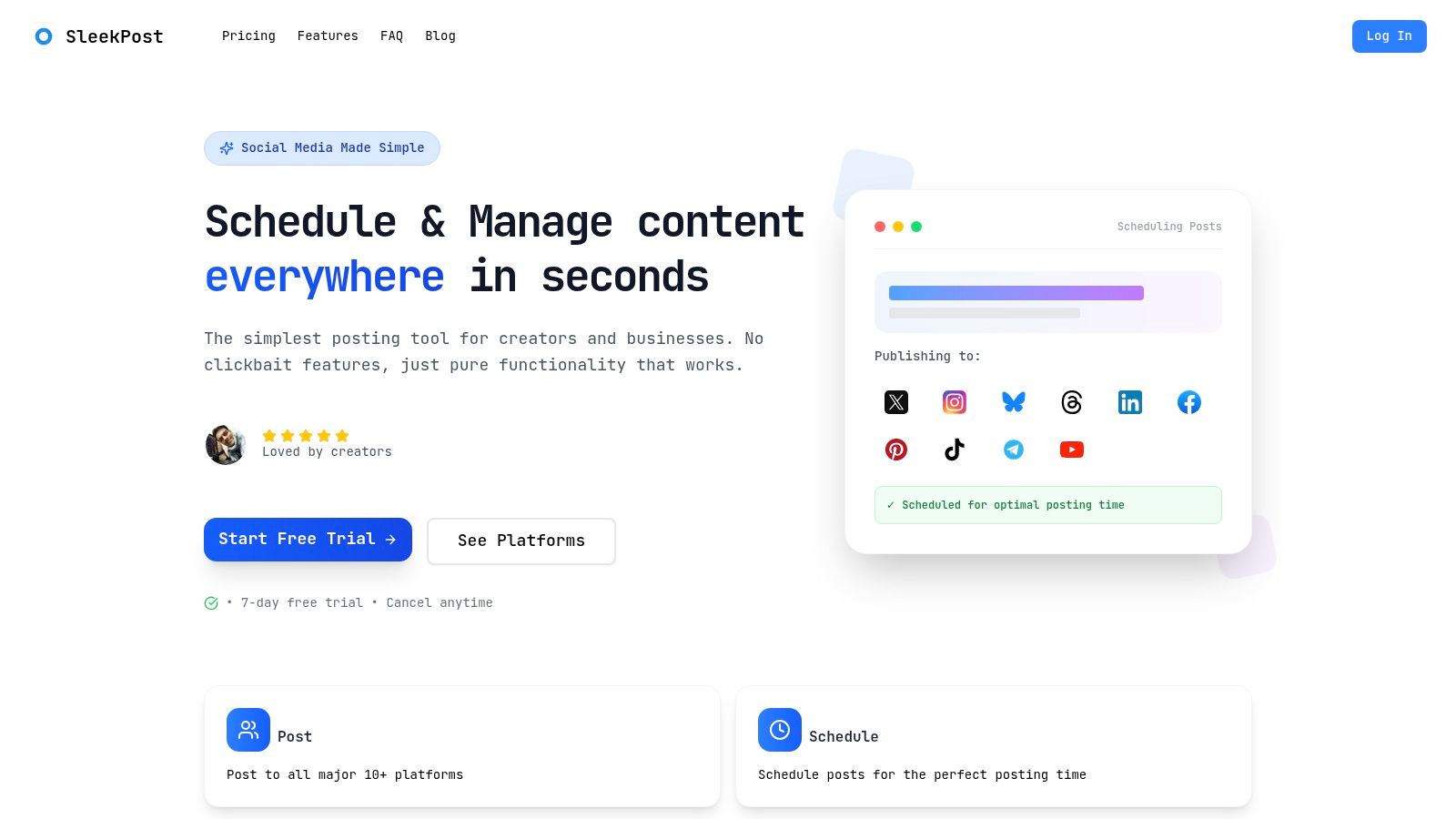
Choose lightweight software when the operational need is dependable scheduling, platform-specific editing, organized assets, and basic collaboration. A large listening, CRM, or enterprise reporting system may add cost and complexity that the publishing team does not need. SleekPost, for example, provides a dashboard for scheduling and publishing across 10+ social platforms, with customized copy and media, queues, recurring posts, a media library, and an AI content generator.
Automate repetition, not judgment
Set automation against repeatable work:
- Queue management: Load approved posts and assign publication times across connected accounts.
- Asset reuse: Keep approved images, videos, logos, and campaign files in one searchable library.
- First drafts: Convert a source link or prompt into platform-adapted copy, then route it to a human reviewer.
- Status visibility: Display whether a post is drafted, awaiting approval, scheduled, published, or blocked.
- Recycling: Reuse evergreen ideas only after checking accuracy, relevance, and audience fit.
Leave crisis responses, legal claims, nuanced complaints, and context-dependent posts to named people. Automation should reduce context switching while preserving accountability.
Teams producing substantial video can examine a dedicated Veo3 AI workflow for video teams when creation, rather than distribution, is the bottleneck.
A short walkthrough shows the difference between centralized scheduling and native publishing:
Use a pre-publish checklist even when a tool handles distribution. Confirm the account, destination, media crop, links, tags, disclosures, timing, and approval status. A scheduler prevents missed deadlines, but it cannot judge whether a post is safe, relevant, or strategically correct. For a practical process, this guide to automating social media posts explains how to reduce repetitive publishing work while retaining editorial control.
Measuring Cross-Platform ROI and Optimization
A weekly report can show strong reach while the team spends hours maintaining an account that produces little business value. Cross-platform measurement should therefore guide resource decisions, not merely record activity. The question is whether each account earns its production, moderation, and approval time.
Difficulty measuring ROI affects small business owners, according to coverage of small-business social media automation pain points. Connect each channel's primary metric to its assigned platform job, then compare the resulting value with the people-hours and operational attention required.
Build a decision-oriented report
Keep one reporting view with four layers:
- Output: Published formats, themes, campaigns, and posting volume.
- Audience response: Reach, meaningful comments, saves, shares, replies, and other signals that fit the platform's role.
- Business action: Leads, purchases, registrations, enquiries, support outcomes, or assisted conversions where tracking exists.
- Resource cost: Creative and moderation time, approval effort, production complexity, and tool overhead.
Raw engagement figures are not interchangeable across networks. A thoughtful customer question may matter more than a large volume of passive reactions. For a conversion-focused account, a product-page visit may carry more value than broad awareness.
Use a short weekly check to catch operational problems, such as broken tracking, missed publishing, or unusual response patterns. Reserve the monthly review for decisions: continue, change, test, or stop. A social media ROI calculator can help connect effort, outcomes, and investment when channel performance is difficult to compare.
Optimize by marginal return
Measure the value of the next unit of effort. A channel with modest reach may deserve more attention if it consistently produces qualified conversations. A popular account may need fewer posts when it consumes disproportionate creative and moderation time without advancing its assigned goal.
Review performance across the 90-day audit period instead of reacting to one successful post. Increase investment when a repeatable content pattern reaches the right audience and produces the intended action. Change the platform job when the audience is valuable but the current content model fails. Consolidate or stop an account when it remains redundant, unsupported, and difficult to measure.
SleekPost centralizes scheduling and publishing across multiple social platforms, with platform-specific customization, queues, media storage, recurring posts, and AI-assisted first drafts. Teams losing time to account switching and missed handoffs can use SleekPost to bring publishing operations into one dashboard.