
You open your laptop to finish a post, and before the first sentence is done, Slack pings. A platform notification points to a comment, another app flags an unanswered DM, and the feed offers a trend you might be able to use. Coffee goes cold while you switch between tabs, trying to stay responsive and remember what you meant to publish.
That isn't a failure of discipline. It's a workload with no boundaries between making content, distributing it, talking to customers, and browsing. Social media time management works when you design those jobs as a system, not when you expect yourself to resist every interruption.

Table of Contents
- The Tuesday Morning That Breaks People
- Why Raw Minutes Are the Wrong Metric
- Build Your Seven-Day Baseline
- Turn the Baseline Into a Weekly Batching System
- Choosing the Right Scheduler for Your Workflow
- Reuse and Repurpose Without Posting Yourself Into the Ground
- Measure What Matters and Ignore the Rest
The Tuesday Morning That Breaks People
The problem with “just turn off notifications” is that some notifications are part of the job. A customer may be asking about an order. A collaborator may need approval before a post goes live. A creator who ignores every comment can miss a useful conversation or leave a real question unanswered.
But keeping every alert on creates a different trap. You see one message, open the platform to respond, notice a new post, and drift into browsing before returning to the draft. The workday fills with short visits that each seem reasonable, yet collectively make it difficult to finish anything that requires sustained attention.
The useful distinction isn't social media versus no social media. It's planned work versus unplanned switching. Publishing, customer replies, and performance review all serve a purpose. Checking the same feed whenever a notification appears is a separate behavior, even if it happens inside a work account.
Practical rule: Don't judge a social platform by how long you use it. Judge whether you can name the work you went there to do.
This is why a timer alone often disappoints. It may limit an app, but it can't decide whether you're writing an important customer reply or drifting through unrelated posts. Nor does “post less” automatically help a small business that depends on an active presence.
The target is more time on business-moving tasks and less time lost between them. That means building a workflow that protects creation, gives engagement a reliable home, and leaves recovery in the schedule instead of treating it as an afterthought.
Why Raw Minutes Are the Wrong Metric
The typical internet user spends 2 hours and 21 minutes a day on social platforms, or 141 minutes, according to DataReportal's Digital 2025 global overview. That global average is useful context, not a personal target. It combines different ages, countries, platforms, and purposes, and it doesn't tell you whether time went to customer care or passive scrolling.
Workplace evidence also shows why social media doesn't fit a simple “good” or “bad” label. In Pew Research Center's survey on social media and the workplace, 56% of workers who used social media for work said it distracted them from their tasks. At the same time, 54% said breaks on social media helped them recharge, and 56% believed social media helped their job performance. The practical issue is whether platform use has a defined purpose and boundary.
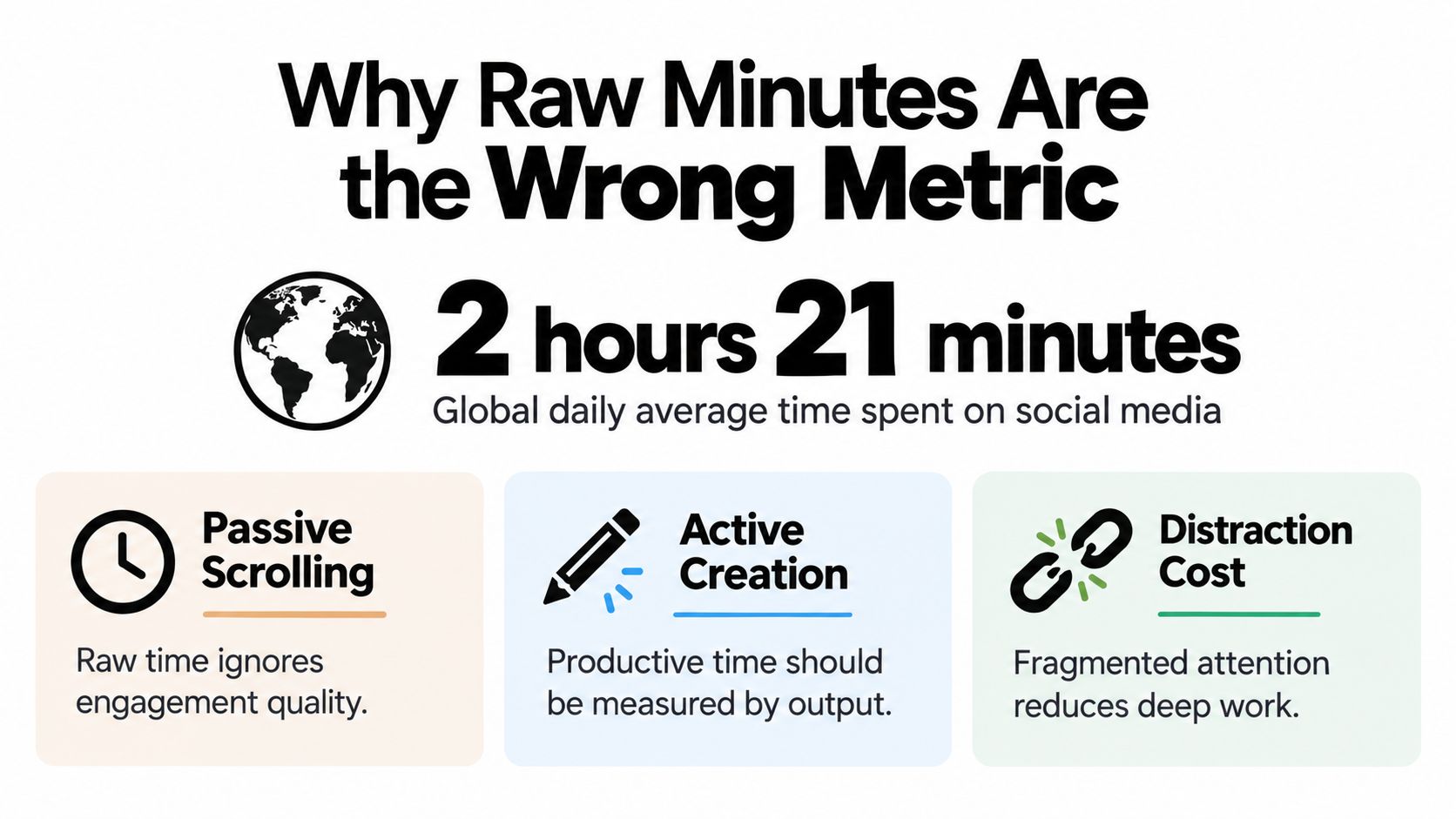
A creator's social time usually contains three different kinds of work:
- Focused production: drafting, filming, editing, and preparing platform-specific versions.
- Intentional engagement: answering comments, checking messages, and participating in relevant conversations.
- Passive browsing: checking feeds without a clear task or stopping point.
Raw screen time treats all three as equal. A better assessment asks what you accomplished and how often you had to abandon another task to do it. One experiment cited in the verified research found that concurrent messaging during a reading task increased completion time from 8.23 to 12.56 minutes, a roughly 53% increase. The lesson isn't that every interruption carries the same cost; it's that fragmented attention can be more consequential than the minutes shown on an app dashboard.
Here's a short video to consider alongside that distinction:
Build Your Seven-Day Baseline
Before changing your routine, find out what the current one looks like. Use the Screen Time feature on an iPhone or Digital Wellbeing on Android to track a full week. A single day can be misleading: a launch, a customer issue, or an unusually quiet weekend can skew the picture.
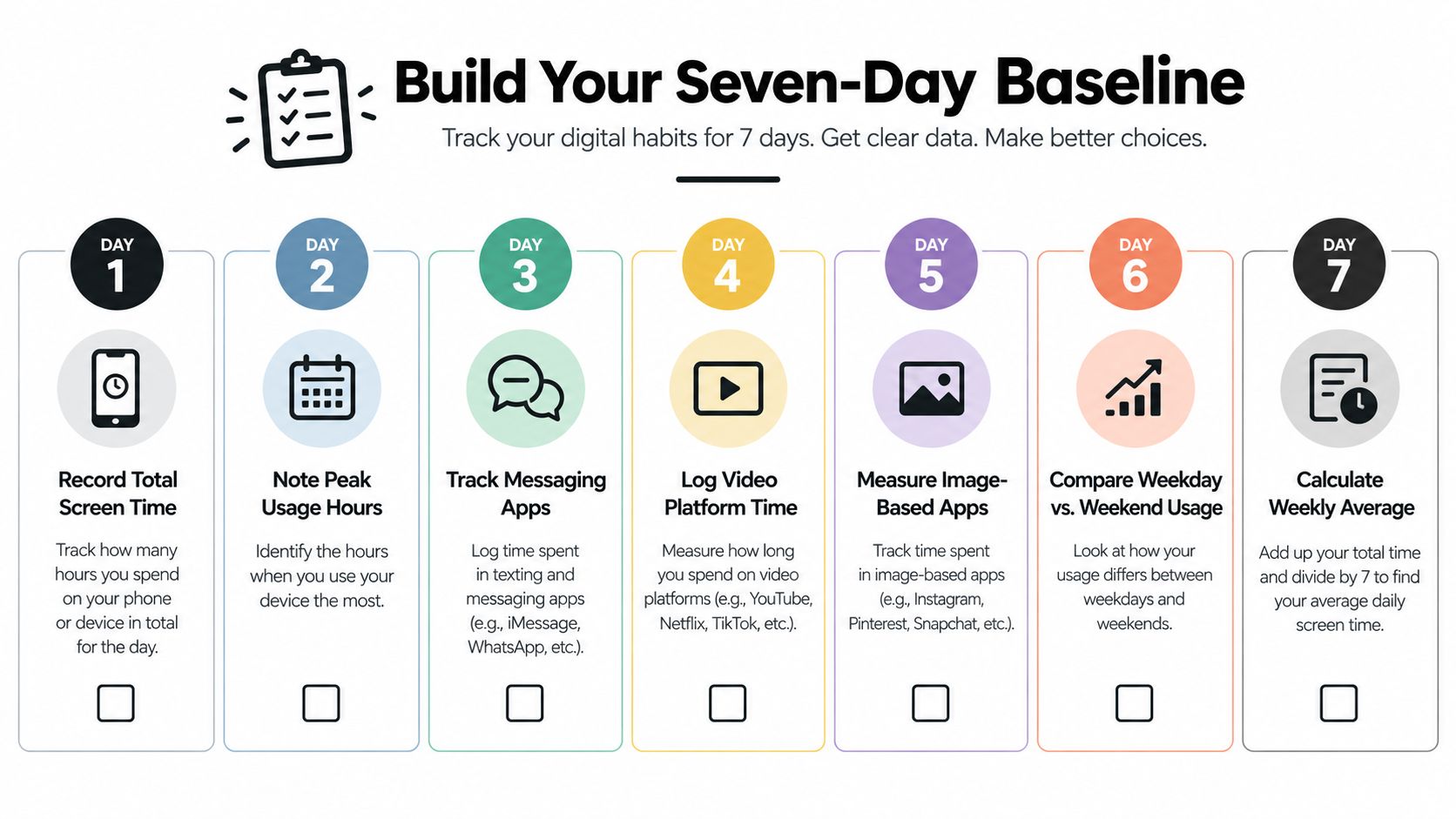
Record three things each day: total social-platform minutes, the number of sessions, and use during work blocks you intended to protect. If the phone separates apps, note which platforms account for the most time. Don't try to make the record look good. The point is to see where your routine goes.
A practical baseline can be simple:
- At the start of each workday, note the previous day's total and the apps that took most of the time.
- During planned work blocks, make a brief note if you open a platform outside its intended task.
- At week's end, compare the days and look for repeated patterns, not one-off spikes.
If your screen-time report says one app dominates, check whether that time includes customer messages and publishing. Those minutes may be necessary, but they still need structure. If you see several short sessions scattered through your best focus periods, the issue may be access and switching rather than total use.
Use the review to choose one change, such as moving replies into a planned window or keeping social apps closed during writing. Don't chase a lower daily figure for its own sake. For help organizing the work behind your posts, use this content planning process as a starting point, then match your schedule to the pattern you observed.
Turn the Baseline Into a Weekly Batching System
A baseline becomes useful when it changes the calendar. Give different social-media tasks separate homes instead of asking yourself to create, publish, reply, and analyze whenever an opening appears.
A solo creator might use a rhythm like this:
- Monday, plan and prepare: choose the week's content themes, outline posts, and gather source material.
- Tuesday, create: write captions, record video, design visuals, and make the first platform-ready drafts.
- Wednesday, adapt and schedule: adjust copy, formats, and calls to action for each platform, then queue the approved posts.
- Thursday, engage deliberately: respond to comments and messages, check for relevant conversations, and flag customer questions that need follow-up.
- Friday, review and reset: check what was published, note what earned useful attention, and list material to develop next week.
The exact days matter less than the separation. Batching is preparing related work together; scheduling is setting approved content to publish later. Batching reduces repeated setup. Scheduling removes the need to publish each prepared item manually at its moment.
Keep some tasks together, and some apart. You can draft several captions in one sitting, then customize them by platform. You can prepare a group of short videos together, but leave room to check each one's framing, captions, and format before it goes live. A single generic caption copied everywhere may save a few minutes while making the post feel out of place.
Set engagement windows based on the needs of your audience and business. A business that receives time-sensitive support questions may need more than one check-in. A creator with no urgent customer service obligation can often batch lower-priority replies. Either way, distinguish purposeful engagement from opening a feed with no task in mind.
A reliable calendar protects the work that creates value without pretending every message can wait.
If you're developing the workflow itself, this guide to what content batching involves can help you decide which tasks belong together. Start with a schedule you can maintain during a busy week, not an ideal week with no interruptions.
Choosing the Right Scheduler for Your Workflow
A scheduler should remove repetitive publishing steps, not create a new project to manage. Start by asking what currently eats time: copying posts between platforms, adapting captions, remembering publication dates, or handling media. The answer points to the features worth prioritizing.
| Feature | Why it saves time | Best for |
|---|---|---|
| Platform-specific copy and media | Lets you adapt the message and creative for each destination without rebuilding the post from scratch. | Teams publishing a shared idea in different formats |
| Queue-based scheduling | Keeps approved posts moving without manual publishing at each selected time. | Creators who want a consistent distribution rhythm |
| Recurring posts or auto-reposts | Makes suitable evergreen content reusable instead of requiring repeated manual setup. | Businesses with durable tips, resources, or announcements |
| Carousel and video support | Reduces the need to move media into a separate tool just to prepare a post. | Visual creators and product-led teams |
| Large file uploads and a media library | Keeps working assets organized and makes it easier to reuse approved files. | Teams handling many videos or client materials |
A compact scheduler is usually enough for an independent creator or a small business with a straightforward publishing routine. A larger team may need approval flows and account permissions as well as scheduling. Don't pay for complexity you won't use, but don't choose a tool that forces your existing process back into manual work.
Cross-publishing also needs judgment. The same announcement might work across several platforms, while a short-form video caption and a professional network post may need different framing. A scheduler that makes customization easy supports speed without turning every channel into a duplicate.
For a broader view of available options, TheContentMap editorial planning picks can help you compare tools in the context of a publishing workflow. If you're deciding how to divide work before selecting a tool, this comparison of scheduling versus planning clarifies why the two jobs aren't interchangeable.
For a lightweight option, SleekPost provides a single dashboard for scheduling across platforms, with platform-specific customization, recurring posts, and queue-based publishing. Try a scheduler only after identifying the repeated task it should remove, then check whether it does so.
Reuse and Repurpose Without Posting Yourself Into the Ground
Creators often feel that staying visible means constantly producing something new. A 2025 creator survey reported that 75% of creators believed platforms penalize people who aren't constantly publishing, while 78% said algorithms affect what they create and 78% reported that burnout harms their motivation. Those findings, summarized in coverage of Patreon's State of Create report, describe a real pressure. They don't prove that more posts always produce more business value.
Instead of making volume the measure of consistency, ask what each additional post contributes. If another quick post takes time away from a customer case, a stronger creative concept, or recovery, its opportunity cost may be higher than its likely return. Compare performance by platform and content type, but include the hours required to make and manage the work.
A reuse map gives a strong idea more than one chance to reach people:
- Start with one useful source: a customer question, product insight, tutorial, or longer piece of content.
- Pull out its central point: state the idea clearly before choosing formats.
- Adapt it, don't duplicate it: turn one explanation into a carousel, a short video, a text post, and a newsletter excerpt, choosing only the formats that suit the message.
- Review before scheduling: check voice, context, visuals, and platform fit.
Repurposing works best when you preserve the value of the original and adjust the delivery. A carousel can unpack a sequence. A short video can show a process. A text post can make one argument. A newsletter excerpt can give an existing audience a more complete explanation.
AI drafting can help with first-pass variations, summaries, and caption options. It shouldn't decide what your audience needs or replace the final editorial check. The creator still needs to verify accuracy, add a real point of view, and make sure the post sounds like the business.
For additional ways to plan reuse across formats, see this content repurposing strategy guide and the practical content repurposing strategy. The useful outcome isn't maximum reuse. It's less repeated labor for content that still feels intentional.
Measure What Matters and Ignore the Rest
The calendar is full, every post went out, and customer replies are still piling up. That week needs a workload adjustment even if reach looks healthy. A useful review connects results to the effort required to produce them, including the work displaced by checking feeds and chasing another spike.
Track four indicators:
- Publishing consistency: Did the planned posts go out? Check whether publishing fits normal deadlines without borrowing time from customer replies or recovery.
- Response latency: How long do useful customer or community messages wait for a reply? Growing delays are a reason to review engagement windows and incoming volume.
- Reach or leads per publishing hour: Compare attention or business inquiries with the time spent creating, publishing, and managing each content type. Use that comparison to decide where the next hour belongs, rather than chasing a universal benchmark.
- Sustainability: Record whether the pace felt manageable. A downward trend belongs in the workload review, alongside missed posts and delayed replies.
Read the indicators together before changing the calendar. Consistent publishing and timely replies can justify keeping the current pace. If output grows while replies slow and the week becomes harder to sustain, cut a low-value format or protect a creation block before adding posts.
Judge the next hour on its likely return. Another feed check needs a purpose, such as answering a customer or checking a scheduled post. Browsing because the platform keeps offering something new should count as overhead.
Reducing screen time alone is a poor test of attention. Review whether you completed focused work, handled interruptions, and finished with enough capacity for the next day. Keep your experience of focus separate from claims about measured attention.
Use these social media reporting best practices to keep reporting tied to decisions. Automate routine metric collection where possible; keep interpretation and workload choices human.
A weekly reset you can keep
Monday morning: Confirm priorities, reserve creation and engagement blocks, and prepare the assets or approvals needed to publish.
Friday afternoon: Review the indicators and remove or revise one task whose return didn't justify its effort.
When output slips, ask: “Is the work too demanding, or have I allowed too much low-value switching into the week?” Adjust the workload accordingly.
SleekPost lets creators and small teams schedule and customize posts across social platforms from one dashboard, keeping distribution separate from focused creation. Queue approved posts, retain human review for replies and editorial decisions, and visit SleekPost to assess whether its workflow fits your publishing routine.