Scheduling is often sold as the cure for inconsistent social media. That advice is incomplete. A calendar can save time, but it can also automate the wrong message, bury a campaign objective, and keep irrelevant posts moving while the conversation changes around them.
The issue in scheduling vs planning isn't which one deserves your attention. You need both, but they solve different problems. Planning decides what your content operation is trying to accomplish. Scheduling turns that decision into executable posts, accounts, formats, timestamps, and queues.
The distinction matters most for solo creators and small teams. They can't afford a strategy that never gets published, or a perfectly organized queue that has no connection to audience needs. The workflow below separates the two layers, then adds the judgment most calendar-based advice leaves out: when to pause, rewrite, reschedule, or cancel.
Table of Contents
- Why Treating Scheduling and Planning as the Same Thing Breaks Your Workflow
- What Planning and Scheduling Actually Mean for Social Media
- Side-by-Side Comparison of Planning and Scheduling
- The Planning Layer Step by Step
- The Scheduling Layer Step by Step
- When Automated Consistency Becomes a Liability
- Which Approach Wins for Your Situation
Why Treating Scheduling and Planning as the Same Thing Breaks Your Workflow
The popular assumption is simple: scheduling saves time, so more scheduling must improve the workflow. That only holds when the scheduled content comes from a sound plan. Otherwise, automation makes weak decisions easier to repeat.
A creator can build a polished queue filled with attractive graphics, platform-specific captions, and carefully selected dates, yet still miss the point. The posts may target the wrong audience, repeat one content theme, ignore a campaign objective, or consume more production capacity than the team can sustain. The calendar looks complete while the operation drifts.
The opposite failure is just as common. A team may know its audience, define useful themes, and understand which platforms matter, but never translate that thinking into assigned posts and publication windows. The strategy remains trapped in a document. Strong ideas don't reach the audience because nobody owns the next execution step.
The calendar is not the strategy
Planning answers structural questions:
- Audience: Who should this content help or persuade?
- Platforms: Where does that audience engage?
- Themes: Which recurring subjects support the brand?
- Goals: Is the campaign building awareness, generating conversations, supporting a launch, or educating existing followers?
- Capacity: What can the creator or team produce without creating a backlog?
Scheduling answers operational questions. Which post goes to which account? Is the video ready? Has the copy been adapted for the platform? Who approves it? Does the selected publishing window conflict with another post or a team member's workload?
A useful content planning process keeps those questions separate before they collide inside a calendar. If you're researching products or audience demand, Etsy product research can also inform the themes and offers worth exploring. It belongs in the discovery stage, not as a substitute for deciding how those insights support the broader content objective.
Practical rule: Never judge a content operation by how full its queue looks. Judge it by whether every queued post has a clear audience, purpose, owner, and feasible path to publication.
The right question, then, isn't “Should I plan or schedule?” It's “What must be decided before a post enters the queue, and what should remain flexible until publication?” That distinction protects strategy from execution noise and protects execution from endless strategic reconsideration.
What Planning and Scheduling Actually Mean for Social Media
Planning is the strategic layer. It defines the objective, scope, activities, dependencies, methods, resources, and constraints. Scheduling is the tactical layer. It converts those decisions into a time-based sequence that shows what happens, when it happens, and how the pieces connect. This distinction is established in project-management guidance from the Project Management Institute.
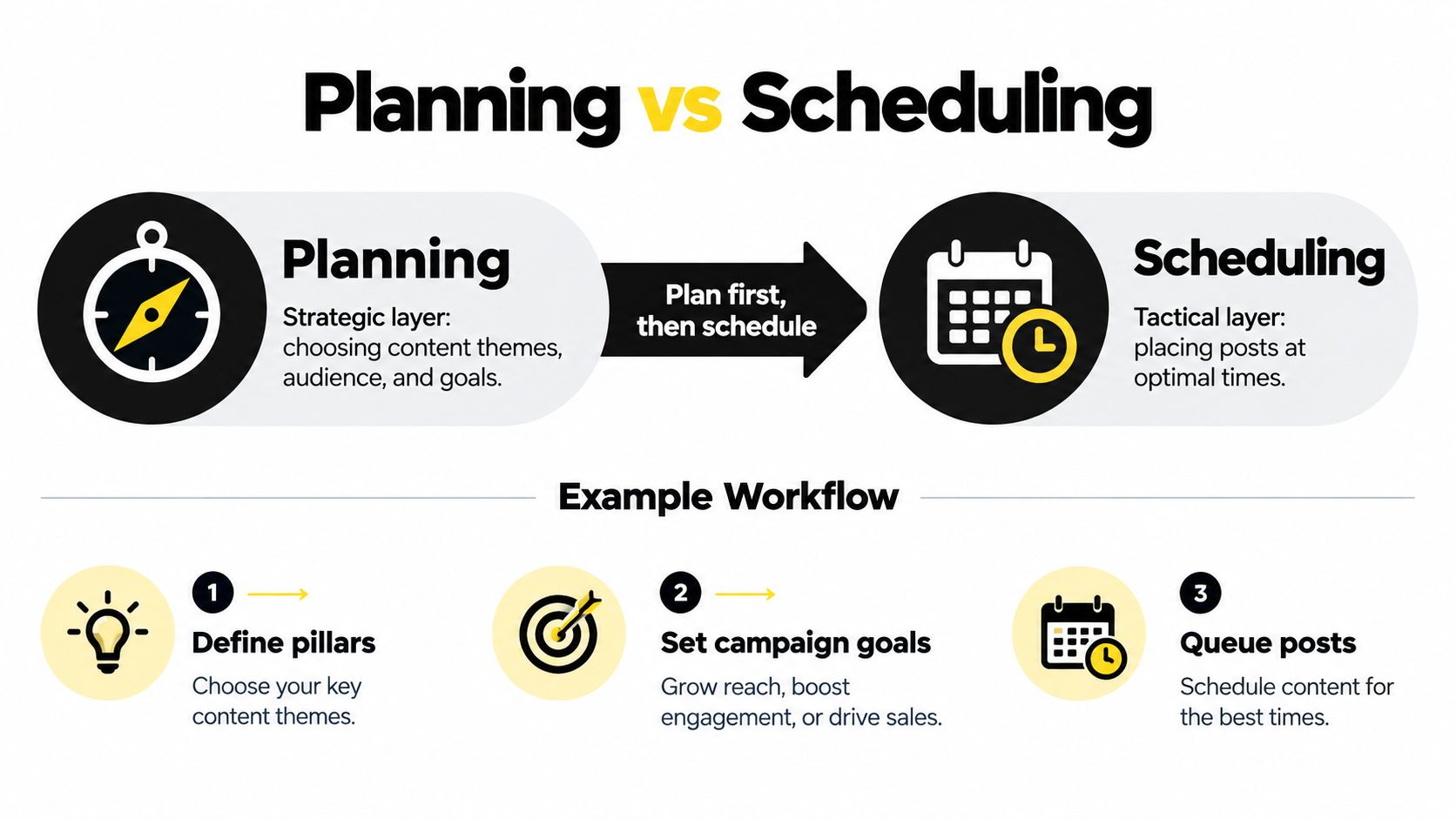
Take a small brand preparing a week of content. Planning might decide that Instagram will carry product demonstrations, LinkedIn will carry practical expertise, and X will carry short observations and conversation starters. It might also define a campaign theme, identify the intended audience, set a sustainable cadence, and reserve capacity for replies or reactive content.
Scheduling starts after those choices are made. The team assigns a specific product demonstration to an Instagram slot, adapts its media and caption, attaches the final asset, selects the account, checks permissions, and places it in a queue. The LinkedIn post receives its own format and publication time rather than being copied blindly from Instagram.
A week can be planned well and scheduled badly
Suppose the content themes are relevant and the campaign goal is clear. The week can still fail if two posts depend on an asset that isn't approved, a video violates a platform requirement, or one person is assigned more reviews than they can complete. A timestamp doesn't remove those dependencies.
The reverse also happens. A scheduler can distribute posts reliably across several accounts, but reliability alone doesn't prove the content portfolio is balanced. The queue may overuse one format, neglect an important audience segment, or publish promotional material without enough useful context.
That's why a content scheduling workflow should begin with decisions about purpose and constraints, not with empty calendar slots. Teams exploring paid distribution should make the same distinction. Resources about how to scale e-commerce with social ads can support campaign thinking, but ad execution still requires its own assets, approvals, account settings, and delivery checks.
Planning gives the scheduler valid inputs. Scheduling tests whether those inputs can become a dependable sequence. If either layer is missing, the workflow becomes either directionless or unreliable.
Side-by-Side Comparison of Planning and Scheduling
Planning and scheduling operate at different levels of decision granularity. Planning generally addresses longer horizons, aggregate demand, capacity, resource allocation, and operating modes. Scheduling converts those decisions into detailed, time-phased execution sequences, a distinction also described in research on planning and scheduling at different operational levels.
| Dimension | Planning | Scheduling |
|---|---|---|
| Primary question | What should the content operation accomplish? | Which post will publish, where, and when? |
| Time horizon | Campaign, monthly, or rolling portfolio view | Near-term execution and publication windows |
| Decision granularity | Platform mix, themes, audience coverage, cadence, capacity | Exact post, timestamp, format, asset, account, and dependency |
| Main output | Content strategy, campaign brief, portfolio, or calendar framework | Queue, assigned posts, recurring rules, approvals, and publication sequence |
| Main metrics | Coverage, cadence adherence, capacity utilization, campaign balance | On-time publication, queue conflicts, lead time, intervention, rescheduling |
| Common failure | A thoughtful strategy that never reaches the audience | A busy queue that publishes irrelevant or infeasible content |
The time horizon changes the kind of judgment required. Planning asks whether the overall mix makes sense. Scheduling asks whether a particular post can go live under current conditions. A creator who spends all available time optimizing timestamps may improve the appearance of execution while neglecting audience coverage or campaign balance.
Portfolio decisions versus post decisions
At the planning level, you might decide that a launch needs educational content, proof, product information, and space for audience questions. You might also decide which platforms deserve attention and how much production work the team can absorb.
At the scheduling level, you decide whether Tuesday's educational post has a final image, whether the caption needs platform-specific editing, whether an approval is complete, and whether the selected queue slot leaves enough time for a response. Planning sets the workload envelope. Scheduling enforces it.
A lightweight content planning tool can help teams keep the portfolio visible before individual posts fill the calendar. For creators who struggle to protect production time, block scheduling ideas for focus are useful for reserving separate periods for writing, design, approvals, and community work. The important point is to avoid treating every available slot as a publishing slot.
Measure the layer you control
Planning metrics should reveal whether the portfolio serves the intended audience and whether the team has committed to a manageable workload. Scheduling metrics should reveal whether approved content reaches publication without conflicts or repeated manual fixes.
Raw posting volume is a weak measure of either layer. It can rise while content quality, strategic balance, and operational reliability decline. Use planning measurements to question the portfolio, and scheduling measurements to diagnose execution.
The Planning Layer Step by Step
Open a planning document before you open the scheduler. The document can be simple, but it must force decisions that a calendar view tends to hide.
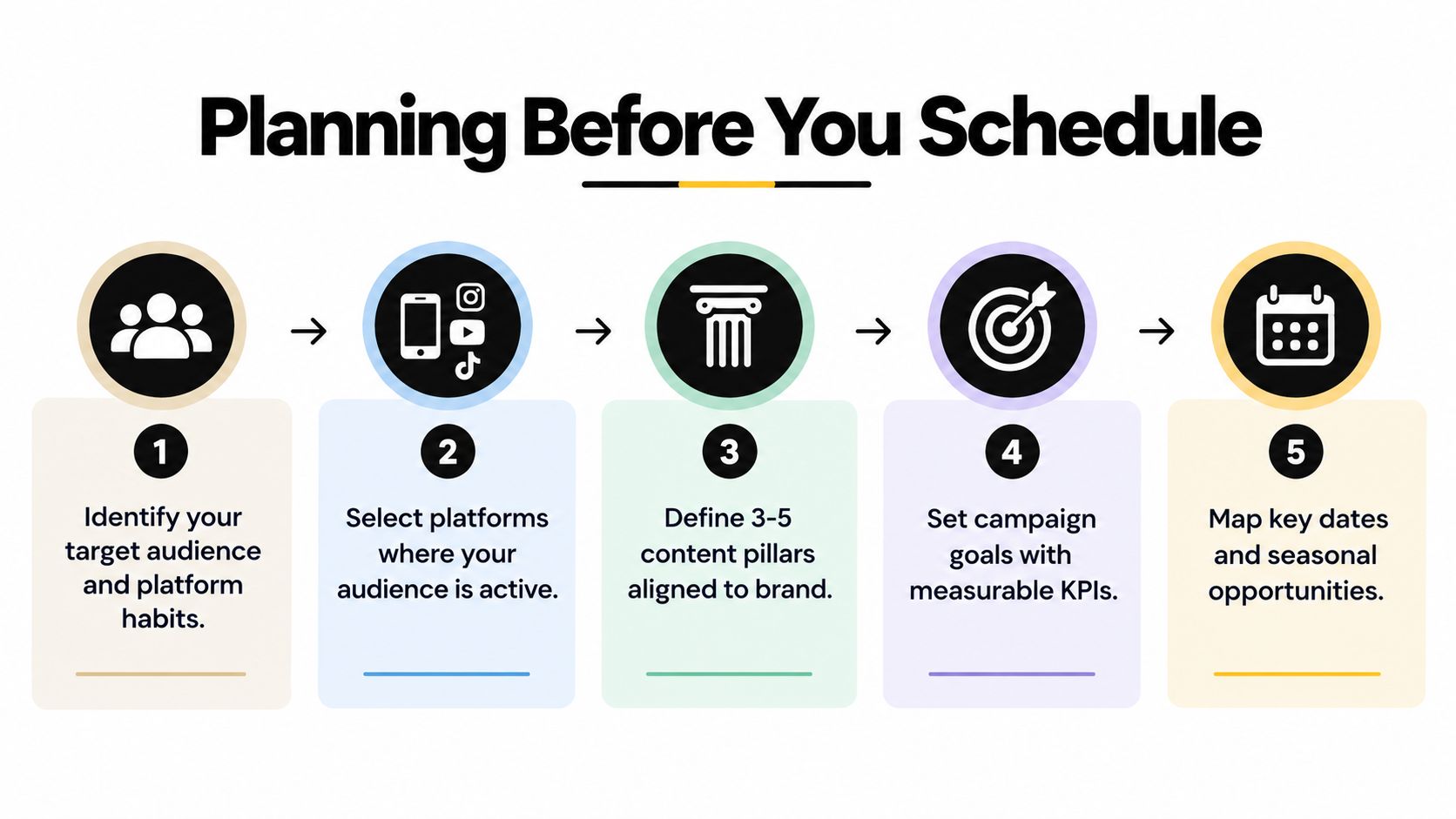
Start with the audience and platform role
Write down who the content serves and what each platform contributes. Don't begin with “post everywhere.” A platform may be responsible for short conversation, professional education, visual demonstrations, or deeper explanations. If you can't describe the platform's role, you're not ready to assign it a publishing cadence.
Next, define the content pillars. Keep them connected to the brand's expertise and the audience's recurring problems. A solo consultant might choose practical instruction, behind-the-scenes process, client questions, and opinions on industry changes. The exact pillars will vary, but each should make it easier to decide whether an idea belongs in the operation.
Give every campaign a job
A campaign goal should influence the content mix. An educational campaign needs useful explanations and examples. A product campaign needs enough context to make the offer understandable. A community campaign needs room for questions and responses, not just one-way announcements.
Then set the cadence around capacity. Capacity includes writing, design, video editing, approvals, publishing, and audience response. A creator who plans a demanding production schedule but reserves no time for replies has planned output, not a workable content operation.
Use planning metrics that reveal strategic health:
- Coverage: Are the intended audiences, platforms, themes, and campaign stages represented?
- Cadence adherence: Can the team maintain the chosen rhythm without repeatedly dropping commitments?
- Capacity utilization: Is the workload using available effort responsibly, or is it creating an invisible queue of unfinished work?
These measurements are more useful than counting how many posts entered the calendar. A full calendar can conceal an unbalanced portfolio.
Build a one-week planning brief
For a solo creator using X, Instagram, and LinkedIn, a practical one-week brief might assign different roles to each platform, identify a small set of evergreen ideas, and reserve open capacity for live questions or relevant events. The brief should label which ideas can wait and which depend on a date, launch, trend, or current conversation.
A content calendar framework can hold the campaign theme, pillar, audience, format, owner, asset status, and priority before exact timestamps are chosen. Spend the planning session deciding the portfolio and the boundaries. Don't waste it choosing minute-level publication times for posts that may not yet be approved.
Planning is complete when you know what you're willing to publish, what you're deliberately leaving out, and what would justify changing the plan.
The Scheduling Layer Step by Step
Scheduling begins with approved content and a clear planning brief. Its job is to turn that brief into a feasible sequence, not to reopen every strategic decision.
Start by creating the post at the level of the destination platform. Adapt the copy, crop, media, call to action, and format instead of treating cross-posting as duplication. A short observation for X may need a more developed explanation on LinkedIn, while an Instagram post may depend on a reel, carousel, or caption structure that doesn't transfer cleanly.
Validate dependencies before choosing a timestamp
Formal scheduling accounts for activity order, durations, resource availability, imposed dates, and dependencies. Resource leveling tests whether the assigned workload stays within available capacity, as outlined in this project scheduling practices guide.
For social publishing, that means checking:
- Asset readiness: Is the final image, video, thumbnail, or carousel available?
- Approval status: Has the person responsible for review signed off?
- Platform requirements: Does the format meet the destination account's constraints?
- Access: Can the publishing account and permissions support the post?
- Timing dependency: Must the post follow another announcement or precede an event?
- Team capacity: Can someone monitor comments and handle revisions after publication?
A queue should surface a conflict rather than pushing the post later without notice. If an approval arrives late, record the delay and decide whether the post still fits the original window.
Translate the brief into an executable week
Take the one-week brief and create each post with its platform-specific version. Place evergreen items into the queue only after checking that they don't crowd out the campaign's priority posts. Set recurring rules for content that remains useful over time, but give those rules an owner and a review condition.
For a small team, the workflow should make handoffs visible. One person creates the draft, another checks the claim or asset, and the publisher confirms the account and timing. A solo creator can use the same logic by separating creation, review, and final publication into distinct passes.
Track operational metrics that expose friction:
- On-time publication rate: How often approved posts publish in the intended window.
- Queue conflicts: How often posts compete for the same capacity, asset, or publication slot.
- Approval-to-publication lead time: How long approved content waits before going live.
- Rescheduling frequency: How often posts move because the original sequence was infeasible or no longer relevant.
- Manual intervention: How often a scheduled item needs a human correction before publication.
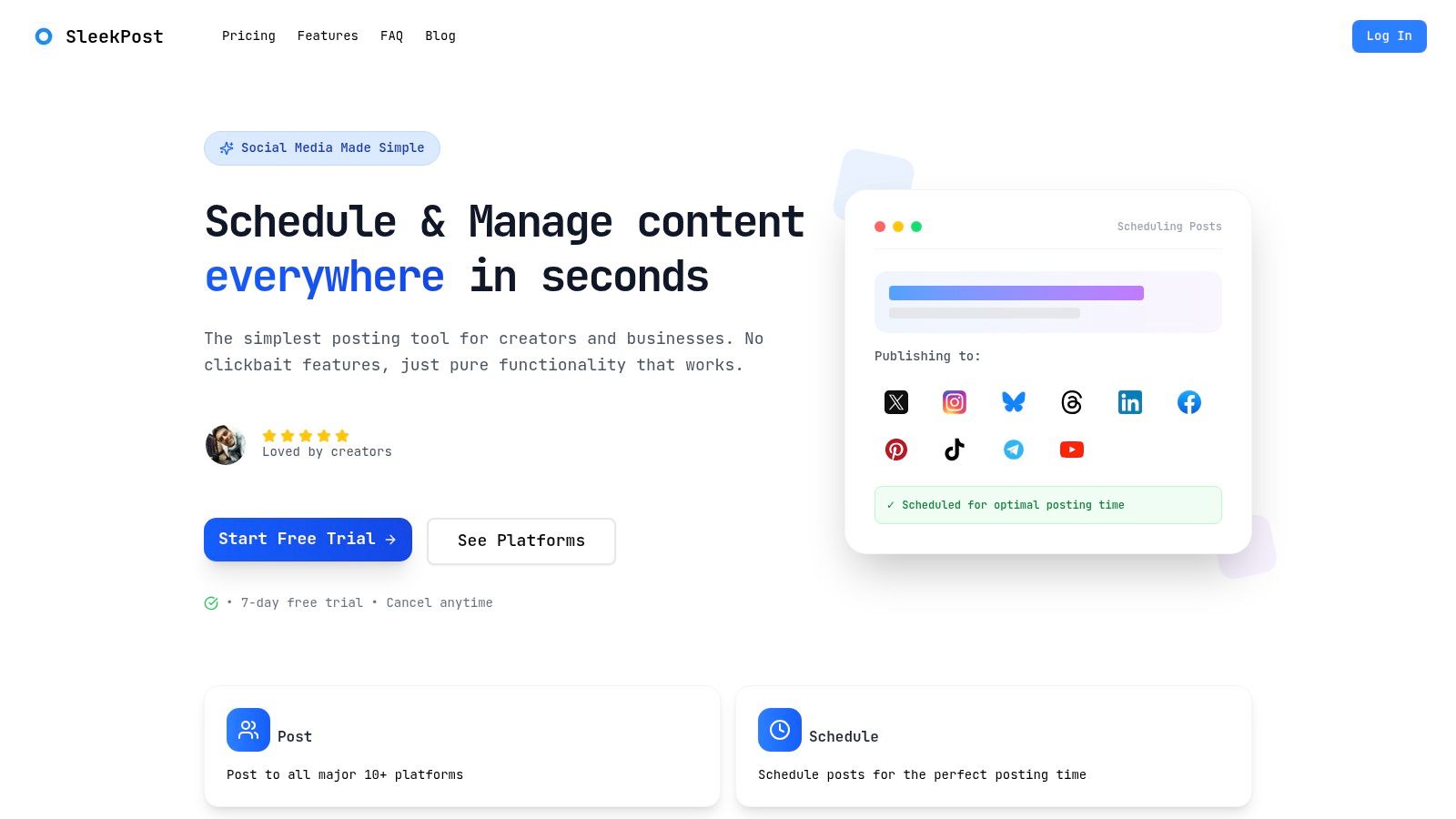
A social media scheduling workflow should make these checks routine. A tool such as SleekPost can place posts across multiple social platforms from one dashboard, customize copy and media per platform, and support queues, recurring posts, batch scheduling, and scheduled-content management. The tool handles execution choices. The team still decides whether the content deserves to remain in the queue.
When Automated Consistency Becomes a Liability
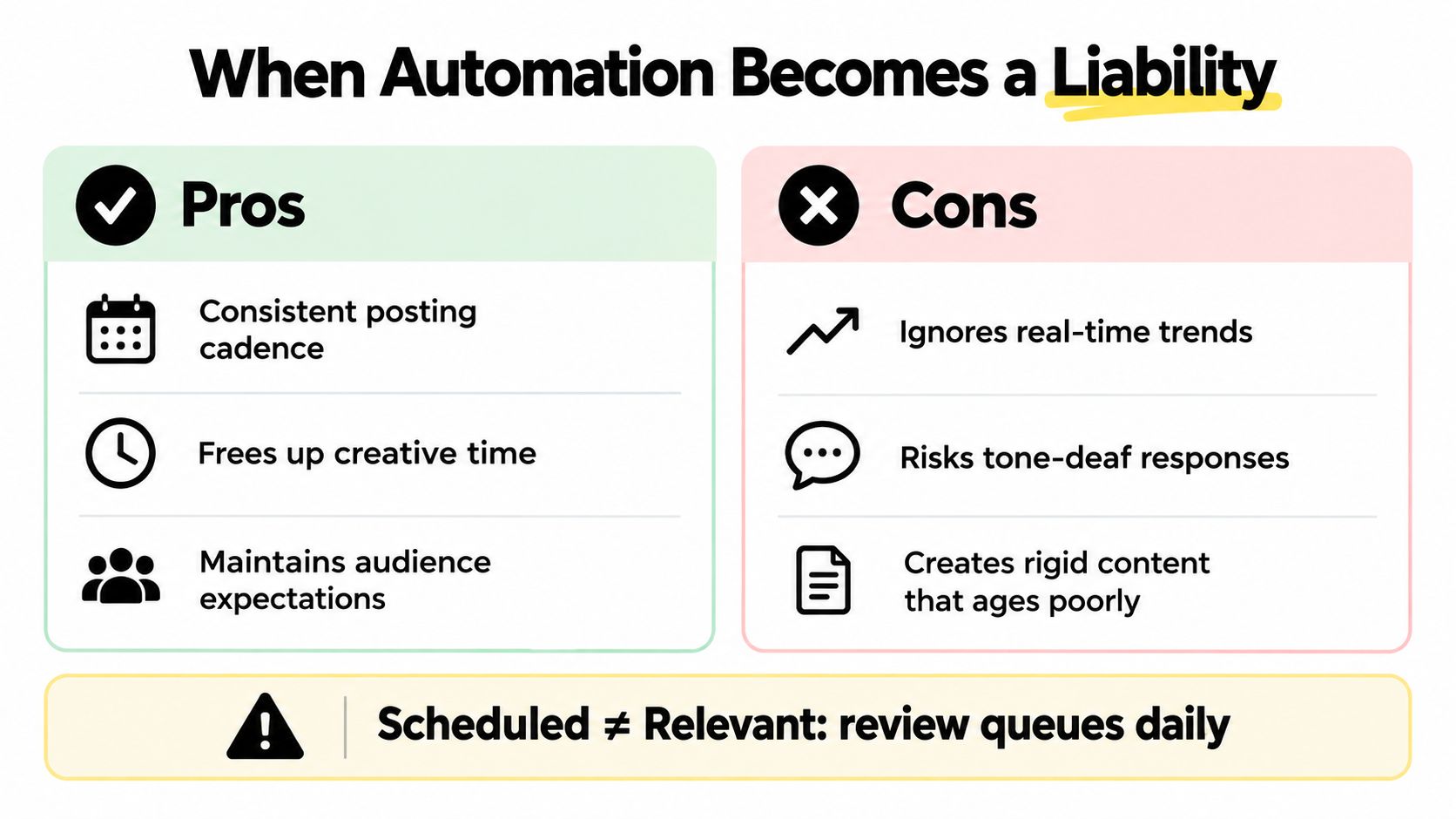
A scheduled post isn't automatically a relevant post. That's the uncomfortable part many social workflows avoid.
Evergreen content is usually queueable. A durable tutorial, product explanation, or general observation can wait for an appropriate slot. Time-sensitive content is different. A live trend, breaking event, audience question, product issue, or rapidly changing conversation may make a prewritten post awkward or tone-deaf.
The queue needs interruption rules, not blind loyalty.
Separate queueable content from sensitive content
Label every scheduled item as either evergreen, event-dependent, audience-sensitive, or time-critical. Evergreen posts can follow normal queue rules. Event-dependent posts need a date check. Audience-sensitive posts need a quick review of the current conversation. Time-critical posts may need manual publication.
Pause the queue when any of these triggers appears:
- A serious event changes the appropriate tone.
- The scheduled post contradicts a current announcement.
- The audience is asking a question the post fails to address.
- The format is underperforming relative to the campaign's purpose.
- A platform conversation creates a more useful angle.
- An operational issue makes the original message inaccurate.
Then choose one of three actions. Reschedule when the idea remains valid but the moment is wrong. Rewrite when the subject matters but the framing needs to respond to current context. Cancel when publishing would confuse, distract, or damage trust.
Recent research based on 30,000 business users cautioned that algorithmic feeds reduce the importance of posting time because distribution depends on what a platform predicts users want to see, not when a post goes live. The finding is summarized in Metricool's Instagram content playbook. That makes format, relevance, and audience response more important than worshipping a fixed timetable.
Consistency should protect your operating rhythm, not override your judgment.
Review the queue daily, even if the review takes only a few minutes. Automation is useful when it removes repetitive placement work. It becomes a liability when nobody remains responsible for context.
Which Approach Wins for Your Situation
There's no universal split between planning and scheduling. The right balance depends on how much capacity you have and how quickly the subject changes.
| Situation | Recommended emphasis |
|---|---|
| Solo creator | Plan the audience, pillars, capacity, and evergreen pool carefully. Schedule selectively and keep room for reactive work. |
| Small team | Separate the planning brief from the publishing queue. Assign clear ownership for approval, scheduling, and interruption decisions. |
| Agency | Treat planning as a distinct client deliverable. Keep strategy, account execution, and approval records separate. |
| Time-sensitive campaign | Keep the strategic objective firm, but leave content details flexible. Let scheduling respond to live developments and confirmed assets. |
Solo creators should lean toward planning because limited bandwidth makes queue drift expensive. Small teams need a handoff layer, otherwise the planner assumes the scheduler understands the intent and the scheduler assumes the planner checked feasibility.
Agencies should avoid hiding strategic work inside routine scheduling. Campaign direction, audience decisions, and content architecture deserve separate review from publishing operations. For launches, live events, and news commentary, the calendar should be treated as a flexible instrument rather than a binding contract.
The best workflow is not the one with the most automation. It's the one that makes good decisions easy to execute and bad decisions easy to stop.
SleekPost gives creators and small teams one dashboard for scheduling and publishing social content across multiple platforms, with platform-specific customization, queues, recurring posts, and batch scheduling. If you want to separate strategic planning from reliable execution without adding workflow bloat, visit SleekPost and test the publishing layer against your own content process.