You've finished the video, written the announcement, and found the right landing page. Now you're opening social apps, uploading the same file, shortening captions, and checking whether you've already posted to LinkedIn. The creative work is done, but distribution still needs your attention.
Posting on all social media at once works best as one coordinated workflow, not one identical post. Keep the campaign idea consistent, prepare native versions, and manage publication from a shared queue. You'll avoid repetitive uploads without forcing every audience to read the same caption.
Table of Contents
- How to Post to All Social Media at Once, Step by Step
- Platform Specs That Decide What to Change
- How Much to Change for Each Network
- Set Posting Times Without Guessing
- Scheduler Features That Make It Work
- When Posting Everywhere at Once Backfires
- Confirm Your Setup Before You Schedule the Batch
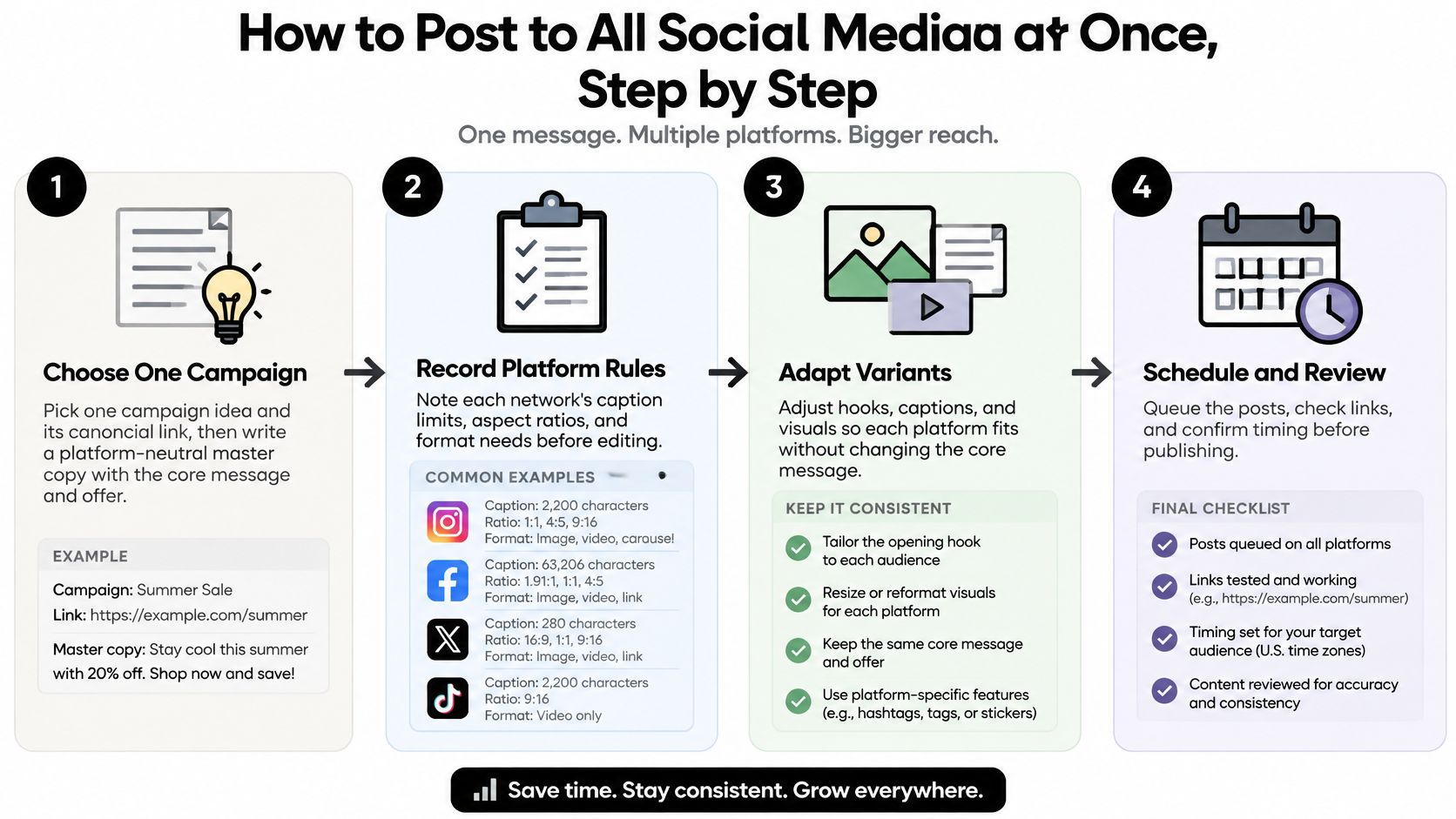
How to Post to All Social Media at Once, Step by Step
Start with the campaign you already need to publish this week. Choose the destinations deliberately, then prepare the following batch before opening your scheduler.
Pick one campaign and its canonical link. Write a platform-neutral master description containing the message, offer, and intended action. Keep the destination page fixed so a copied draft doesn't accidentally send followers to an old promotion.
Create a clean master asset. Record or design at the highest usable resolution you have, keeping editable files and a version without platform watermarks. Don't use a downloaded social upload as your master, because you'll be cropping an already processed file.
Export by destination format. Prepare vertical versions for Reels, TikTok, and Shorts, and square or portrait versions where the placement calls for them. Reframe the subject manually rather than letting an automatic crop cut off a face, product, or demonstration.
Rewrite the hook and call to action. Preserve the promise, but give each audience an appropriate opening and next step. Don't leave an instruction such as “click below” in a placement where the destination isn't accessible that way.
Validate every upload. Check the current media duration, file requirements, text allowance, and account eligibility for the selected publishing route. A file that uploads in the native app may still need different handling through a scheduler.
Load the variants and choose publication times. Select the correct accounts before attaching media, then confirm the displayed time zone. Don't assume that a time entered on your laptop represents the audience's local morning.
Review the queue before publishing. Open links, inspect media previews, add accessibility text or subtitles where supported, and confirm that every destination has its intended variant. Watch for a shared edit that unintentionally overwrites an approved caption.
Make the batch easy to repeat
Save the master copy, exports, and approval notes together. A repeatable content batching workflow makes the next campaign easier because you're reusing a process rather than reconstructing it.
Use this visual as a compact production checklist.
Before launch, decide what success means for each destination. SuperX's guide to measuring engagement on each social platform is useful for planning that review rather than treating the combined like count as your result.
Final queue check: every variant is present, every link opens, and each destination carries its own tracking tag.
Platform Specs That Decide What to Change
A batch usually fails in boring places: the first line gets cut, a button covers the label, or a vertical export lands in a feed where square would have read better. Treat each destination as a different layout problem, then keep one idea and produce native executions from it.
Platform specs and first changes for simultaneous posts
| Platform | Field structure to respect | First change to make |
|---|---|---|
| Caption field with the opening line carrying the preview | Rewrite the opening line and place hashtags after the point | |
| TikTok | Description supports the video; the clip carries the meaning | Strengthen the opening video hook before touching the description |
| YouTube Shorts | Title and description are separate fields | Rewrite the title, then the first description line |
| Post text sits with the shared link or media preview | Write a shorter opener that gives context for sharing | |
| Post text needs professional context before the detail | Add the work problem or audience in the first sentence | |
| X | One compact post field where copy and link compete | Cut the copy to one clear point and one link |
| Threads | Single conversational text field | Use a direct opener that sounds written for a thread |
| Bluesky | Single post field with a visible counter | Keep the text brief and the link easy to identify |
| Title and description work as separate fields | Write a keyword-led title and a clear description |
Read the preview, not just the counter
Video shape determines whether you need another export. Use a vertical composition for full-screen short-form placements, then choose portrait, square, or horizontal framing according to the intended feed placement. These are editing choices, not a claim that a platform accepts only one shape.
Keep faces, product labels, and subtitles away from interface overlays. A correctly sized file can still be unusable if buttons cover the demonstration or captions disappear beneath the interface. Use the vertical video dimensions guide when planning crops and framing.
Length problems usually come from the wrong field, not raw character count. Count the final version after mentions, hashtags, and the destination link are in place, and treat any scheduler validation warning as a required fix before approval. A title, caption, description, and link preview can each truncate at a different point.
Export by shape first, then edit copy for the field that actually displays it.
How Much to Change for Each Network
Identical posting is tempting because it removes decisions. But common practice already includes a middle ground: in 2024, 47% of social media marketers said they shared similar content across platforms, while 19% said they repurposed the same content, according to HubSpot's survey of more than 1,500 social media marketers.
Neither approach requires creating an unrelated campaign for every account. Keep the core asset and message stable, then change the parts that affect how someone understands and uses the post.
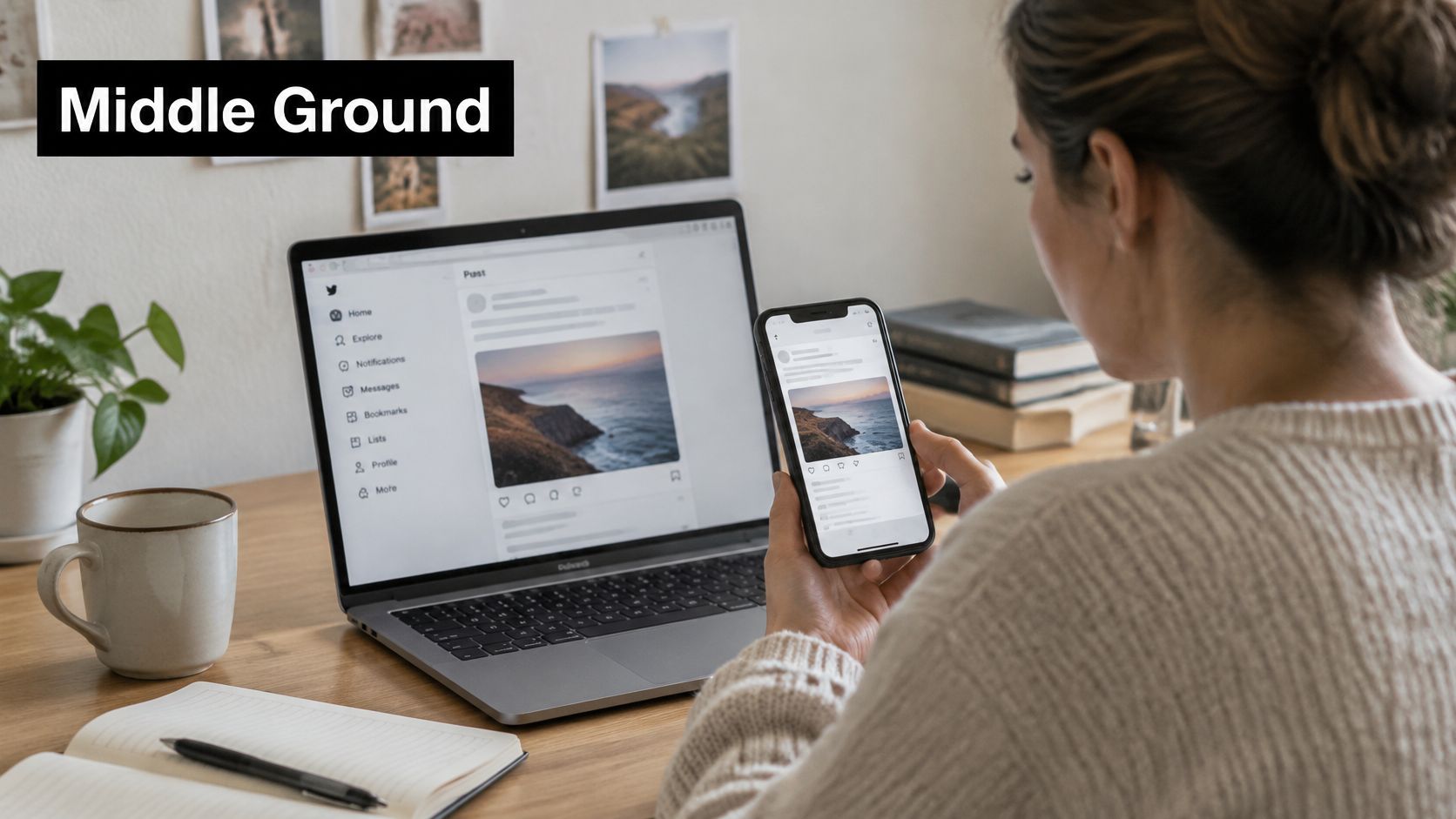
The same campaign can remain recognizable across screens without requiring identical execution.
Prioritize edits that change comprehension
Start with format and hook. A detailed explanation may need a narrated demonstration, a carousel, or a concise text post rather than another caption rewrite. If someone can't understand the visual or identify the point immediately, tidier hashtags won't fix it.
Then adjust the caption and action. For a hypothetical software launch, LinkedIn copy could explain the workflow problem and invite practitioners to discuss it. An Instagram version could show the result visually and direct interested viewers toward the appropriate profile destination.
Leave cosmetic details until last. Hashtag selection and minor phrasing deserve attention after the post communicates clearly and gives the reader a usable next step. Don't spend your editing window polishing punctuation while the product remains outside the crop.
Know when sameness is useful
An urgent service announcement can use identical wording because consistency matters more than personality. A clear statement about an outage shouldn't become playful on one account and ambiguous on another.
Evergreen explanations need more judgement. Pasting a context-heavy LinkedIn explanation beneath an unrelated Instagram image can leave the visual doing no useful work. Conversely, a theatrical TikTok-style hook can sound like a gimmick when a professional audience needs a concrete answer.
A multi-channel marketing strategy should connect these executions through the same promise, not force them into the same wording.
When time is short, fix the format and opening, make the action usable, and skip cosmetic edits.
Set Posting Times Without Guessing
A tested cadence beats a copied best-time chart. Choose a publishing load you can maintain through a four-week test, keeping the topic, audience, and creative quality broadly steady while timing and adaptation vary. A posting-frequency analysis can help you settle on a sustainable volume before the test starts.
Four-week test matrix
| Variable | Treatment | Example |
|---|---|---|
| Topic and audience | Held constant | Same campaign idea and target segment |
| Creative quality | Held constant | Same master asset at top quality |
| Publish time | Varied across timing cells | Weekday morning versus evening |
| Platform adaptation | Varied | Native variant versus lightly adapted copy |
| Metrics | Recorded for every post | Impressions, video views and completion, saves, shares, profile actions, clicks, conversions |
Repeat each timing treatment across several comparable posts before deciding. Change timing while holding adaptation steady, then test adaptation separately; changing everything together makes the result harder to interpret.
Choose slots you can actually support
Start with audience activity rather than your own convenience. A third-party guide on when followers are most active can help you choose candidate windows, while a practical best-time-to-post workflow helps organize the test around slots you can reliably cover.
Record the scheduled time, time zone, actual publication status, and results in a spreadsheet. Also record whether someone was available to answer replies. Publishing and community management are separate jobs, and a slot that produces engagement nobody responds to will look weaker than it is.
Choose a sustainable cadence before adding volume. A busy calendar does nothing if you cannot prepare good variants or respond to questions. When two slots perform about equally, pick the one where you can run the more native variant rather than the lightly edited copy.
Timing safeguard: scheduling uses a clock, not an audience location. SleekPost publishes at the local time of your device's time zone, so translate the intended audience window before confirming the queue.
Give posts comparable observation periods before judging them. A fresh upload should not be measured against one that has already had time to circulate.
Scheduler Features That Make It Work
A useful scheduler must do more than display platform logos. It needs to turn an approved campaign into valid posts, preserve your edits, and show what was published.
A shared calendar helps you inspect the whole batch before committing it.
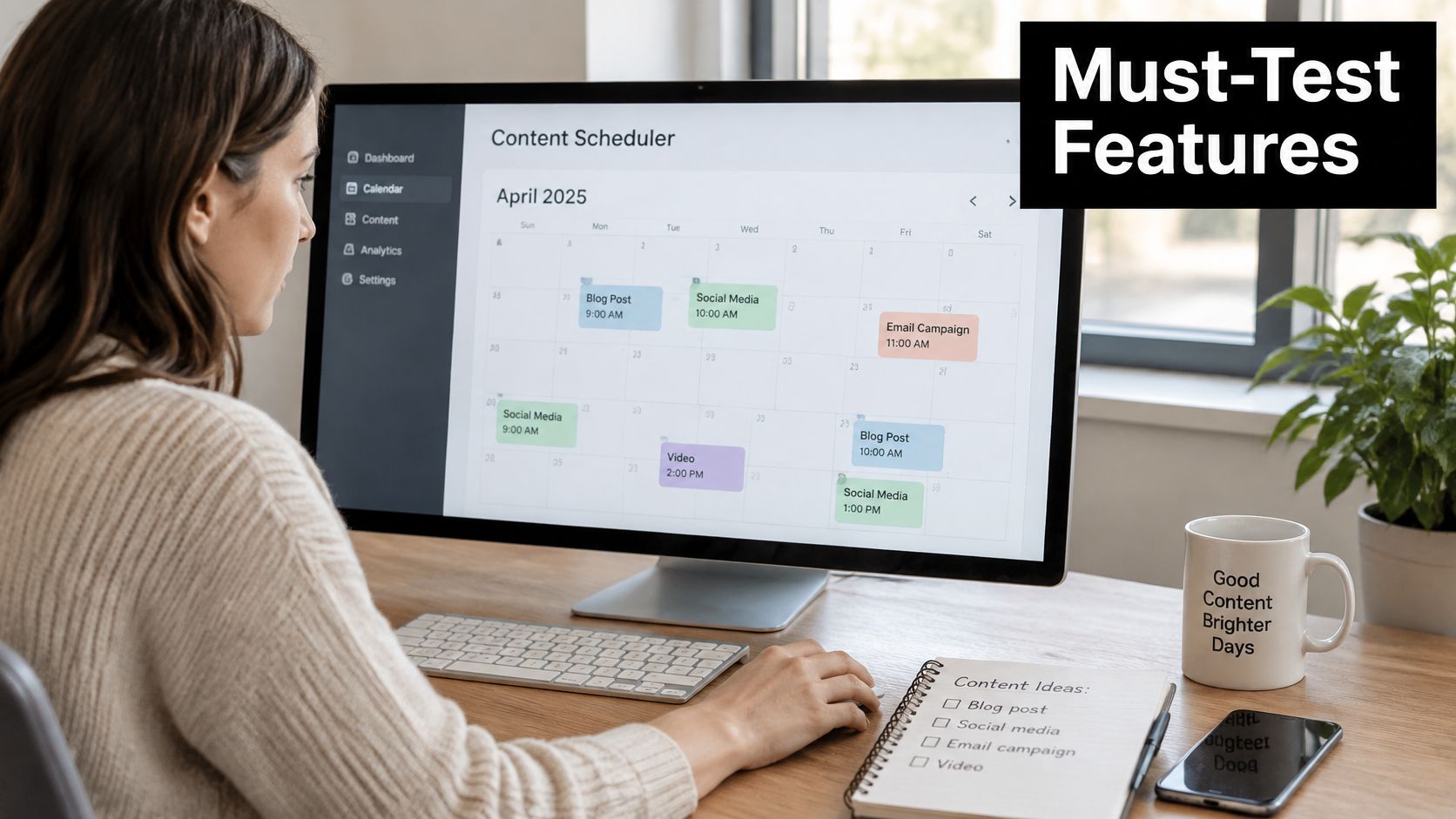
Demand account-level editing, not just a shared text box. You should be able to retain a different caption, media selection, and call to action for each destination without altering the others.
SleekPost provides one dashboard for Facebook, Instagram, Twitter, YouTube, TikTok, LinkedIn, Bluesky, Threads, Pinterest, and Telegram, with per-platform variants, drafts, a content calendar, and a media library. We send posts and media through the networks' official APIs to publish on your behalf; recurring and auto-repost settings are available for reusable content.
Test the publishing route before scaling
Start with a small campaign across a limited selection of accounts. Inspect the previews, verify the time zone, publish, and open the resulting posts on the networks themselves.
Check the actual media crop and destination link, not merely the scheduler's success message. Official API publishing doesn't mean every native-app feature or creative option is available through every integration.
For a visual introduction to the workflow, use the demonstration below.
Use Creators Toolbox's comparison of free social media scheduling tools to build a shortlist, then evaluate each multi-platform posting app against your actual content.
- Per-platform editing: Confirm that destination-specific changes survive later master edits.
- Time-zone handling: Check what happens when the person scheduling travels.
- Failure visibility: Find out where rejected posts appear and how you retry them.
When Posting Everywhere at Once Backfires
A follower who sees your accounts across several networks doesn't experience them as separate campaigns. They may encounter the same announcement repeatedly before you've answered their first question.
That overlap is plausible because connected adults use multiple services: GWI research reported a global average of 6.83 platforms used per month, according to DataReportal's state of social analysis. It doesn't tell you exactly how your followers overlap, so use your audience knowledge rather than assuming every impression reaches someone new.
Match publication to the relationship
Think about followers who see you on one network, followers who encounter several accounts, and high-value community members who need a useful response rather than another broadcast.
Simultaneous, staggered or customized
| Situation | Publish approach | Reason |
|---|---|---|
| Time-sensitive launch | Simultaneous | Audience needs the message at once |
| Safety notice | Simultaneous | Speed matters more than repetition risk |
| Event reminder | Simultaneous | Shared deadline across networks |
| Evergreen content | Staggered | Offset publication so early comments can shape the next version |
| High-value followers | Tailored | Use a reply or community prompt written for that network |
Staggering is especially useful when an initial post may expose missing context. If followers ask whether a feature works on mobile, answer that question in the next version rather than publishing another incomplete announcement.
Avoid high-frequency duplication and a universal call to action. Asking every audience to comment can be inappropriate when the need is to read instructions, register, or contact support.
Posts scheduled through our publishing process have the same reach as posts made manually. That doesn't make every creative treatment equally effective, so evaluate timing and audience fit rather than blaming the scheduling method.
Use simultaneous publication for urgency, staggered publication for evergreen content, and customized interaction for high-value followers.
Confirm Your Setup Before You Schedule the Batch
Use a final approval pass that checks what followers will receive, not just whether the queue looks full.
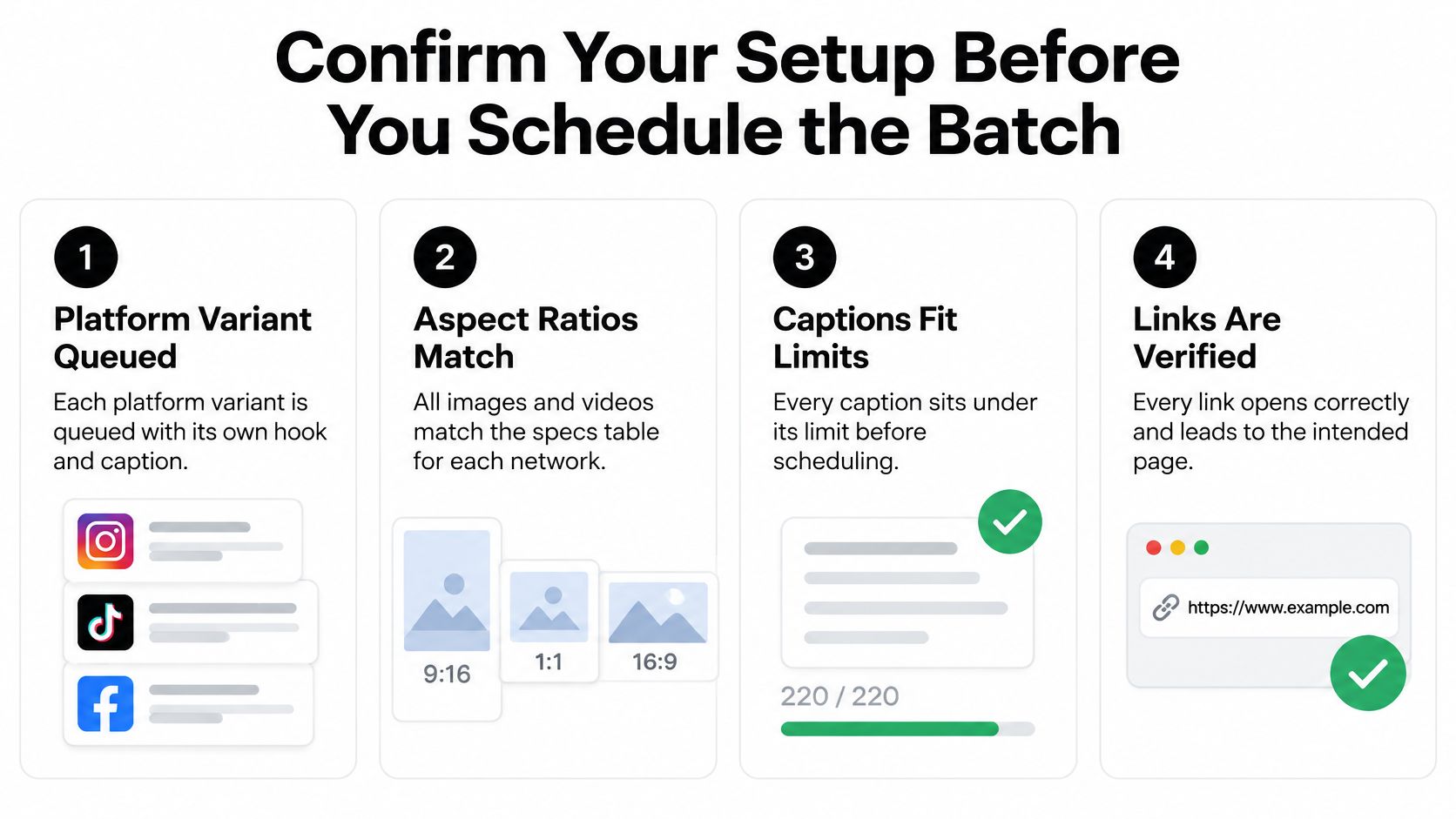
- Variants approved: Each destination has the intended hook, caption, and media.
- Formats validated: Crops suit the placement, and text fits the confirmed field allowances.
- Links tested: Every destination opens correctly and includes platform-specific UTM parameters.
- Accessibility complete: Add alt text or subtitles where supported, and inspect subtitle placement.
- Timing confirmed: Translate audience windows into the scheduler's displayed time zone.
- Queue reviewed: Ask another person to check accounts, offer details, and publication order.
After publication, compare platforms separately. Track clicks and conversions by tag, and examine median results alongside averages rather than allowing an exceptional post to represent the entire batch, a measurement approach supported by the cross-platform engagement study published through ACM.
For a manageable trial, run one campaign across a small selection of platforms this week. Choose a review date in advance, record failures as well as successes, and change the next batch based on the action you wanted followers to take.
Publish everywhere only when every checklist item passes.
SleekPost lets you coordinate platform-specific posts from one dashboard, with a free allowance of 5 scheduled posts per month to test the workflow. For a full batch, the Starter plan includes 5 connected social accounts and unlimited posts. Visit SleekPost, connect your priority accounts, and prepare your next campaign as one idea with native executions.