
A $2,107 monthly retainer is a useful place to start, because it shows what buyers pay for. The 2024 HeyOrca survey of more than 100 agency and freelance social media managers reported an average hourly rate of $66.96 and an average monthly retainer of approximately $2,107 for managing one client across three social networks. That package included three posts per platform per week, 5 to 10 hours of community management, and reporting.
That figure reframes social media management pricing. You're rarely buying posts alone. You're buying coordination, adaptation, replies, approvals and measurement, plus the software that moves the work. A cheaper quote may move some of those hours back to you.
Table of Contents
- Pricing Models Compared at a Glance
- How Per-Account, Per-Seat and Retainer Pricing Work
- What Actually Drives Your Monthly Cost
- Sample Pricing for Each User Type
- How to Build a Monthly Social Media Budget
- Choosing a Plan and Confirming Your Budget
Pricing Models Compared at a Glance
The short answer is that social media management is sold in six main ways, and each one charges for a different thing. If you compare headline prices without naming the model, you'll compare unlike offers. One seller may charge for staff time, another for connected profiles, and another for a bundle of recurring services.
Hourly labor is the easiest model to audit because the invoice follows time spent. A monthly retainer gives you a fixed fee, but only for the scope written into the agreement. Posting-only services look inexpensive because you supply finished content and they handle publication. Software uses different levers again. Per-account pricing rises with each profile, per-seat pricing rises with each login, and tier subscriptions bundle account limits, seats and features into one plan.
Social Media Management Pricing Models Compared
| Pricing model | How you are billed | Typical range | What it covers |
|---|---|---|---|
| Hourly labor | Per hour of staff or freelancer time | $66.96 average hourly rate (2024 benchmark) | Named tasks billed as worked |
| Monthly retainer | Fixed monthly fee for an agreed scope | About $2,107 per month for three networks; most agencies charge $1,500 to $5,000 | Recurring posting, community management and reporting |
| Posting-only service | Fixed fee for publishing content you supply | Median starting price $99 per month | Scheduling and publishing only |
| Per-account | Fee for each connected social profile | Vendor sets a price per profile, multiplied by total profiles | Publishing across each connected account |
| Per-seat | Fee for each user who logs in | Vendor sets a price per seat, multiplied by active users | Team access and approval roles |
| Tier subscription | Flat monthly or annual plan with limits | Price set by account, seat and feature tier | Software features and team permissions |
Read those ranges as survey benchmarks, not quotes for your business. Two retainers at the same price can cover different numbers of posts, different reply obligations and very different reporting. The label tells you the billing unit. The scope tells you the value.
Start by locating your situation in the table. If you need someone to write, publish, reply and report every month, you're shopping for labor or a retainer. If you'll create and approve content yourself, you're mainly shopping for software capacity. Teams comparing operational setups can also review social media management tools built for agency workflows before they request service quotes.
Don't ask which model is cheapest first. Ask what unit you'll keep paying for as your accounts, team and workload grow.
How Per-Account, Per-Seat and Retainer Pricing Work
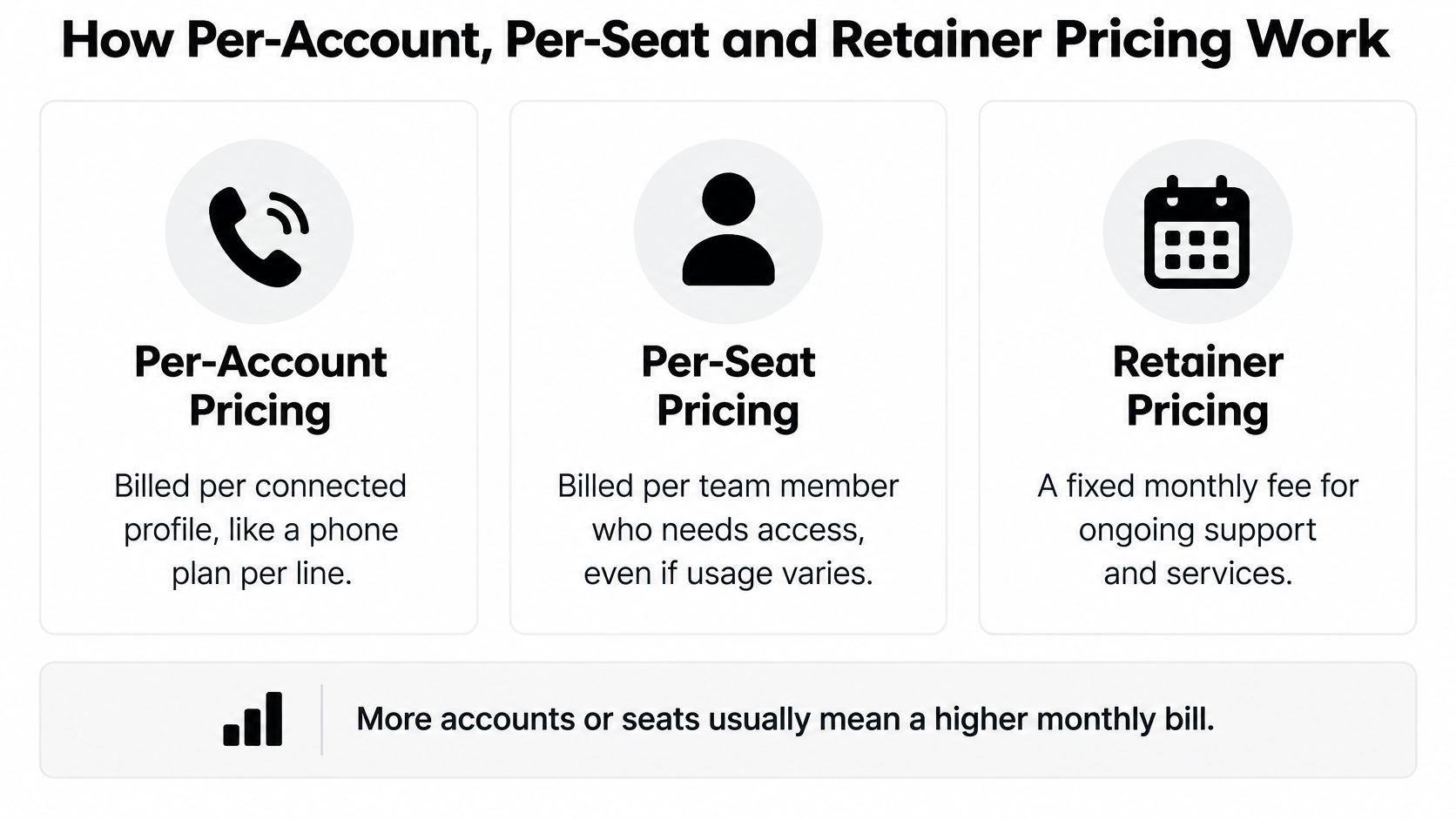
These three models can produce very different bills for the same team. Suppose you manage eight profiles with three people. A per-account vendor multiplies eight. A per-seat vendor multiplies three. A retainer provider charges for the agreed monthly work, regardless of which person logs in.
The Three Billing Levers
Per-account pricing works like a phone plan billed per line. Every connected Instagram, TikTok, LinkedIn or Facebook profile adds to the bill, even if one account posts rarely. This model is predictable when your account list is stable. It gets expensive when clients, locations or campaign profiles multiply.
Per-seat pricing works like a software license for each person. A marketer, designer and approver may each need a paid seat, even though the approver logs in only to review drafts. It suits a small team managing many accounts. It penalizes broad collaboration unless viewer or client roles are priced differently.
Retainer pricing buys a defined block of recurring service. Extra posts inside the agreed scope don't raise the fee, but adding video production, a new platform or daily community management usually changes it. According to Influencer Marketing Hub's summary of a Sprout Social survey of more than 220 agencies, nearly 80% of agencies used a monthly retainer pricing model in 2024, and most agencies charged between $1,500 and $5,000 per month for social media services.
The visual below separates those levers so you can see which count drives your bill.
How Tier Subscriptions Combine Them
Tier subscriptions bundle account limits, seats and features so you don't pay separately for every lever. Our Pro plan includes all Starter features, unlimited connected social accounts, 1 team member seat, team integration access controls, unlimited recurring posts and unlimited auto reposts. Our Premium plan includes all Pro features, 3 team member seats, advanced team permissions, the AI Content Generator and multiple post variations.
That structure answers a practical question. Do you need more profiles, more people, or stronger controls? Buy the tier that removes your actual constraint. Don't upgrade for a feature list you won't use.
You pay for capacity and coordination, not for individual posts.
Watch for add-ons outside the headline price. Creative production, paid promotion, extra reporting and additional approval support are commonly billed separately from a service retainer. Before you compare totals, count your profiles and people, list who must approve work, and identify every service outside publishing. The dominant lever usually becomes obvious once those three counts are on paper.
What Actually Drives Your Monthly Cost
Two social media quotes can cover the same number of posts and still differ sharply in price. The reason is labor: original filming, platform-specific copy, approval rounds, comment replies and reporting all take time. Repurposing one finished asset usually requires less work than producing separate content for each network.
The HeyOrca 2024 survey of more than 100 agency and freelance social media managers reported an average hourly rate of $66.96 and an average monthly retainer of $2,107.14 for LinkedIn, Instagram and Facebook, with three posts per platform per week, community management and reporting. Dividing the retainer by three gives roughly $702 per platform per month, but that is only an arithmetic comparison. Community management and reporting are shared work, not costs that necessarily fall by a third if one platform is removed.
Hours offer a useful capacity check. At $66.96 per hour, a $2,107 retainer represents approximately 31.5 hours of monthly work. Ask which tasks fit within the hours implied by a fixed fee. Daily original video, rapid replies, strategy and detailed reporting require more capacity than a few hours can cover.
Labor Scope Lines That Change the Price
| Scope line | Posting-only plan | Full management |
|---|---|---|
| Publishing supplied posts | Included | Included |
| Writing copy for each network | Not included | Included |
| Original video or graphics | Not included | Often billed extra |
| Comment and message replies | Not included | Included up to agreed hours |
| Monthly performance reporting | Not included | Included |
| Paid promotion management | Not included | Usually billed separately |
A creator who records one video and writes one master caption for adaptation across three networks has a narrow, repeatable workflow. A brand that films original content weekly, routes drafts through two approvers and expects same-day replies needs more production and coordination. Both may publish three times a week, but the labor behind those posts is not comparable.
Mark each table row as included, excluded or limited when reviewing a quote. The guide to social media management and content creation explains how production choices can shape the work beyond scheduling. Confirm setup fees, minimum terms, overage charges and cancellation notice before signing.
Practical rule: Price the labor lines first, then add the software subscription. Reversing that order can hide the largest cost.
Sample Pricing for Each User Type
Your likely spend depends first on who does the work. A self-managed creator buys software and supplies the labor. A small business may buy software plus limited help. An agency client buys a service bundle with staff time, oversight and reporting built in.
The workspace image below reflects the self-managed end of that spectrum, where planning, publishing and measurement stay with one person.
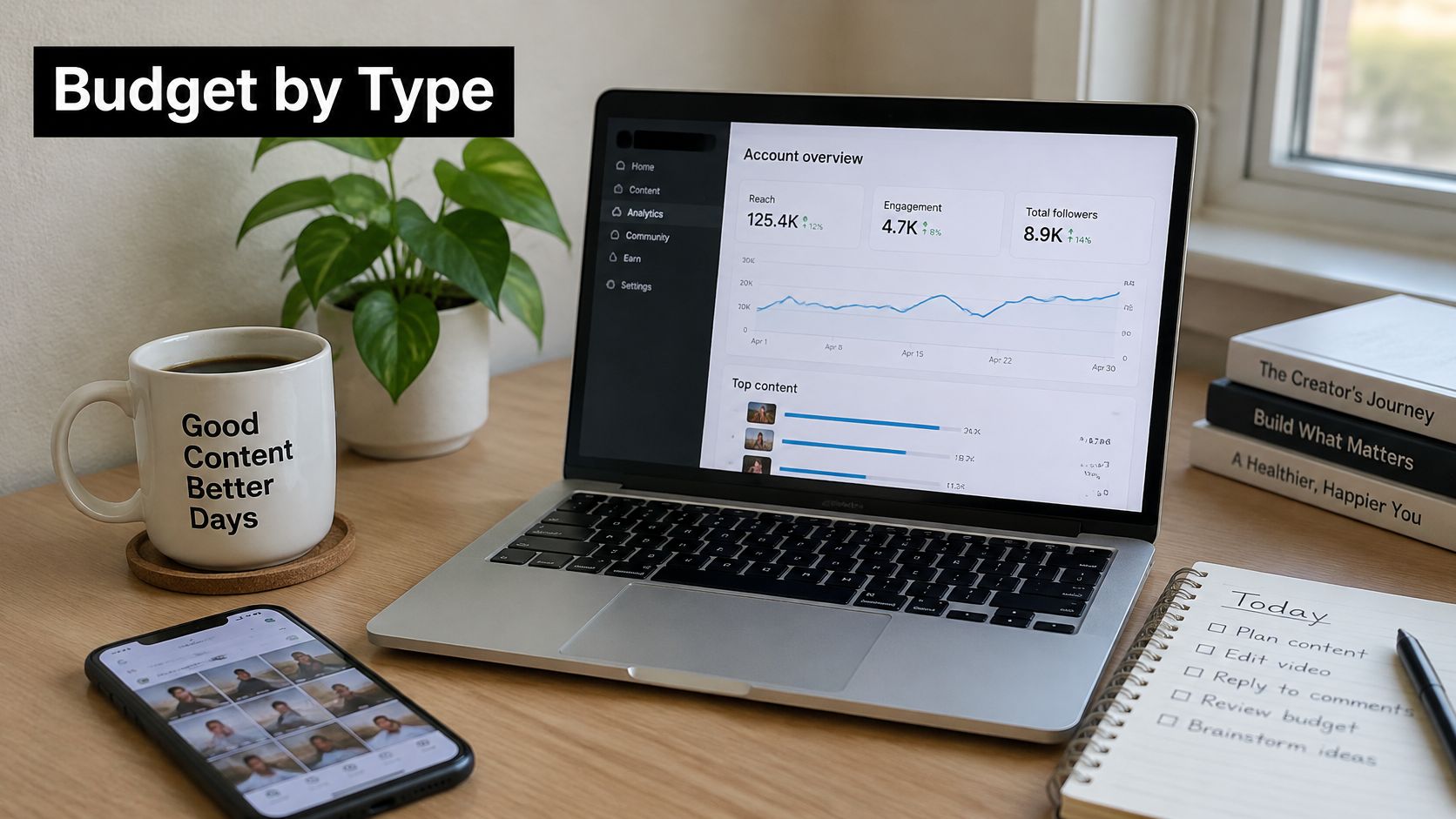
A solo creator with one or two accounts usually doesn't need a managed service. The confirmation step is simple. Count the accounts, then name the writing, editing and reply work you'll keep. A creator with three to five accounts needs the same check, with one addition. You can connect 2 accounts on the same platform, and a 5-account limit can be all TikTok accounts or a mix such as 3 TikTok and 2 Instagram accounts.
A small business with one in-house marketer sits in the middle. Software may be the smallest line, while outsourced copy, design or video edits drive the rest. If you'd rather hand off the operating work entirely, you can explore managed social media services from SimpleLab Digital as a comparison point. Treat that as a service purchase, not a tool substitute, and compare included tasks line by line.
Agency prices show why labels alone don't settle the question. A 2026 survey of almost 100 agencies reported that 49% charged $1,000 to $2,499 per month for social media management, while 31% charged below $1,000.
Typical Monthly Spend by User Type
| User type | Typical monthly spend | Confirm before comparing |
|---|---|---|
| Solo creator, one or two accounts | Self-managed subscription cost only | Accounts and tasks you will do yourself |
| Creator with three to five accounts | Self-managed subscription within a five-account limit | Whether accounts sit on one platform or several |
| Small business with one in-house marketer | Subscription plus any outsourced labor lines | Copy and design you will outsource |
| Freelancer managing two client channels | $400 to $2,000 | Channels, approval rounds and copy included |
| Agency, lower band | Under $1,000 (31% of agencies) | Scope, staffing and client count |
| Agency, mid band | $1,000 to $2,499 (49% of agencies) | Labor hours and included services |
Before narrowing vendors, match your team structure against criteria for choosing a small business social media management tool. Then pick your row above. The video below offers another walkthrough of how day-to-day management work translates into the time you're budgeting for.
How to Build a Monthly Social Media Budget
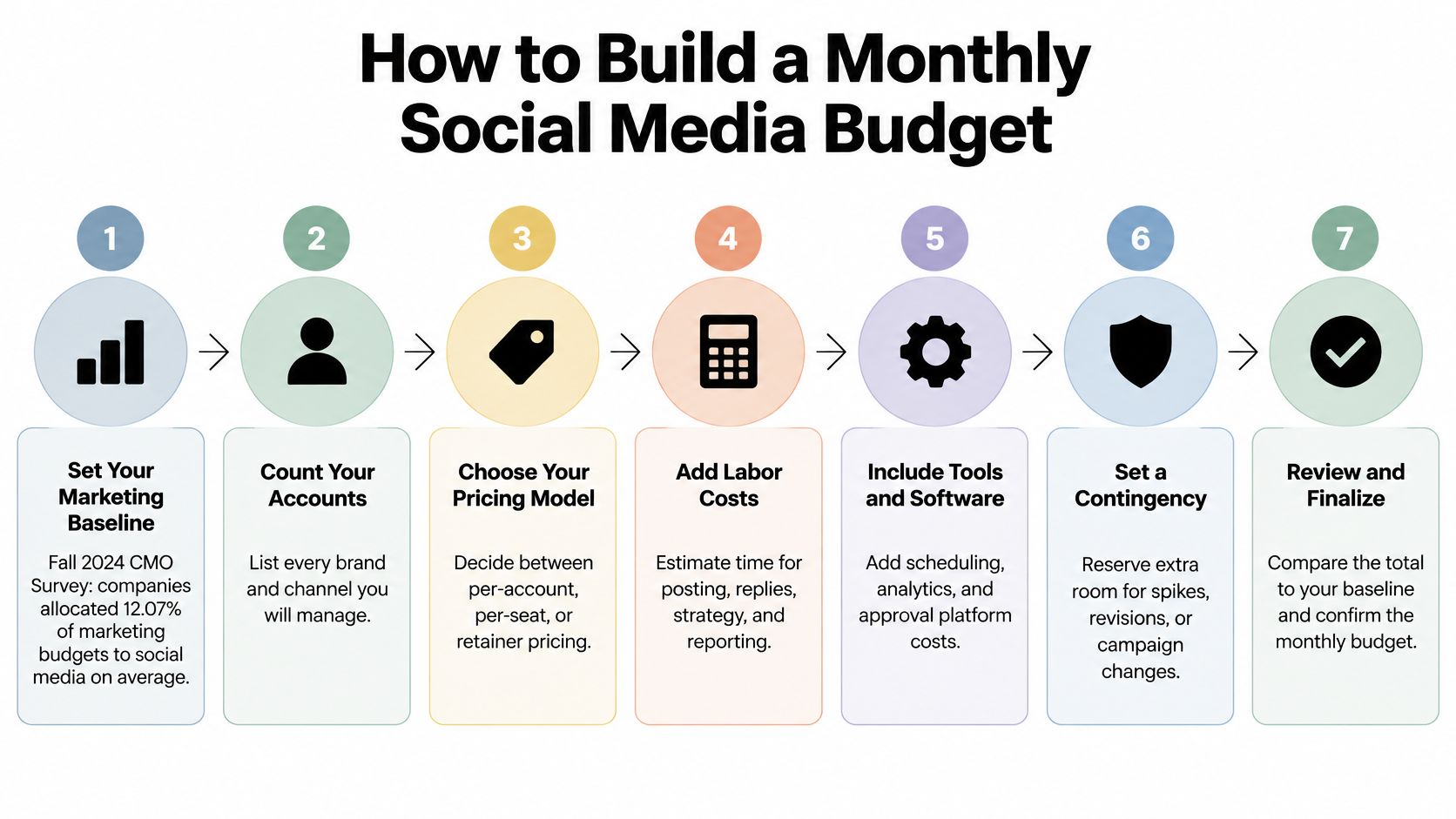
Build the budget from capacity, not from a vendor's pricing page. You need seven numbers or decisions, and you can gather them in one afternoon. Keep labor, software, production and promotion separate so a low subscription doesn't disguise the total.
The process visual below gives you the sequence at a glance before you work through your own figures.
Seven Steps to a Monthly Range
Set your marketing baseline. The Fall 2024 CMO Survey topline report found companies allocated an average of 12.07% of their marketing budgets to social media. In the same survey, B2C products allocated 18.6% and B2B product companies allocated 7.9%. Use the category closest to your business as a sanity check, not as a target you must hit.
Count platforms and posts. List every profile, then count original posts, adaptations, reposts and videos per week. A profile with no planned posts still creates monitoring work if customers can message it.
Estimate weekly hours. Separate scheduling, copy adaptation, design or editing, approvals, replies and reporting. Don't bury community management inside publishing. It's driven by audience volume and response expectations, not post count alone.
Price the hours. Multiply monthly hours by the rate of the person doing the work. As a capacity example, 10 hours at $66.96 equals $669.60 before any agency margin. If you do the work yourself, that's not a cash invoice, but it's still capacity you can't spend elsewhere.
Add software. Choose the tier that fits your connected accounts, seats and permissions. Use a social media ROI calculator to test whether expected hours saved and resulting output justify that recurring line.
Add production and promotion separately. Put filming, editing, design, freelance writing and paid promotion management on their own lines. Ad spend itself belongs in a media budget, not inside the management fee unless a contract explicitly says so.
Review after 90 days. Compare planned hours with actual hours, check which tasks expanded, and revise the range. A budget that only works when nobody requests changes isn't a budget. It's a hope.
Present the result as a monthly range, with a low case for steady repurposing and a high case for campaigns or heavier replies. That gives you room to plan a quarter ahead without pretending workload is fixed. It also makes vendor comparisons cleaner. You can see whether a quote lowers cash cost, recovers internal hours, or merely shifts work from one column to another.
Choosing a Plan and Confirming Your Budget
A low software price does not tell you the full cost of social media management. The subscription covers publishing tools; strategy, original creative work and audience replies still require someone's time. Choose a plan around the accounts and team access you need, then budget separately for any work you will not do yourself.
A 2026 pricing study summarized by Boomp found that posting-only services had a median starting price of $99. An Upwork example for a freelancer managing two channels ranged from $400 to $2,000 monthly. Those prices cover labor, not just access to scheduling software, so compare the work included before judging a quote by its headline number.
Plan Comparison by Accounts, Seats and Features
| Plan | Monthly price (USD) | Annual price (USD) | Key limits and features |
|---|---|---|---|
| Free | Free | Free | 5 posts per month |
| Starter | $5.4 | $64.8 | 5 connected accounts, unlimited posts, Media Library, 500MB uploads |
| Pro | $11.4 | $136.8 | Unlimited connected accounts, 1 team member seat, unlimited recurring posts and auto reposts |
| Premium | $23.4 | $280.8 | Pro features plus 3 team member seats, advanced permissions, AI Content Generator, multiple post variations |
Annual billing costs $64.8 for Starter, $136.8 for Pro and $280.8 for Premium. That saves $43, $91 and $187, respectively, compared with paying monthly for a year. For example, Starter's monthly price adds up to $64.8 over 12 months, while annual billing saves $43, or 40%. Check the billing option when setting your budget.
Match the Tier to Your Workflow
- Choose Free to test the routine. Five posts per month lets you try scheduling, but a regular publishing calendar will need more capacity.
- Choose Starter for up to five connected accounts. The account limit can be any mix of supported platforms, and the plan includes unlimited posts, a Media Library and 500MB large-file uploads.
- Choose Pro for more accounts or repeated publishing. It includes unlimited connected accounts, one team member seat, unlimited recurring posts and unlimited auto reposts.
- Choose Premium for a small team that needs more control. It adds three team member seats, advanced permissions, an AI Content Generator and multiple post variations.
For an agency or collaborative team, check how work will be divided. Who needs a seat? Who drafts or approves posts? Can each post be customized for its platform? A guide to social media management software can help you compare the tools and controls available.
Before subscribing, list the accounts to connect, the people who need access, the approval steps and any work you will outsource. Then compare the software cost with the labor and production costs that remain. Choose the lowest plan that fits your actual workflow; sharing a login to avoid a seat limit can create security and accountability problems.
Choose for the constraint you expect to hit next month, not the team you hope to have next year. Upgrade when your account or seat needs change.
Use your first two weeks to check whether the workflow saves time. Schedule a typical batch, record how long platform-specific adjustments take, and compare that with your previous routine. Include approval delays and missed steps in the comparison. A tool is worth its subscription when the time and effort it saves justify the cost.
If the hours you recover do not justify the subscription, reduce the scope of your workflow or choose a less costly plan. If account limits, seats or permissions block the work, consider a plan that fits those needs. Keep labor and software as separate budget lines so you can see whether a lower subscription price reduces your total cost or leaves more work to pay for elsewhere.
Put your counts into practice with SleekPost, which lets you schedule across connected accounts, use recurring posts and auto reposts, and choose team permissions that fit your needs. Start with the plan that matches your accounts and seats, schedule your next two weeks of content, and compare the time saved with your monthly budget.