You've got a strong post ready to go, but publishing it across every channel still feels like a small operations project. One tab holds LinkedIn, another has Instagram, X is waiting for a shorter caption, and the video upload is still processing somewhere in the background. By the time you finish checking links, formatting, and hashtags, the audience window you wanted may already be closing.
That's the challenge behind quick publishing. Speed matters, but speed without judgment creates broken links, repetitive feeds, inaccessible media, and copy that sounds like it was written for nobody. The workable approach is to separate fast production from careful distribution, then add limits that stop your workflow from becoming an automated content flood.
Table of Contents
- The Reality of Manual Social Posting
- Building Your Production Pipeline
- Mastering Scheduling and Timing
- Leveraging AI Without Losing Your Voice
- Handling Visual Media at Speed
- Avoiding the Overpublishing Trap
- Your Quick Start Checklist
The Reality of Manual Social Posting
Manual social posting rarely fails because one task is especially difficult. It fails because the work keeps forcing you to change context. You write a caption, resize an image, open another network, remember a different character limit, return to the first tab, and wonder whether you already published the post.

That pattern creates two separate risks. You either rush the final checks and publish an incorrect or poorly formatted post, or you slow down so much that consistent distribution becomes exhausting. Neither outcome comes from a lack of creativity. Both come from treating writing, adaptation, approval, scheduling, and verification as one messy activity.
Speed belongs before the quality gate
The better mental model is simple: production speed and distribution quality are different phases. Drafting can move quickly because templates, prompts, and reusable briefs remove repetitive decisions. Publishing still needs a human check because platforms interpret media, links, accessibility features, and text differently.
Digital publishing has always rewarded this separation. In November 1970, Associated Press staff in Columbia, South Carolina, used a computer terminal to draft and transmit news copy to the organization's Atlanta bureau, an early milestone in electronically assisted publishing. In 1980, the Columbus Dispatch became the first newspaper to publish online, and estimates cited in a digital-journalism history place the number of newspapers with online editions at 175 in 1995 and more than 700 by mid-1997. The shift made distribution less dependent on print schedules and physical transport.
Practical rule: Automate repetition, not responsibility.
A small team doesn't need a complicated publishing department to make this work. It needs a brief that removes guesswork, platform-specific templates, an approval point, and a short live-post check. If the workload still exceeds your capacity, bringing in help through a resource such as hire a remote social media manager can add operational coverage without removing the quality gate.
The practical foundation is a reliable process, not a frantic attempt to type faster. A reliable posting workflow should make the next correct action obvious, even when several channels are waiting.
Building Your Production Pipeline
A fast workflow works because each stage has a defined job. Don't ask one tool or one person to handle strategy, writing, formatting, approval, and live verification at once.
Start with a brief that can survive adaptation
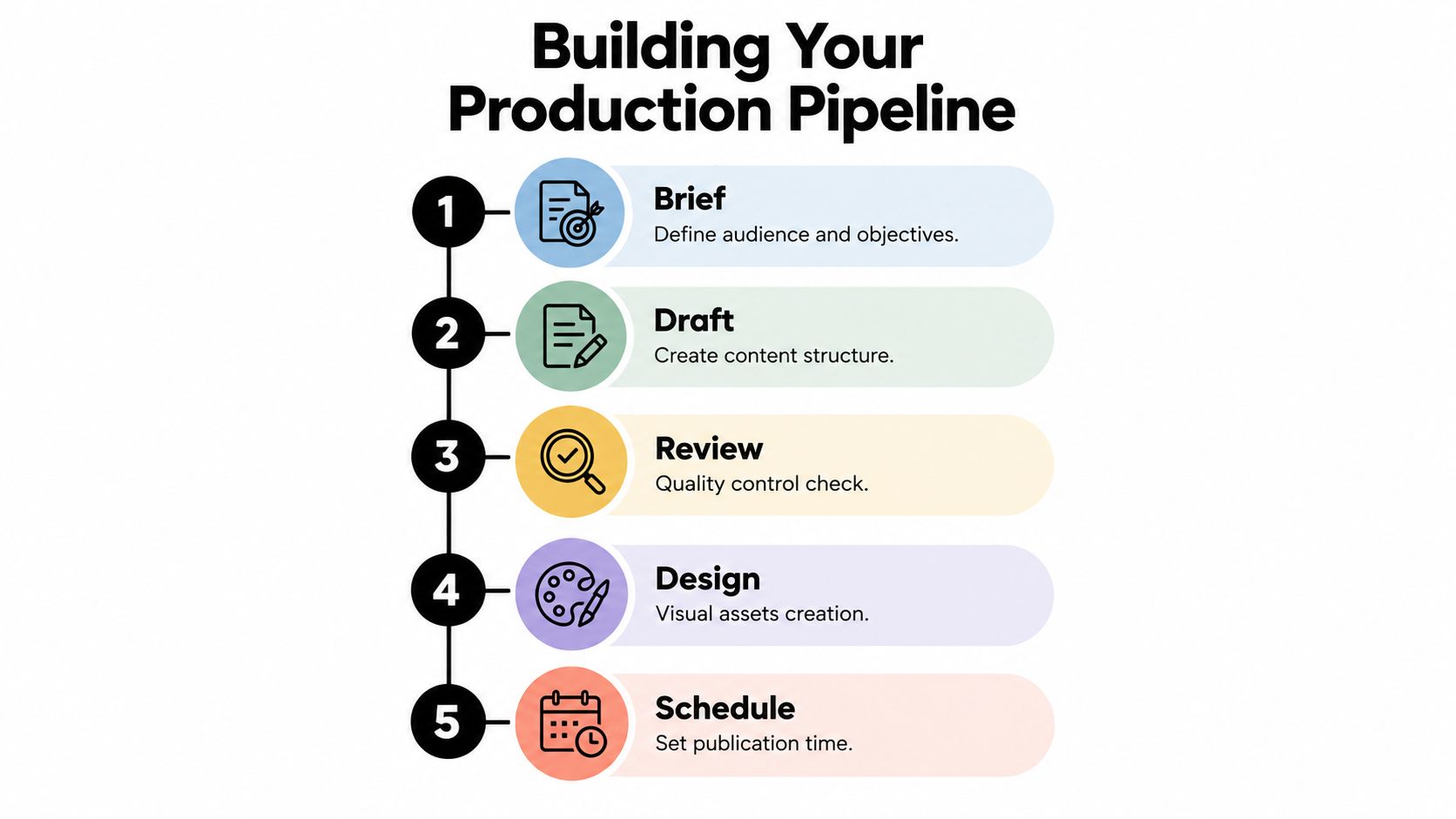
1. Define the brief. Record the audience, objective, central claim, CTA, destination platform, and required assets before anyone drafts. Add constraints that matter, such as approved terminology, restricted claims, customer language, or whether the post needs captions and alt text.
A useful brief answers one question quickly: what must remain true when this idea moves from LinkedIn to Instagram, X, or TikTok? Without that anchor, adaptation becomes random rewriting. The team may produce several polished posts that communicate different promises.
2. Draft the core idea. Create one source message before writing variants. It might be a product lesson, a customer problem, a short demonstration, or a response to a recurring question. Keep the source version factual and clear, then adapt it for each network instead of pasting the same caption everywhere.
3. Adapt by platform. X usually benefits from a concise lead and a direct point. LinkedIn often needs more context and a professional implication. Instagram may depend on the relationship between the visual, caption, and on-screen text, while TikTok needs a clear spoken or visual hook. Platform-native writing isn't cosmetic. It helps the audience understand why the post belongs in that feed.
Keep approval and scheduling separate
4. Run a human quality gate. Check the claim, tone, permissions, links, dimensions, spelling, and accessibility. Review captions and transcripts for names, jargon, speaker changes, and meaning. For regulated subjects or sensitive claims, require explicit approval rather than allowing an automated workflow to publish unattended.
5. Schedule, publish, and verify. Set each variant against the relevant audience window, then inspect the live post. Confirm that the media loaded, the link works, the text hasn't been cut off, and the correct account published it. A queue is useful only when someone checks what left the queue.
Workflow reporting indicates that connecting briefing, AI drafting, quality checks, and multi-channel distribution can reduce publishing time by approximately 35% to 60%, while one five-person team example reduced a post workflow to about 45 minutes. These figures are directional, not promises, and the same source recommends pausing volume increases when publishing errors exceed 5% until the templates or review process are repaired. See the workflow automation guidance for the underlying process and controls.
Use a short checklist for the final inspection instead of trying to remove people from every step.
Mastering Scheduling and Timing
There isn't one universal best hour for every account. Generic benchmarks can provide a starting hypothesis, but your own audience activity and historical post performance should decide the schedule.
Begin with an audit. Review previous posts by platform, content type, audience, CTA, reach, engagement rate, saves, video watch time, clicks, and conversions. Separate the results by audience time zone where possible. A post that looks weak in a blended report may have performed well for one region and poorly for another.
Run a timing experiment you can trust
Select two or three candidate windows for each major platform. Keep the content type, audience, creative quality, and CTA as consistent as practical. Rotate equivalent posts across those windows for two to four weeks, then compare outcomes instead of judging the schedule from one unusually successful post.
The pattern differs by network. Morning performance is often stronger for Facebook, LinkedIn, and X, while Instagram and TikTok commonly perform better later in the day, according to Hootsuite's timing analysis. Those are directional observations, not instructions to ignore account-level evidence.
Timing rule: Start by publishing 30 to 60 minutes before your audience's observed activity peak, then validate the result against business outcomes.
Native scheduling and queue-based publishing serve different needs. Native scheduling is useful when a platform has a format-specific feature or when a post needs last-minute adjustment. A centralized queue is more efficient for a batch of approved variations, especially when each platform needs its own copy, media, and time zone.
Don't optimize for likes alone. A post can attract attention without producing meaningful site visits, sign-ups, enquiries, or sales. Document the winner using conversion-weighted metrics, and keep a monthly holdout or A/B schedule so your assumptions don't become permanent rules.
For practical setup details, use a social media scheduling workflow that keeps platform variants and audience time zones visible. The schedule should also include pause rules. Stop or review the queue when a product situation changes, a link breaks, a claim becomes outdated, or recent posts show signs of audience fatigue.
Leveraging AI Without Losing Your Voice
AI is useful at the point where a marketer has a clear idea but too many adaptations to write manually. It can organize a rough brief, suggest hooks, turn a long explanation into several formats, and identify missing context. It can't reliably decide whether a claim is approved, whether a joke fits your brand, or whether a personal story still sounds like you.

Give the tool a bounded assignment
Start with the source material, audience, objective, platform, desired action, and voice constraints. Ask for distinct platform drafts rather than one universal caption. A useful prompt might request a concise X version, a context-rich LinkedIn version, an Instagram caption that supports the visual, and a short video hook, while instructing the tool not to invent evidence or customer results.
Then inspect the output in three passes:
- Accuracy: Compare every factual statement with the approved brief, source page, product documentation, or internal record.
- Voice: Replace generic openings, inflated promises, and phrases your customers never use. Add the specific observation or opinion that makes the post yours.
- Platform fit: Check length, CTA placement, media relationship, hashtags, captions, and link context for the destination network.
AI works best as a junior assistant with a fast first draft. The editor still supplies judgment, lived experience, emotional nuance, and the final decision to publish. A tool such as the ShortGenius AI ad generator can help create video or advertising drafts, but the same review standard applies before anything reaches a public feed.
Editing test: If you couldn't explain why a sentence is true, useful, or on-brand, don't publish it yet.
Keep approved prompts in a shared library, but don't turn them into permanent autopilot. Refresh them when the offer changes, the audience shifts, or a platform changes how it displays content. The AI content creation workflow is strongest when prompts accelerate structure and humans protect meaning.
Handling Visual Media at Speed
Visual production becomes the bottleneck when every network expects a different shape, duration, file size, or text treatment. The fix isn't to force one master asset everywhere. Create a source asset, then maintain platform-ready variants that can be exported and reviewed without starting over.
Use a predictable asset library. Store the original file separately from edited versions, and name variants by platform, format, topic, and status. A team should be able to tell whether a file is approved, captioned, resized, or still awaiting review without opening every export.
Design for reuse without flattening meaning
For a long-form video, mark useful moments during the first edit. Export short clips from those marked sections, then create platform-specific openings and on-screen text. Don't just crop the center of a wide video and assume the result remains understandable. Check faces, product demonstrations, charts, subtitles, and any text near the frame edges.
Batch work where the decisions are the same. Export a set of approved image sizes together, prepare caption files in one pass, and keep a reusable cover treatment for recurring formats. This removes the Friday afternoon scramble caused by discovering that the only available image is too large or unreadable on mobile.
Creators who need motion from static material can use a tool to turn images into videos, but generated movement still needs a human review for visual accuracy and brand fit. Accessibility belongs in the same preflight: add descriptive alt text, captions or transcripts, readable on-screen text, sufficient contrast, and clear link context. A large-file upload workflow can reduce transfer friction, but it doesn't replace checking what the audience will see and hear.
Avoiding the Overpublishing Trap
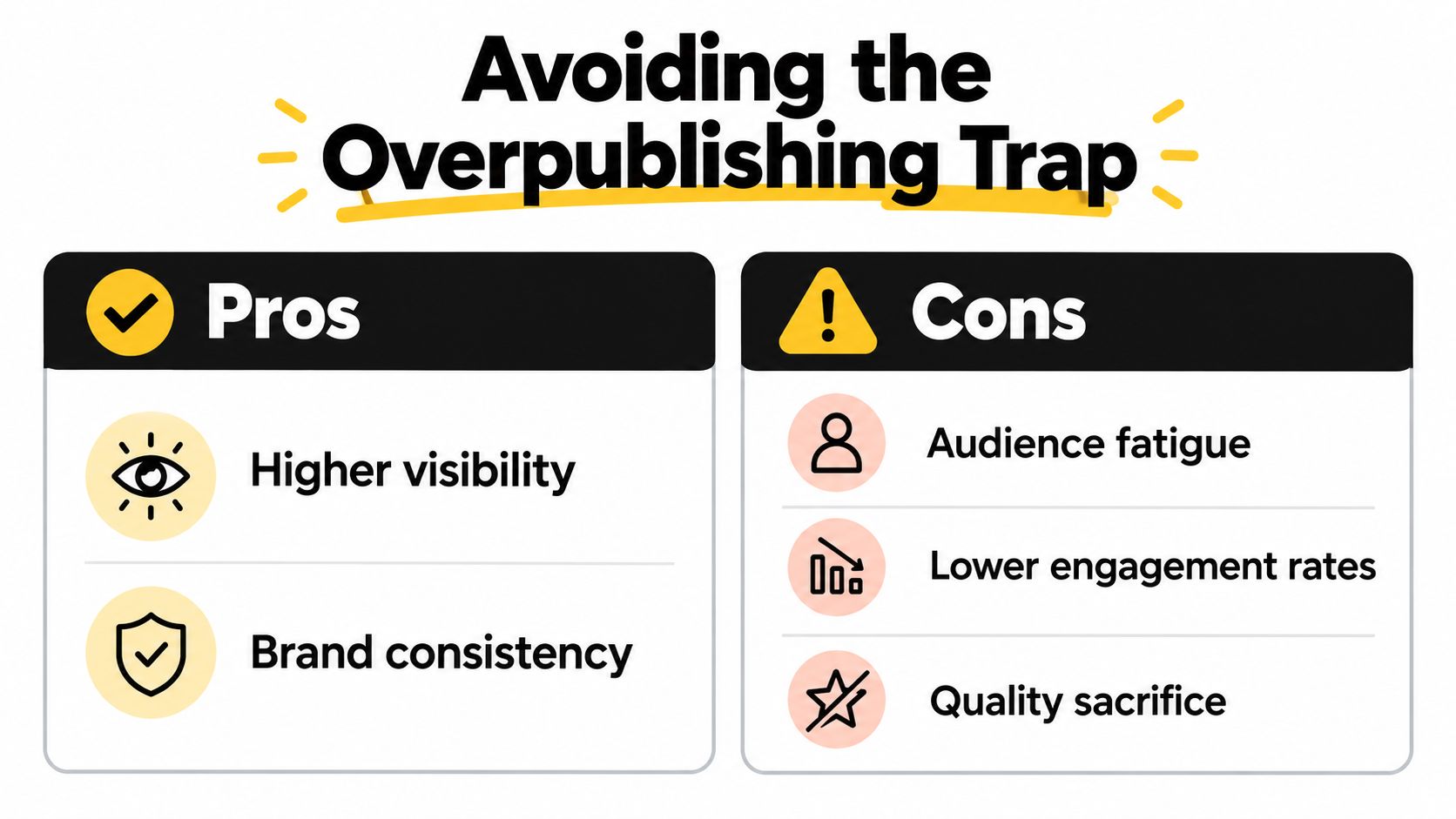
Publishing faster doesn't mean publishing whenever a queue has an empty slot. More output can create more opportunities, but it can also dilute the message, exhaust the person producing it, and make followers feel that every visit brings another variation of the same announcement.
Recent multi-platform data challenges the assumption that volume automatically creates reach. Brands posting six or fewer times per week reportedly achieved 20% higher engagement than higher-volume publishers, according to Dash Social's 2026 trends report. The same report references an analysis of more than 20 million posts in which regular posts and Reels were published less often, reinforcing the quality-over-quantity question.
Choose a minimum effective cadence
Set a floor before you set a target. Your minimum effective cadence is the smallest sustainable publishing rhythm that supports the business objective without forcing weak content into the queue.
Use these questions to decide:
- Capacity: Can the team create, review, and adapt this volume without skipping quality checks?
- Content type: Does the format need research, filming, design, or expert approval?
- Audience response: Are engagement per post, saves, replies, clicks, and conversions holding up?
- Business objective: Is the content building awareness, generating demand, supporting customers, or driving a specific action?
- Pause condition: What would make you skip the next post, such as a major announcement, repeated topic, broken destination, or weak creative?
Total impressions can hide declining value per post. Track the response each piece earns, then compare it with the time and attention required to produce it. Durable consistency beats a short burst that leaves the team with an empty calendar and an irritated audience.
For recurring content, use recurring social media posts only for durable messages that remain accurate. Add expiry dates and review points to the queue. Quick publishing should protect your capacity, not turn every available slot into an obligation.
Your Quick Start Checklist
Start with one repeatable content type rather than rebuilding your entire social operation in a single afternoon. A narrow workflow makes errors easier to spot and gives the team a pattern it can reuse.
Prepare the operating system
- Choose one objective: Decide whether the batch supports awareness, traffic, leads, sales, education, or community response.
- Write the source brief: Record audience, claim, CTA, platforms, approved evidence, and required media.
- Create platform templates: Keep separate fields for the hook, body, CTA, link, alt text, captions, and media variant.
- Save AI prompts: Store prompts that include the brand voice, factual boundaries, audience, and platform requirements.
- Build the asset library: Separate originals, edited files, approved exports, and archived versions.
- Set the quality gate: Assign a person to check claims, tone, permissions, links, dimensions, and accessibility.
- Test timing windows: Review native audience activity, select candidate windows, and record the result by platform and time zone.
- Queue with limits: Add pause rules, expiry dates, approval status, and a clear owner for each batch.
- Verify live posts: Open the published version, test the link, inspect the media, and confirm the right account posted it.
- Review business results: Compare clicks, conversions, saves, watch time, replies, and engagement per post instead of relying on impressions alone.
Accessibility deserves a visible line in the checklist, not a last-minute assumption. Add descriptive alt text, captions or transcripts, readable text, adequate contrast, and enough context for someone who can't rely on audio or visual cues. A 2025 systematic literature review on social-media accessibility identifies complex navigation, inadequate multimedia descriptions, and weak assistive-technology integration as continuing barriers for blind and visually impaired users. The same guidance attributes a possible engagement increase of up to 15% to accessible content, but that estimate comes from secondary industry research and should be treated cautiously rather than as a guaranteed result.
Run this checklist until the workflow feels boring. Boring is useful here. It means the team has fewer decisions to repeat, more time to improve the message, and a clear reason to slow down when automation starts producing errors or audience fatigue.
SleekPost gives creators, marketers, and small businesses one dashboard for adapting, scheduling, queuing, and publishing social posts across multiple platforms, with support for recurring posts, media management, and AI-assisted drafting. Visit SleekPost to set up a faster workflow with deliberate review points instead of publishing blindly.