
Only about 28% of marketers report a strong, reliable calendar routine. A 2024 survey found that 17% had no proper content calendar, 13.2% had one but struggled to meet deadlines, and another 6% almost never met them, as covered in Brafton's report on content marketing's biggest challenge. Those aren't motivation gaps. They're signs the production system never existed.
A date grid full of topics looks like a plan. It falls apart the week a client slips, a draft stalls in review, or the news makes a queued post sound wrong. The content calendar best practices that survive real workloads treat the calendar as capacity control, not a guilt list.
Table of Contents
- Why Most Content Calendars Fall Apart
- What a Content Calendar Really Is
- What Every Calendar Entry Should Include
- How Often You Should Actually Post
- Choosing the Right Tools for Your Calendar
- Handling Missed Deadlines and Last-Minute Changes
- Your First Week With a Working Calendar
Why Most Content Calendars Fall Apart
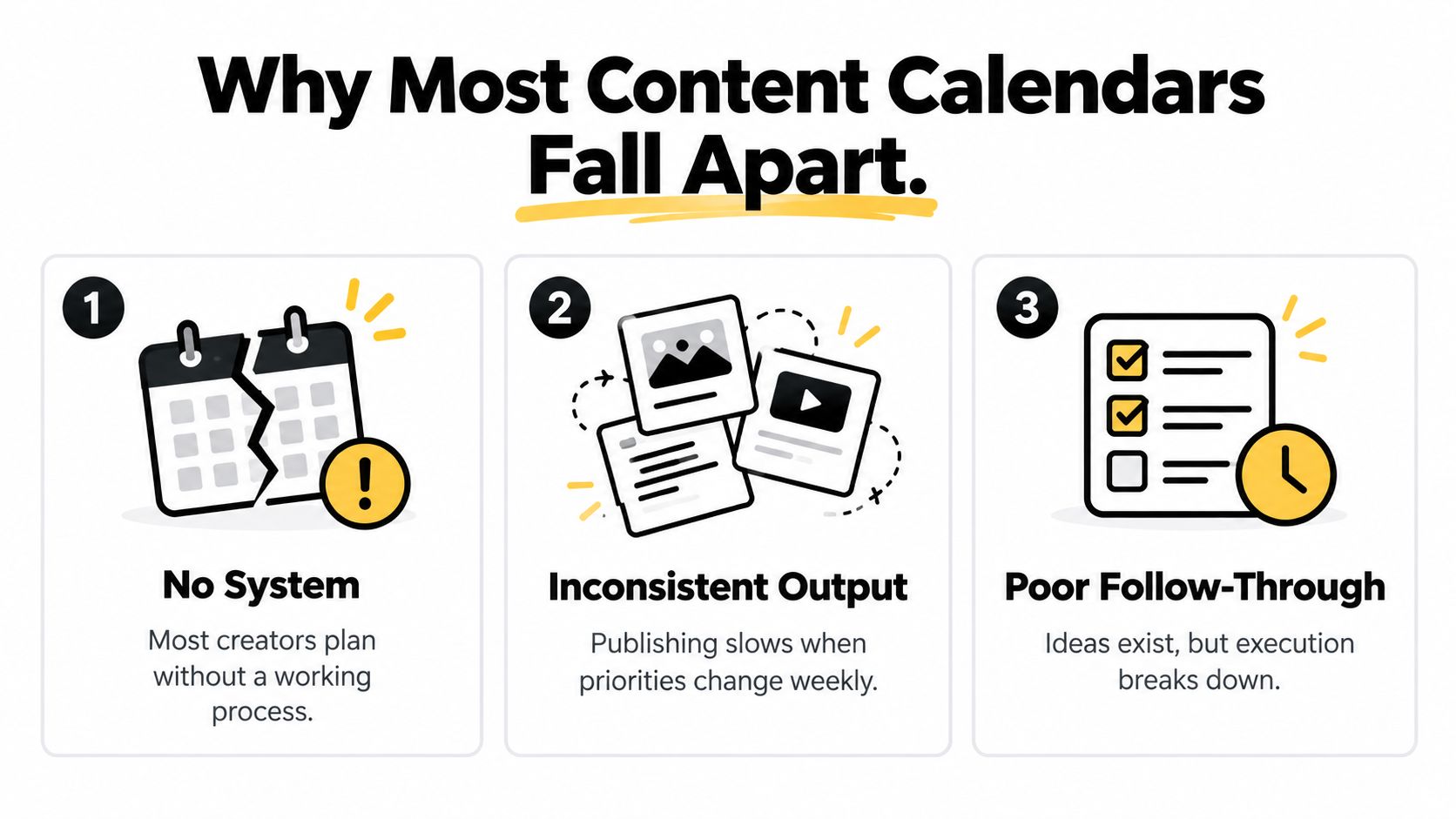
Most calendar advice assumes the missing piece is discipline. Post more often, batch on Sundays, and stop skipping days. That advice fails small teams and solo creators because the bottleneck is hours, review, and backup coverage, not willpower.
Capacity is the constraint
A creator with no editor, no designer, and a client week that eats Tuesday through Thursday cannot "just be consistent." The slot was never staffed. When the draft doesn't exist by Wednesday, the calendar has no rule for what happens next, so the empty cell turns into a scramble or a silent miss.
Three failure modes show up again and again:
- No working process: Ideas live in a notes app, dates live in a different doc, and nobody can see what is approved.
- No spare capacity: Every cell is filled, so one late asset knocks the rest of the week off the board.
- No recovery rule: Missing a post feels like failure, so people publish a weak filler instead of skipping on purpose.
Practical rule: If a planned post can't ship at the quality bar, the calendar should already say whether you pull an evergreen reserve, move the date, or leave the slot empty.
LesFM's content creation tips are useful here because they treat creation as a repeatable craft, not a burst of inspiration. Pair that craft with buffers. Keep a short shelf of evergreen posts that don't depend on this week's news, and write an explicit no-post rule so silence is a decision. A minimum viable cadence you can hit every week beats an ambitious grid you abandon by month two.
What a Content Calendar Really Is
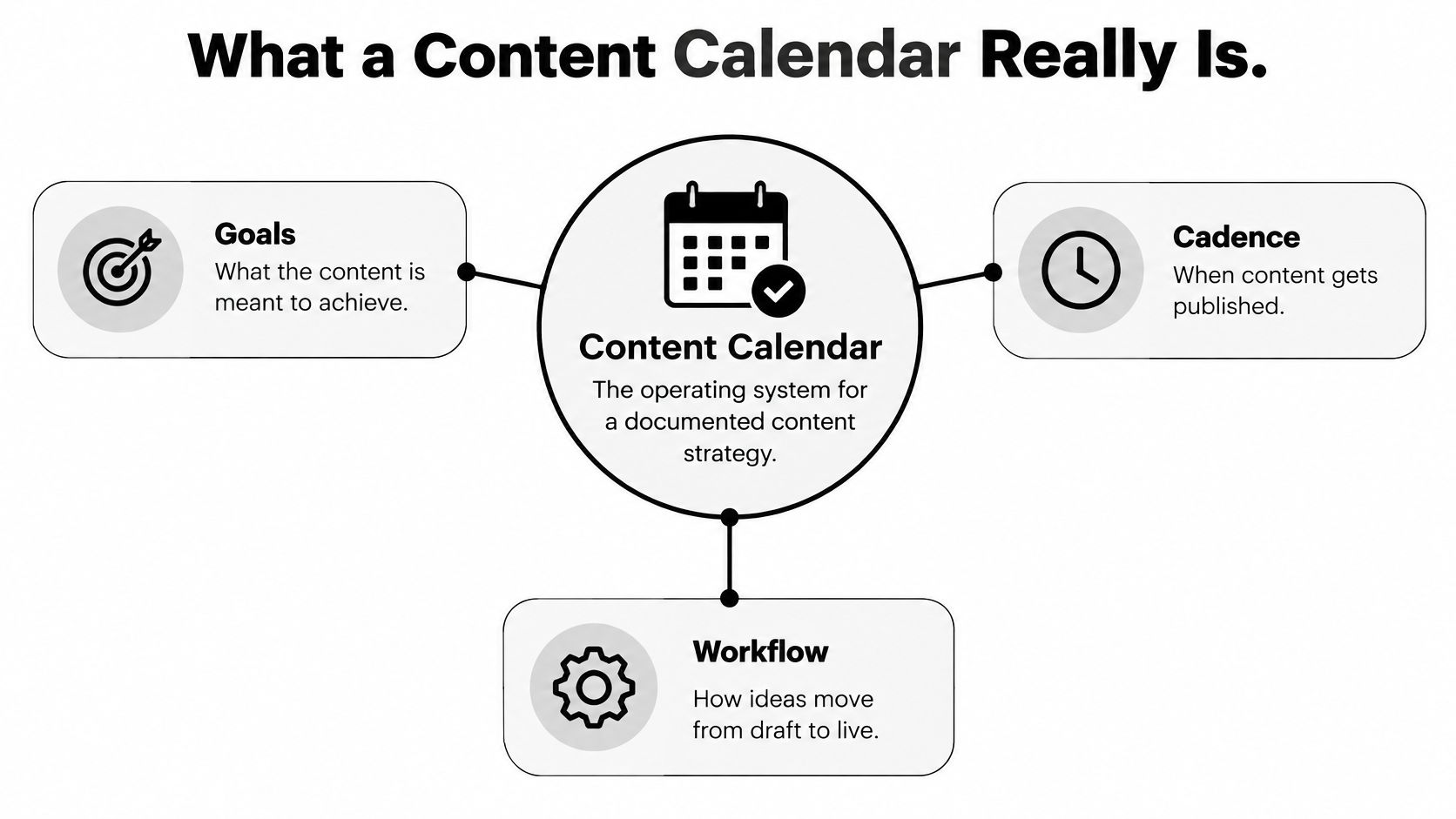
A recipe tells you what a dish should be. A kitchen's production schedule tells you who preps it, when it hits the pass, and what "done" means during a busy service. A content calendar is the second thing. It is the operating system for a documented content strategy, not a list of dates with post ideas stuck on them.
Documentation by itself changes very little. Content Marketing Institute and MarketingProfs' 2025 B2B research surveyed 1,186 marketers and found that only 47% of top-performing organizations had a documented content strategy. Among marketers who did have one, just 29% called it extremely or very effective, and 58% of all respondents rated their strategy as only moderately effective. The same research found that 87% of B2B marketers said content marketing generated brand awareness over the prior 12 months. Awareness is a real objective. It still doesn't publish itself.
From goals to a single post
The calendar earns its keep when each entry forces a decision the strategy document leaves vague. Who is this for? What job does it do? Which channel, which format, which owner, and which metric says it worked? Scheduling a caption is not the same job as choosing that set of answers. The split between those jobs is laid out in this guide to scheduling versus planning.
This short walkthrough shows how a working calendar connects goals, cadence, and the path from draft to live.
Without those fields, teams fill dates and call it strategy. With them, a weak topic can be revised, and a format that supports awareness or conversions can get more of the limited slots. The calendar becomes the place strategy turns into a yes, a no, or a later.
What Every Calendar Entry Should Include
Purpose without structure still lives in someone's head. Every entry should work as a control point you can audit when something slips.
| Field | Why It Matters | Example Entry |
|---|---|---|
| Content pillar | Stops random topics from crowding out the goals | Customer onboarding |
| Audience or intent | Names who it serves and what they need | New users stuck on setup |
| Format | Sets the production load before you promise a date | 45-second reel plus caption |
| Channel | Stops one master asset from being pasted everywhere | Instagram, then a shorter LinkedIn cut |
| Owner | One person is accountable for moving it | Maya |
| Draft deadline | Separates creation from the publish date | Tuesday, 4 p.m. |
| Review window | Protects editing time from the publish day | Wednesday morning |
| Approval status | Makes the bottleneck visible | Waiting on client |
| Publication date | The commitment, not the whole plan | Friday, 9 a.m. |
| Success metric | Defines what "worked" before you post | Saves, or demo clicks |
Why the extra fields aren't clutter
Pillar and intent stop you from scheduling a clever post that serves no goal. Format and channel force a real production estimate. A carousel with custom crops is not a text post, and pretending it is how weeks blow up. Owner, draft deadline, review window, and approval status turn "it's almost done" into a stage you can see. The success metric is what you check later, so the next month's mix isn't based on memory.
Platform specifics belong in the entry too. Post length, media dimensions, caption style, and the call to action differ by network. If those live only in the creator's head, the person covering a sick day will publish the wrong cut.
A window you can actually staff
Search Engine Land's content calendar guide describes a practical split of roughly 2–3 days for research and planning, 5–7 days for creation, and 3–4 days for review and approvals. Those ranges are a planning assumption, not a law. They do show why "I'll write it the morning of" fails for anything beyond a short text update.
Build the publish date backward from the review window, not forward from the day you had the idea.
If legal or a client sits in that review window, the draft deadline has to move earlier. The calendar then shows the wait, which is the point. Bottlenecks you can name are bottlenecks you can staff, shorten, or stop promising around.
How Often You Should Actually Post
Frequency charts feel like answers. They're averages of other people's teams, tools, and audiences.
In Q1 2025, business accounts averaged about 18.1 posts a week on X, 14.2 on Facebook, 9.3 on Instagram, 5.5 on LinkedIn, and 3.7 on TikTok, while common guidance still floats ranges such as 3–5 Instagram posts a week, according to Hootsuite's posting-frequency breakdown. Those figures don't match each other, and neither set knows your review capacity. Treat them as hypotheses.
The same research context notes 94% AI adoption among social-media marketers, often for ideation and caption drafts. AI can fill a grid faster than a human can check whether the post is original, accurate, or even on-brief. The calendar risk isn't "too little AI." It's output that outruns review.
Two cadences, not one target
Split the promise into two numbers:
- Minimum viable cadence. The volume you can hit indefinitely without dropping quality or stealing from client work. For many solo operators that is a few strong posts on the one or two channels that drive conversations, not a daily presence everywhere.
- Experimental cadence. A bounded test, two to four weeks, on one channel, with a metric chosen before you start. If quality or results slip, you revert. You don't "try harder."
Score categories separately. Discovery posts, conversion posts, community replies, and evergreen explainers do different jobs. One blended engagement number will hide a cadence that is busy and useless.
Timing still matters once volume is honest. You can find better times to post on LinkedIn for that channel, and this breakdown of the best time to post on social media helps you test windows instead of copying a generic chart. Raise frequency only after a month of the lower cadence holds on both quality and the metric you named.
Choosing the Right Tools for Your Calendar
The fields from the table above have to live somewhere the owner will open. Three setups cover almost every small team. Pick by failure mode, not by feature count.
Where a spreadsheet still works
A shared sheet is enough when one person publishes to one channel at low volume. You can see pillars, owners, and dates. Color for status is free. It breaks when you need recurring queues, per-platform crops, client sign-off on the actual creative, or a record of what already went live. Version chaos shows up fast. Someone edits the "final" tab while another person exports yesterday's copy.
A project board (Kanban in Notion, Trello, or similar) is the middle step. Stages match the workflow: research, draft, review, approved, scheduled. It still doesn't publish, and media handling stays manual. Use it when approvals are the pain and posting volume is still modest. For a wider look at how teams structure that layer, see this overview of a content planning tool.
When publishing itself is the bottleneck
A dedicated scheduler earns the seat once you are on several networks and the copy must change per platform. SleekPost is one option in that category. From one dashboard it publishes to 10+ platforms, lets you adjust copy and media per network, queue posts, set recurring posts or auto-reposts, and draft batches with an AI content generator. A 7-day free trial is enough to see whether the queue matches your cadence before you commit.
Judge any scheduler on five checks: cross-platform visibility, approval status, recurring posts, media handling, and whether it cuts weekly admin. If you only need LinkedIn, a focused linkedin post scheduler can be simpler than a full multi-network stack. Don't add a tool to hide an unsustainable cadence. The tool should hold the minimum viable plan, including empty reactive slots, not tempt you to fill every hour because the queue looks empty.
Handling Missed Deadlines and Last-Minute Changes
Picture a normal break, not a disaster movie. It's Wednesday. Client revisions ate the two days you had blocked for a Thursday carousel. At 4 p.m. a news story makes your queued "hot take" sound careless. A calendar that only stores dates will either auto-publish the bad post or go dark with no plan.
Resilient teams already split the board into evergreen posts, which can sit approved for weeks, and timely posts, which need a same-day check before they go out. They also leave at least one unassigned slot each week for a customer question, a reactive note, or nothing at all.
History makes the case for designing that slack in advance. Content Marketing Institute's 2021 B2B research found that 94% of surveyed marketers changed their content marketing strategy in response to the COVID-19 pandemic. Among organizations that already had a strategy, 70% made major or moderate adjustments, 70% changed targeting or messaging, 64% adjusted their editorial calendars, and 53% changed distribution. The teams who could pause, rewrite, and reallocate were the ones whose calendars were editable systems.
A recovery sequence you can run tired
When the week collapses, work in this order:
- Stop the risky post first. If tone, facts, or timing are wrong, unschedule it. Consistency doesn't mean publishing into a bad context.
- Pull a reserve, don't invent. Ship an approved evergreen piece, or repurpose one idea with platform-specific context instead of duplicating a caption.
- Apply the no-post rule. If the reserve isn't ready either, leave the slot empty and log why. An empty cell with a reason is data. A rushed post is debt.
- Protect the next draft deadline. Move one future item, don't compress three reviews into Thursday night.
Approval checkpoints are what make the pause possible. If only one person can kill a queued post, write that into the workflow, including what happens when they're offline. A clear content approval process keeps "cancel" from depending on a Slack message someone misses.
Refresh when the facts change
Don't refill a broken week with fake freshness. Current SEO documentation of Google's guidance is clear that there is no universally correct update frequency. Revise a page when the underlying information changes, and don't bump a date without changing the content. Substantive edits, new figures, fixed specs, a rebuilt section, repaired links, are the ones that help readers.
Assign refresh by traffic, business value, how fast the topic moves, and signs the piece is decaying. High-traffic or fast-changing pages can sit on a quarterly review. Stable evergreen pages often need only an annual check, plus an urgent pass when pricing, policy, or the product itself changes. Each refresh entry should name the claims to verify, the source, the reviewer, the republish date, and how long you'll watch results afterward. That is maintenance, not a new posting quota.
Your First Week With a Working Calendar
Don't boil the quarter. Stand up a week that you can repeat.
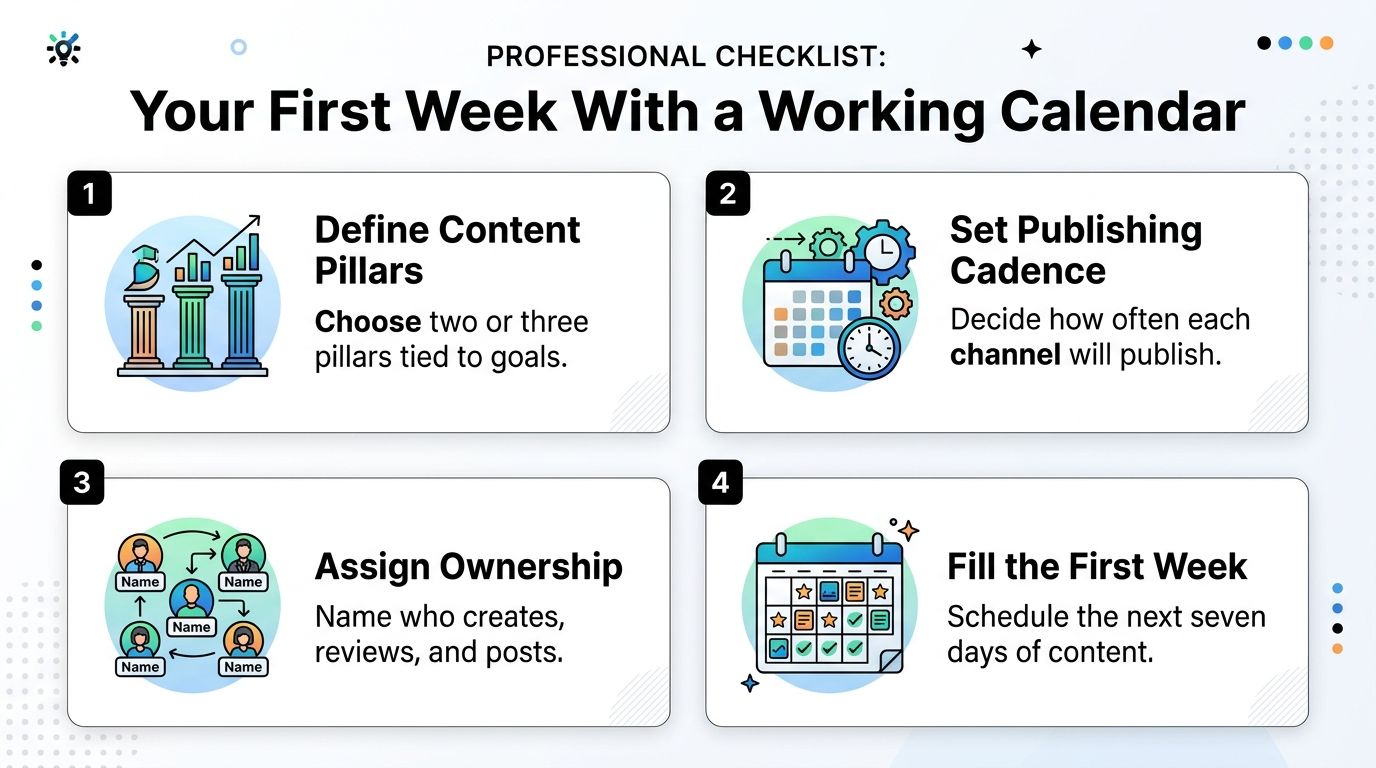
- Name two or three pillars tied to a goal. Awareness, leads, or support. If a topic doesn't serve one, it doesn't get a cell this week.
- Set the minimum viable cadence on the channels that matter. Leave the experimental bump for later.
- Create the field structure in the sheet, board, or scheduler you chose. Owner, draft deadline, review window, approval, metric.
- Seed a small evergreen batch plus one empty reactive slot. Content batching is how that reserve gets built without stealing from publish day.
- Book a monthly review now. Look at traffic, engagement, keyword movement, and conversions, then change the mix. A calendar you never revise just stores old assumptions.
Ship the week as designed, including the empty slot if nothing timely earns it. Once that cadence holds, you have a system. Only then is it worth adding a channel or a test.
SleekPost gives creators and small teams one dashboard to queue, customize, and publish across 10+ networks, including recurring posts when the evergreen reserve is ready. If your calendar is still a list of dates you can't defend on a bad week, load one sustainable week into SleekPost and see whether the queue matches the cadence you can keep.