The popular advice is backwards. You're told to find a tool, connect it, put your best posts on a short timer, and let volume do the work. That's exactly how accounts start looking automated, repetitive, and easy to ignore.
Auto repost on Instagram isn't one feature. It's four different workflows with four different risk profiles, and only one belongs on autopilot. That safe option is narrow by design: selectively resurface content you own, or hold a license for, through official permissions. Everything else stays manual, rare, or off your account entirely.
Table of Contents
- Safe Auto Repost Methods Compared
- Rights and Platform Rules Gate
- Tips That Protect Reach and the Account
- How to Set Up an Auto Repost Workflow
- Fixes When Auto Repost Goes Wrong
- Your Next Owned-Content Move
Safe Auto Repost Methods Compared
People searching for a way to auto repost on Instagram often want one button. What they find is a mix of shares, schedulers, downloaders, and bots, all sold under the same label. Pick the wrong row and you've automated the wrong job.
The Four Workflows People Lump Together
Native Reposts are the newest piece. Instagram's Help Centre guidance on Reposts says Instagram introduced its native Reposts feature on August 6, 2025, allowing users to repost public feed posts and Reels directly to followers' feeds, with reposted content appearing in a separate Reposts tab and remaining credited to the original poster. It's a credited share, not a scheduler, and it isn't built for private or protected content.
Official schedulers work differently. You grant access, upload media you already own, and queue it for first publication or a later repeat. If you're choosing that route, compare how tools handle connection and queues in this guide to choosing an Instagram scheduling app before you hand over access.
Download-and-reupload apps save another account's file and publish it as a new post on your grid. Browser bots go further, logging in, scraping, or imitating taps. Neither belongs in a normal creator workflow.
Four Ways People Auto Repost on Instagram
| Method | What it automates | Permission model | Best for | Main risk |
|---|---|---|---|---|
| Native Instagram Reposts | Reshare of a public feed post or Reel to followers and a Reposts tab | In-app share; original poster stays credited | Occasional attributed shares of public posts | Not a scheduler; private content is out; no reuse license |
| Official API schedulers | Queue, recurring posts, and auto-repost of media you upload | OAuth or official API on the user's behalf | Evergreen posts, carousels, and Reels you own | Spam look if the same caption repeats too often |
| Download and reupload apps | Saves another account's media and publishes it as your post | Usually none beyond the post being public | Only files with a written license | Copyright claims and missing credit |
| Browser bots and scrapers | Login, scrape, bulk collect, or fake taps | Against Terms without Instagram's express permission | Not appropriate for normal creators | Checkpoints, restrictions, and data-collection violations |
Read the permission column first. Native Reposts keep credit attached because Instagram controls the share. A scheduler keeps you in control because the file starts with you. The other two rows start with someone else's media or someone else's login behaviour, and that's where trouble begins.
The rule that decides it: Automate only content you own or hold a license for. Treat every public post by someone else as ineligible for copying.
Format still matters before anything enters a queue. If you're recycling video across placements, check dimensions against this 2026 social media video size guide so a proven Reel doesn't return cropped or soft. Then treat native Reposts as what they are, a manual and credited share you make on purpose, not a timer you set and forget.
Rights and Platform Rules Gate
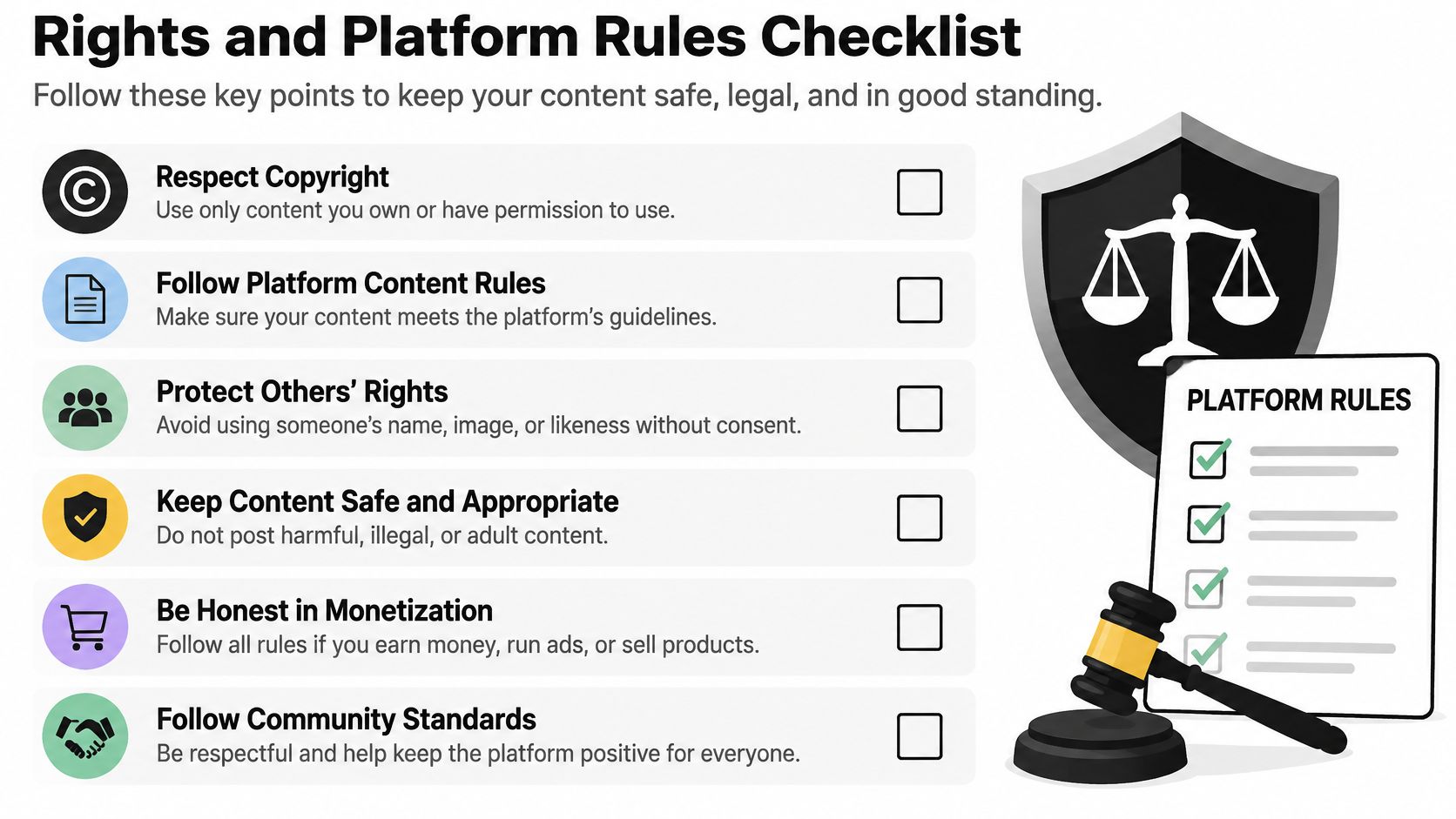
Permission comes before timing. Don't ask how often to repeat a post until you can answer who owns it, how the tool connects, and whether the repeat adds anything new.
The checklist below is the gate every asset should pass before it enters an auto cycle.
What Instagram Actually Prohibits
Instagram's Terms of Use prohibit users from attempting to create accounts or access or collect information in unauthorized ways, including automated access or collection without Instagram's express permission. That's the line. A tool can publish on your behalf through an official integration, but it crosses into risky territory if it logs in with a shared password, scrapes profiles, or bulk-collects content.
Scale explains why shortcuts tempt people, and why losing access hurts. In September 2025, Meta CEO Mark Zuckerberg said Instagram had reached 3 billion monthly active users. That reach doesn't soften the rules, it raises the cost of a restriction.
Instagram's Community Guidelines also prohibit artificially collecting engagement and posting repetitive content, which is why identical repeats on a tight loop are a conduct problem, not just a creative one. It's the same trap behind tactics people question when they ask does F4F build a real audience. Activity that looks manufactured rarely builds a durable following.
Run the Four-Question Gate
Before you enable any auto cycle, answer these out loud for each file:
- Do we own this file? Your footage, your photo, your design, with the source file in your library.
- Is the license still in date? Client work, creator collaborations, and licensed audio all expire.
- Is the caption materially new? A fresh first line and a current reason to post, not the old copy pasted back in.
- Would we be fine if the original creator saw this? If you'd hesitate to tag them, you don't have a post.
Any no means manual only, or don't post it at all. Native visibility never changes that answer. A public post that can be reshared with credit still can't be downloaded and reuploaded as yours.
This distinction also matters when content starts on another platform. If you're adapting your own video, follow a rights-clean route to share a YouTube video to Instagram using your source file, rather than ripping a published copy.
The short video below walks through how creators think about reposting and credit in practice.
Don't soften the gate because a tool makes publishing easy. Easy publishing of the wrong file is still the wrong file.
Tips That Protect Reach and the Account
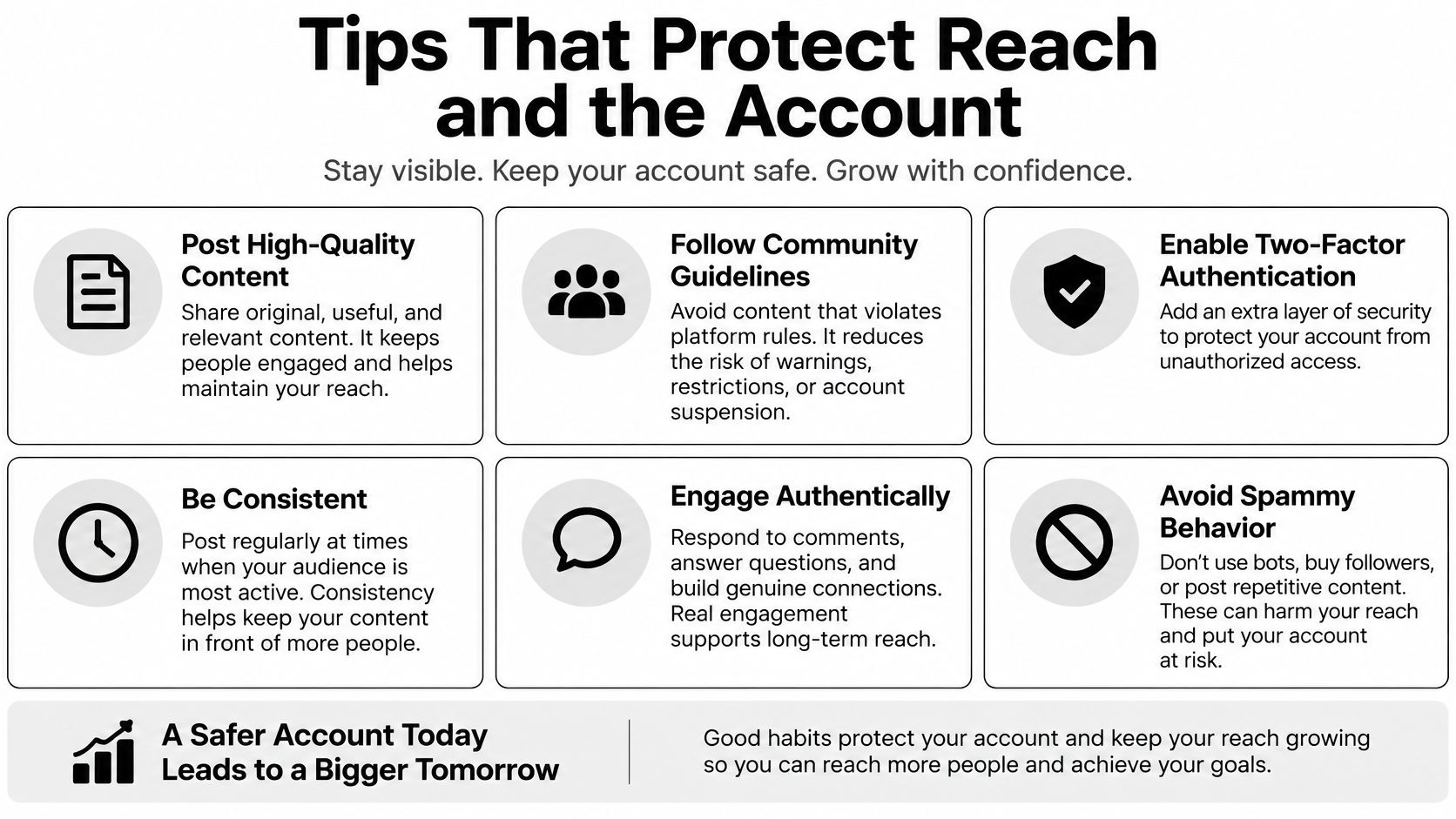
Will auto-reposting increase reach? Don't accept a yes or no. A repeat helps only when the people who see it still want that piece, at that moment, from your account.
The six checks in this graphic keep the decision grounded in audience response, not queue size.
Start With Format and Fit
Bring back proven Reels before you recycle stills. From January 2022 through October 2024, Buffer's analysis of more than 4 million Instagram posts found that Reels generated more than twice the reach of single-image posts. That doesn't make every Reel evergreen, but it tells you where to spend your limited repeat slots first.
Rewrite, don't paste. In HubSpot's 2024 survey of more than 1,500 social media marketers, only 19% of social media marketers said they repurposed the same content across platforms, while 47% shared similar content across platforms. Similar and rewritten is the right model for repeats too. Change the first line, the cover, and the hour. Don't change the promise of the post.
Frequency discipline matters as well. Before you add repeats on top of originals, check the practical guardrails around the Instagram post limit so resurfacing does not turn into flooding.
Repetition without a new reason to stop is clutter.
Run a 30-Day Split
Test two cohorts separately. Cohort A is creator-owned evergreen content resurfaced through your scheduler. Cohort B is other people's public posts shared only through the native Repost control, with credit intact and no reuploading.
Log the same fields for both: original reach, repost reach, saves, shares, profile visits, follows, and unfollows. Keep third-party shares rare so your Reposts tab doesn't bury your own grid, and judge each asset on downstream actions, not impressions alone.
30-Day Repost Scorecard
| Signal | Healthy reading | Action |
|---|---|---|
| Impressions with saves and follows | Asset still earns its place | Repeat after 30-90 days |
| Impressions with no saves or follows | Audience saw it and did not need it | Pause or retire the asset |
| Repost reach from Cohort B | Lower than Cohort A | Cut third-party shares |
| Unfollows rising after a repeat | Repeat feels like clutter | Pause the asset and rewrite it |
Pause any item that piles up impressions without saves or follows. People saw it. They didn't need it again. Shortening the interval won't fix that, it'll confirm it.
How to Set Up an Auto Repost Workflow
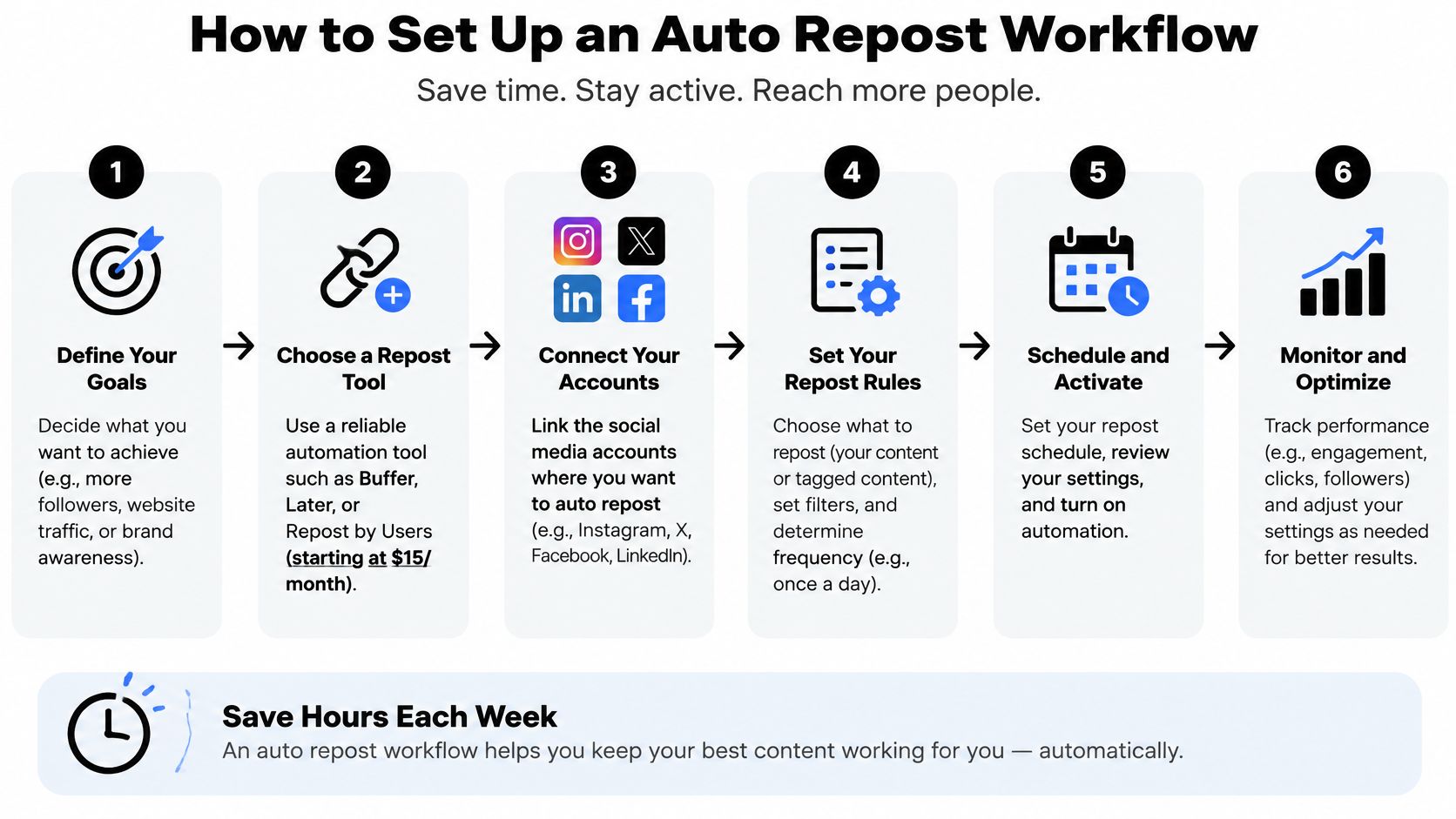
Assume you've picked an official scheduler for owned media. Before step one, confirm your account type and login path match what that scheduler requires. If the tool can't connect through an official prompt, stop there.
The flowchart below shows the order. Rights and connection come before scheduling, every time.
Build the Queue in Order
- Pull 8-12 evergreen posts you created. Choose pieces that still answer a live question: a how-to Reel, a carousel checklist, a product photo tied to a result. Skip dated offers, old prices, and anything that only made sense during a launch week.
- Confirm rights on each file. Use your footage or a license that allows reposting. Cut ripped audio, expired client work, and collaborator clips past their usage date, even if they performed well.
- Connect through the official login prompt. Approve access in Instagram's own flow. Reject any screen that asks you to paste a password into a browser extension or a lookalike login page.
- Rewrite before you reschedule. Write a new caption opening, swap in 3-5 hashtags that match this audience, and set a fresh cover on Reels. The repeat should be recognisable as useful, not identical at a glance. If you need the baseline mechanics first, work through how to schedule Instagram posts before adding any recurring layer.
- Set a 30-90 day return gap. Bring the same asset back no sooner than that window, and never with the identical caption two cycles in a row. A shorter loop is where accounts start looking automated.
- Schedule only four posts across the next two weeks. Leave the rest as drafts. A small first cycle lets you read saves and follows before you've committed a month of repeats.
- Keep a human check before the first send. Review the caption, cover, tags, and timing for each asset once. Automation should remove retyping, not review.
- Stop at someone else's public post. Use Instagram's in-app Repost control by hand, confirm the credit line, and don't put that file on an auto timer.
What Done Looks Like
Done is boring in the right way. Your calendar holds your own posts, each with fresh copy and a clear gap before it returns. Your scrape folder is empty because you never made one.
Say a bakery runs this well. Its sourdough checklist carousel returns after six weeks with a new opening line about starter care in warm weather, while a customer's public photo gets a one-off native Repost, by hand, with credit. Same account, two different jobs, only one automated.
Fixes When Auto Repost Goes Wrong
Identical repeats cause most of the damage. The creative goes out unchanged, people scroll past it, and each weak run makes the next one easier to ignore.
Auto-Repost Problems and What to Change
| Symptom | Likely cause | Fix |
|---|---|---|
| Reach drops after the second run | Same creative and caption, weak follow-up actions | Pause that asset and change the cover, first line, and hour |
| Reposts tab crowds the profile | Too many third-party shares | Cap credited shares and put owned posts back on the grid |
| Takedown or copyright notice | Media was downloaded and reuploaded | Delete it and keep only owned or licensed files |
| Checkpoint or action block | Unofficial login, scraper, or shared password | Disconnect the tool and sign in only through Instagram |
| Posts look like spam | Identical hashtags on a short timer | New copy each cycle and a 30-90 day gap |
Same-Day Repairs
Act today on anything involving rights or access. Delete a reupload you didn't have rights to. Disconnect a browser bot and revoke a suspicious app login. Rewrite a caption that went out unchanged before that asset runs again.
If Instagram shows a checkpoint or action block, stop every unofficial tool first. Sign in only through the official app, complete whatever verification Instagram asks for, and don't touch the queue until access looks normal again. Reconnecting a flagged tool to test it is how a warning becomes a longer restriction.
Two-Week Repairs
Reach that slid after a burst of identical posts needs cleaner signals, not tricks. Pause the asset, post originals on your normal cadence for about two weeks, and let saves and follows recover on fresh work. Don't add new hashtag blocks or engagement pods as a recovery move. They add noise, not trust.
Before you change anything: Note the last publish time, so a later shift in follows traces back to one fix, not three.
A Reposts tab full of other creators isn't a bug. It's a ratio problem. Lower the share rate and put owned posts back on the grid. Weak saves with decent impressions carry the same message as the scorecard, applied here as a verdict: retire that asset instead of bringing it back sooner.
Your Next Owned-Content Move
Make one decision today: run a 30-day test on owned posts only. Pick eight evergreen assets, schedule four across the next two weeks, and let the rest recur only after 30-90 days with rewritten captions. Leave other people's posts on Instagram's manual Repost control.
SleekPost fits that narrow job. Its scheduling options include auto-repost and recurring settings for owned media, and it sends posts and media to chosen social networks through their official APIs to publish on your behalf. Posts scheduled through SleekPost have the same reach as posts made manually, so there's no reach promise baked in. Your scorecard decides what stays in the queue.
If you want the wider system behind which assets deserve a second life, build it from a deliberate content repurposing strategy rather than a folder of old downloads.
- Pick eight owned assets today.
- Confirm each file's rights.
- Connect Instagram through the official login prompt.
- Schedule the first four posts.
- Turn on recurring only after the first cycle's scorecard looks healthy, and stop any asset that fails it.
That's the whole strategy. Fewer posts, cleaner rights, fresh copy, and proof before repetition.
Put your first four owned posts on a clean, timed queue with SleekPost, using its recurring and auto-repost settings through official APIs instead of a scraped login. Set the 30-90 day gap, rewrite each caption, and let your 30-day scorecard decide what earns a second cycle.