A standard X post is 280 characters. The count is weighted, though, so URLs and emojis shrink the usable space faster than ordinary letters and punctuation.
That answer sounds simple until you paste a link into a carefully edited draft and the composer rejects it. The reason is that X doesn't measure every visible symbol as one equal unit. It applies special rules to URLs and Unicode characters, which means the practical answer to how long can a tweet be depends on your account, your formatting, and the type of post you're creating.
Table of Contents
- The 280-Character Answer and Why It Is Not That Simple
- How X Actually Counts Your Characters
- From 140 to 280 to Long Form, a Short History
- Free vs Premium Tweet Lengths Compared
- Threads, Replies, and Quote Tweets, Which to Use
- Planning Drafts and Scheduling Across Platforms
- Why Shorter Posts Usually Win Anyway
- Quick Reference Checklist for Drafting Within the Limit
The 280-Character Answer and Why It Is Not That Simple
A standard free X account allows 280 characters in a public post. That ceiling has defined the mainstream experience since November 2017, but the number is a publishing budget, not a simple keystroke total. X applies weighted units to what you enter, so a draft that fits in a plain-text editor can still exceed the composer's allowance. Its official character-counting documentation explains the underlying rules.
The practical answer depends on the surface where you publish:
- Standard public posts: Free accounts generally have 280 weighted characters.
- Premium long-form posts: Eligible paid tiers can support 4,000, 10,000, or up to 25,000 characters, depending on access level, according to X's help guidance for post types.
- Replies and quote posts: They follow the account's available post limit, while the surrounding conversation affects how the content appears.
- Direct Messages: Private messages use a separate allowance, so the public-post limit is not a reliable guide for DMs.
| Surface | Character limit | Who gets it |
|---|---|---|
| Standard public post | 280 characters | Free accounts |
| Premium long-form post | Up to 25,000 characters | Eligible paid accounts |
| Reply or quote post | Based on the account's post access | Free or eligible paid accounts |
| Direct Message | Separate messaging allowance | X users using DMs |
A reliable creator workflow is to draft the core idea, reserve room for a URL or emojis, then paste the final version into X before scheduling or publishing. The composer counter is the final check. For cross-platform reuse, compare the draft with the Facebook post character limit, then customize the wording instead of carrying X's limit to another network.
Practical rule: Treat 280 as a weighted publishing budget, not a raw character total.
How X Actually Counts Your Characters
A draft that looks safely below 280 characters can still exceed X's limit once its weighted rules are applied. X counts the building blocks of a post differently, so a plain-text editor provides only an estimate.
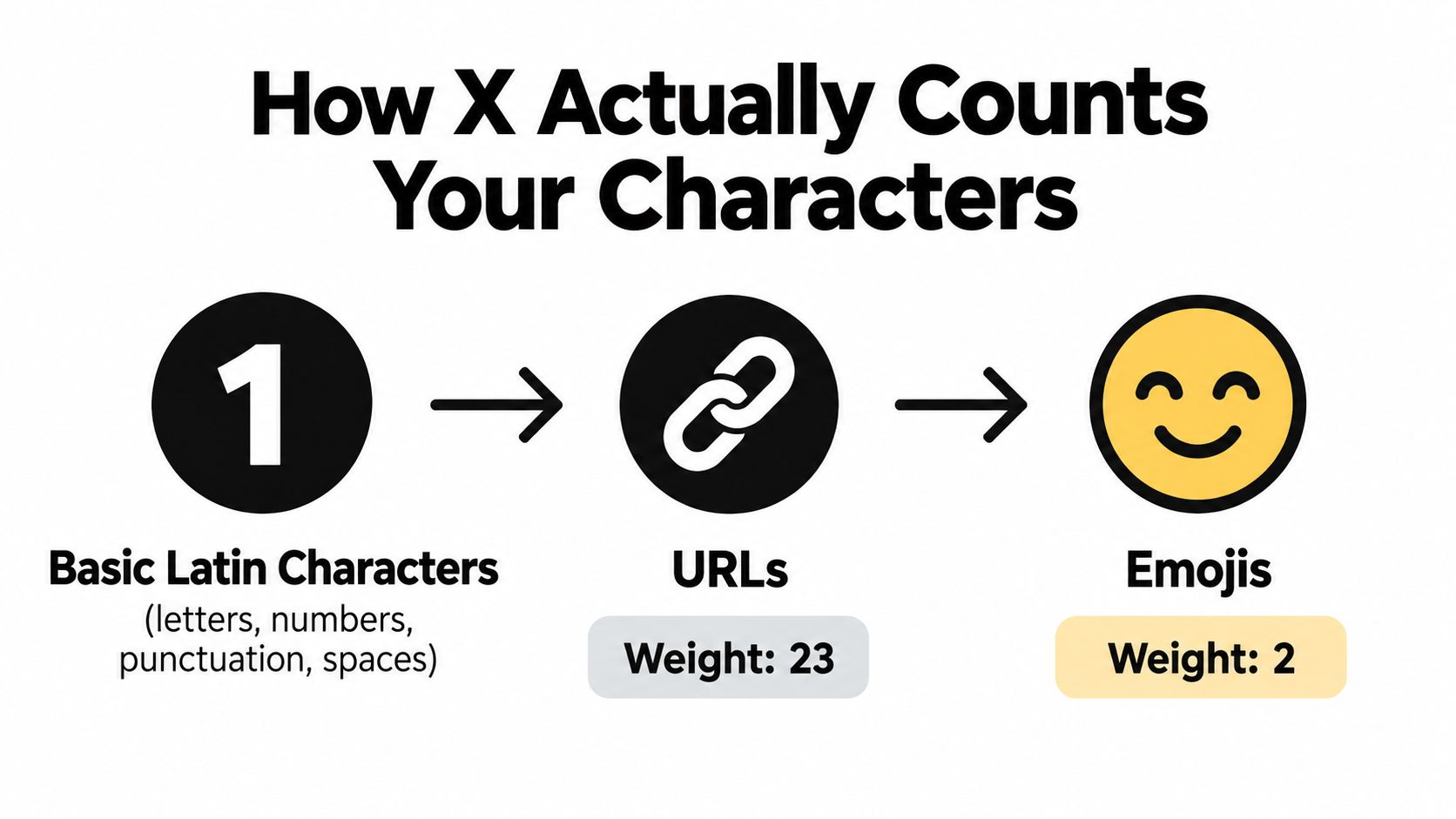
Basic Latin letters, numbers, spaces, and common punctuation generally count as one unit each. Many characters outside that range count as two units, including numerous emojis, accented or extended Unicode characters, and CJK characters. The developer documentation on character counting explains the weighting rules.
URLs use a fixed allocation. X processes each link through its t.co service and reserves 23 characters, whether the original address is short, branded, or filled with tracking parameters. In practice, the visible URL length does not predict its cost inside the post.
A worked draft
Suppose a plain-text editor reports 250 characters. Adding one URL and two emojis can push the weighted total beyond the 280-unit budget. The editor counts what appears on the page, while X replaces the link with its fixed 23-unit allocation and applies extra weight to the emojis.
Language changes the result too. English text may fit comfortably, while an equivalent sentence containing CJK characters or several emojis uses space faster. Promotional copy faces the same pressure: the message, call to action, link, and visual symbols all draw from one shared budget.
Use this workflow for each platform version:
- Write the message first. Develop the main point before cutting words.
- Add the final link and emojis. Placeholders can make the draft seem shorter than the publishable version.
- Paste the finished post into X. Treat the live composer counter as the final check.
- Trim by meaning. Remove repetition before cutting words that provide context.
- Split the idea when needed. A thread or eligible long-form format may suit a message that cannot fit clearly.
For cross-platform publishing, keep separate drafts rather than assuming one edit works everywhere. A text formatter tool can tidy spacing and presentation, but it cannot reproduce X's final weighting. Check every completed version in its destination composer before scheduling or posting.
Practical rule: Treat 280 as a weighted publishing budget, not a raw character total.
From 140 to 280 to Long Form, a Short History
Twitter launched in 2006 with a 140-character limit. The design grew out of the 160-character SMS standard, with space effectively reserved for usernames and metadata, leaving 140 characters for the message. That constraint shaped the platform's identity for more than a decade, encouraging compact observations, abbreviations, and rapid-fire conversation. The history is documented in Wired's account of Twitter's expanding limit.
In September 2016, Twitter changed how the limit worked by stopping media attachments, links, and @mentions in replies from counting against the headline cap. The visible number stayed the same, but users gained more usable room for posts that included conversation or media.
The major change arrived on November 7, 2017, when Twitter doubled the standard allowance from 140 to 280 characters for most languages. The company viewed the old ceiling as especially restrictive for English and several other languages, where ideas often needed more space to be expressed naturally.
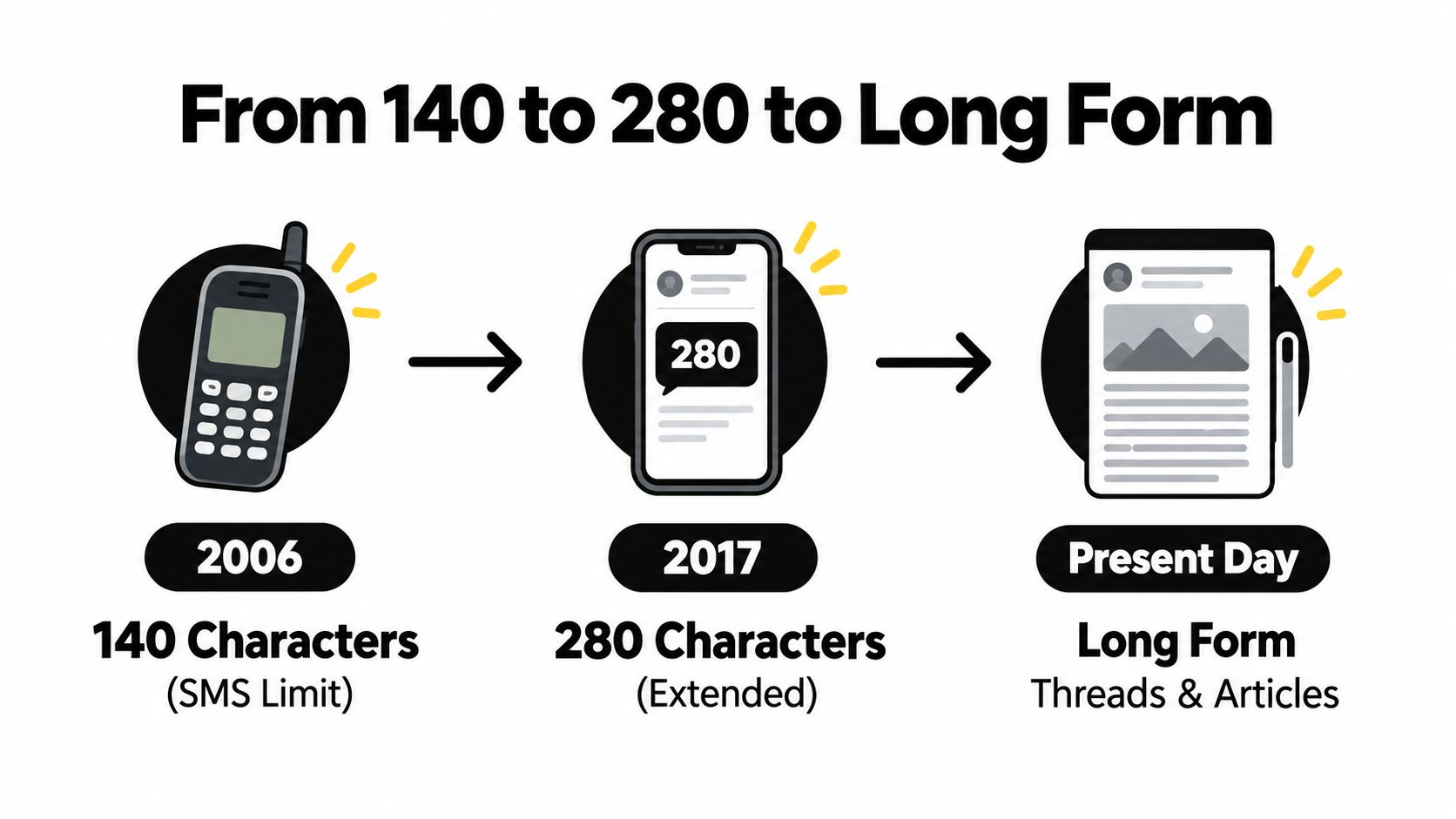
The platform later moved toward longer publishing formats. In 2023, subscriber long-form posts began at 4,000 characters, followed by increases to 10,000 and 25,000 characters on premium tiers, as summarized in the history of character limits. The X era therefore replaced one universal rule with a tiered publishing system.
For creators, the lesson isn't merely historical. The limit you encounter reflects the product version and account access you're using. A client remembering the old SMS-era rule may underwrite every post, while a Premium subscriber may assume the expanded allowance makes short-form editing unnecessary. Both assumptions miss how the platform now works.
Free vs Premium Tweet Lengths Compared
A free account gives you a 280-character public post. Paid tiers provide more room, with maximums of 4,000, 10,000, or 25,000 characters, depending on the subscription and available features.
| Tier | Character limit | Preview shown | Notable features |
|---|---|---|---|
| Free | 280 characters | Standard post display | Public short-form publishing |
| Basic | 280 characters | Standard post display | Paid account access without the longest post allowance |
| Premium | 4,000 characters | Opening portion, with more behind the preview | Long-form publishing access |
| Premium+ | 10,000 characters | Opening portion, with more behind the preview | Expanded long-form capacity |
| Premium Pro | Up to 25,000 characters | Opening portion, with more behind the preview | Highest long-form allowance |
The table shows the ceiling, not the reading experience. A long post may display its opening lines first, followed by a “Show more” action. Treat those opening lines like a headline and lead paragraph: state the subject early, then use the remaining space for evidence, context, or detail.
The larger allowance suits a substantial announcement, essay-style explanation, or newsletter-style post that needs to stay together. A compact update usually benefits from editing instead. Keep a clear 280-character version ready when readers need to scan the point quickly or share it without opening a longer post.
Subscription features such as editing, reply placement, or analytics access are separate from the character limit, and availability can vary by plan. Choose the tier for the workflow you run, not for its largest number. A creator publishing product launches may use long form for the full explanation, then prepare a shorter version for routine updates and other platforms.
Use this decision rule:
- Choose a standard post for one clear idea.
- Choose a thread for ordered material.
- Choose a long-form post when the complete argument should remain together.
- Choose a link when the post should introduce a longer page.
Long-form access also changes how you plan media. The text allowance does not confirm that your selected video fits the platform's separate media rules, so review the X video length guidance before writing a caption around a specific file. Keep the caption's main promise visible near the start, whether the post is short, long, or part of a broader content schedule.
Threads, Replies, and Quote Tweets, Which to Use
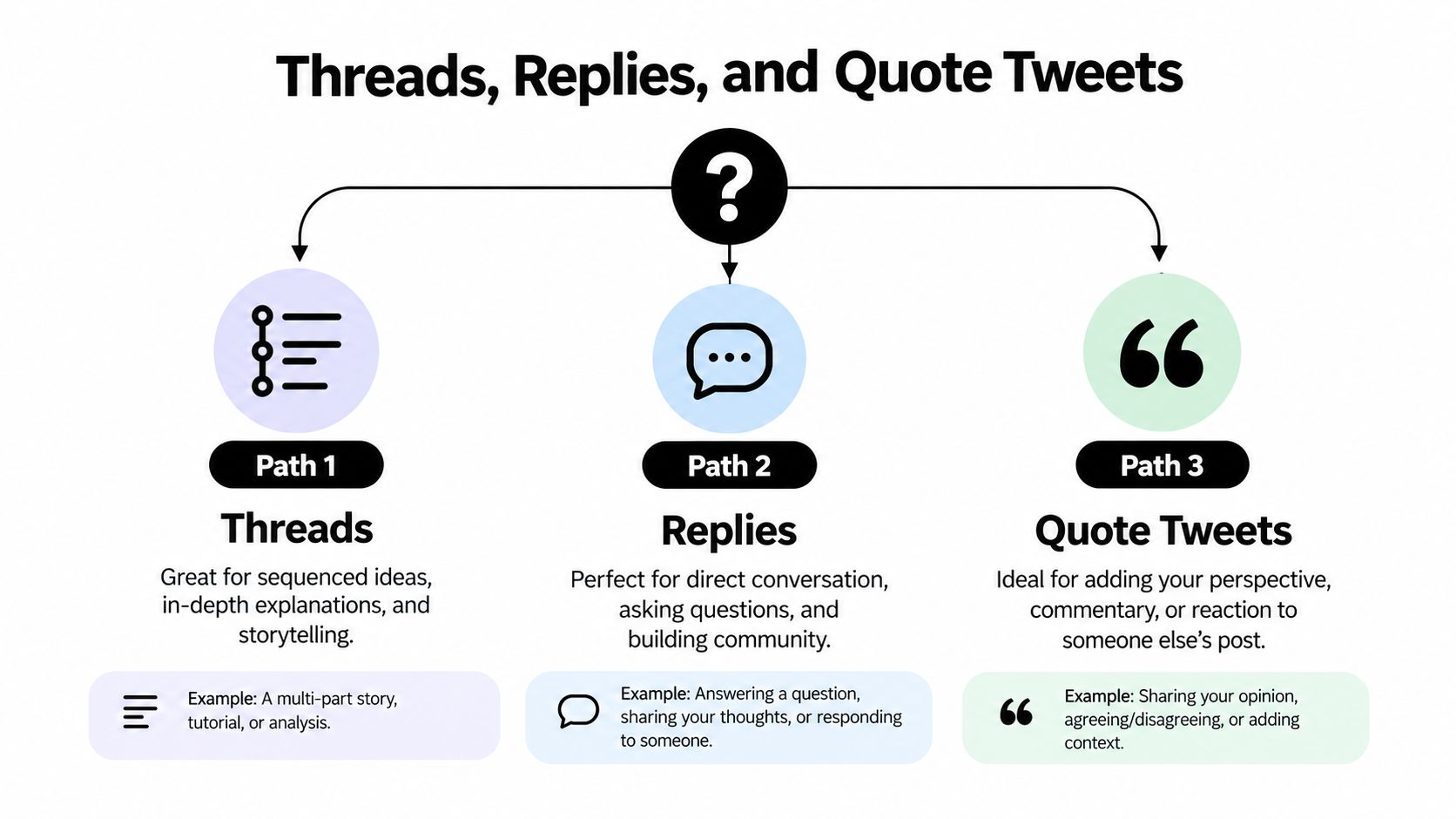
When one post can't hold the idea, choose the format based on the relationship between the pieces. A thread creates a sequence. A reply extends a conversation. A quote post places your commentary beside someone else's original message.
Choose a thread for sequence
A thread works best when the reader needs the posts in order. Use it for numbered instructions, a developing story, a research explanation, or a multi-part argument. Each post should still make enough sense on its own to reward a reader who discovers it out of sequence.
Start with the conclusion or tension, not a slow introduction. Number the posts if the sequence matters, then finish with a recap, resource, or direct next step. Keep the most useful detail near the beginning because readers may not reach the final post.
Choose a reply for dependence
A reply is appropriate when the additional material depends on the original post. Examples include answering a question, adding a source link, clarifying a phrase, or continuing a direct exchange. A self-reply can keep related information together, but it may receive less visibility than the opening post, so don't hide the essential point several replies deep.
Choose a quote post for commentary
A quote post preserves the context of another user's message while adding your interpretation. It suits critique, agreement with an explanation, or a useful reframing. Quoting without adding substance makes the post feel like a repost with extra decoration. Give readers a reason to care about your contribution.
Common failures are easy to recognize:
- Delayed value: The central point appears in a late thread post.
- Lost continuation: Several self-replies contain the explanation, but the first post doesn't signal what follows.
- Empty quotation: The quote adds no analysis, context, or perspective.
- Unclear order: The thread lacks numbering or transitions, so readers can't tell how the argument develops.
If you publish threads regularly, schedule threads posts only after checking the order, links, and opening hook. A technically valid sequence can still fail editorially if post one doesn't stand on its own.
Planning Drafts and Scheduling Across Platforms
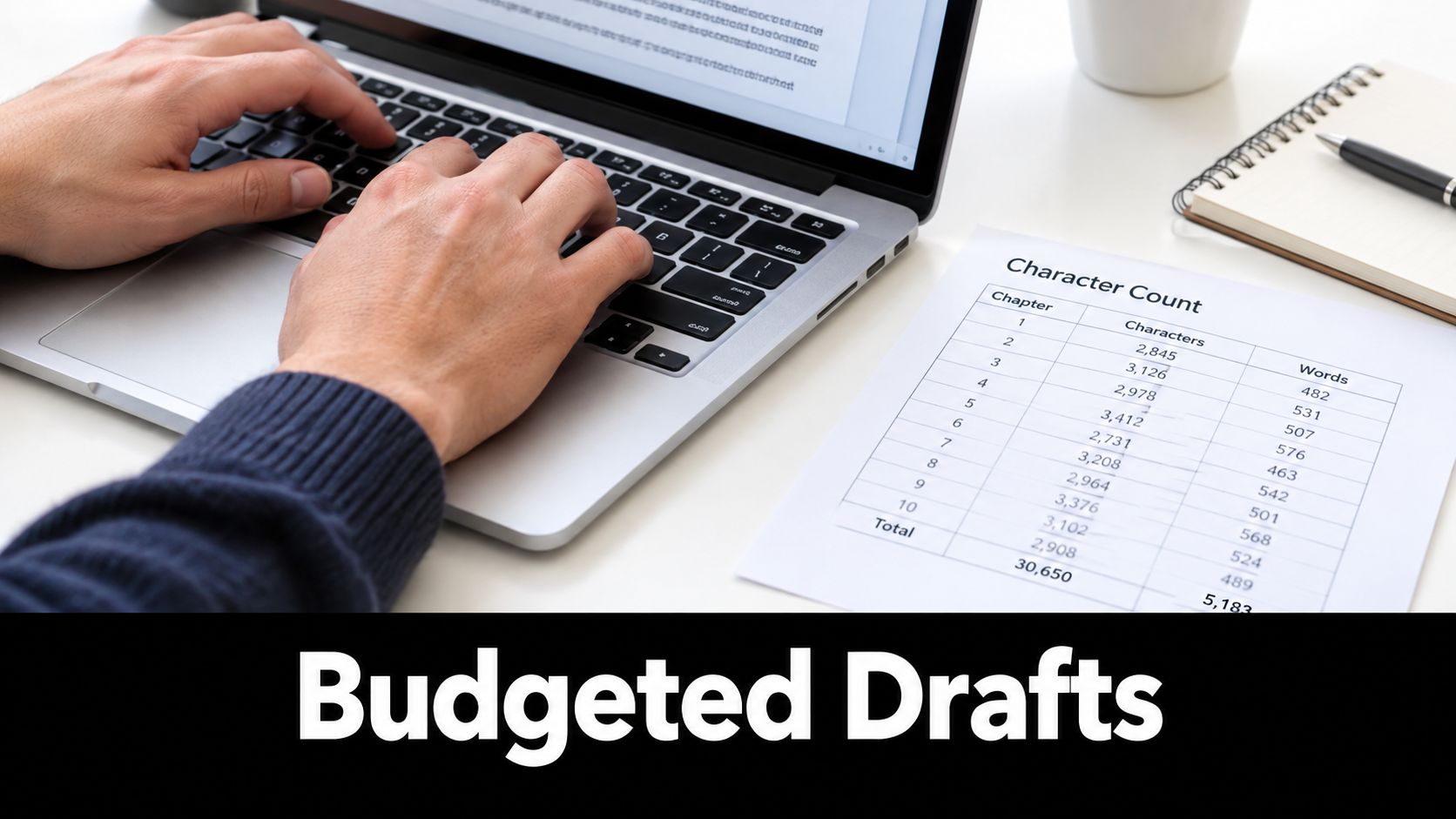
Treat every post as a version of an idea, not as a sentence that must be copied everywhere. Start with the complete thought in a comfortable editor. Then decide whether X needs a compact post, a thread, a quote post, or a long-form version.
The X version deserves attention early because its weighted budget is restrictive. Paste in the final URL, add any emoji you need, and check the counter before you adapt the idea elsewhere. If the post doesn't fit, choose among three actions:
- Trim: Remove repeated setup, filler transitions, and secondary examples.
- Split: Turn ordered information into a thread with a clear first post.
- Relocate: Put the full explanation on a page or long-form post and make X the focused entry point.
Build platform-specific versions
A strong X post may become a more spacious caption on Instagram or a fuller introduction on LinkedIn, but the rewrite should reflect how people read on each network. Preserve the central promise, then adjust the opening, context, formatting, and call to action instead of pasting the same compressed copy into every composer.
A practical batching session can follow this order:
- Assign a goal: Choose whether the post should teach, announce, invite discussion, or drive a click.
- Draft the X version: Solve the tightest constraint while the idea is still clear.
- Create the thread or long-form alternative: Add examples only where they improve understanding.
- Expand for other platforms: Use each network's natural format rather than padding the short version.
- Schedule the sequence: Check that numbered posts publish in order and that links remain attached to the intended copy.
A scheduling dashboard can reduce the risk of publishing post two before post one or losing a platform-specific variation. If you manage recurring content, schedule social media posts from a single workspace, then review each network's preview before the queue goes live.
Why Shorter Posts Usually Win Anyway
The maximum isn't the target. A post earns attention through its opening idea, not through the number of units remaining in the counter.
Long-form posts create a preview problem. Readers may see only the opening portion before they must select “Show more,” so the first sentence needs to establish the subject and the value of continuing. A long post with a weak opening asks readers to make a commitment before they understand what they'll get.
Short drafts have practical strengths even when a long format is available. A concise hook is easier to understand during a fast scroll, easier to quote in conversation, and easier to adapt for another platform. It also gives the reader one clear idea to remember instead of asking them to sort the main point from supporting detail.
Writing discipline: Use the extra space to add necessary context, not to avoid editing.
Creators often make two opposite mistakes. Some compress a complex explanation until the reader lacks the information needed to understand it. Others fill the entire allowance with background, qualifications, and side points, then place the actual conclusion where fewer people will see it.
A useful test is to remove the second sentence. If the post becomes sharper, keep it out. If the meaning becomes misleading, restore the context or choose a thread. The right length depends on the job:
- Announcement: Lead with what changed and why it matters.
- Instruction: Give the first action, then place the sequence in a thread.
- Commentary: State your position before explaining the evidence.
- Promotion: Make the benefit clear before adding the link.
The limit works best as an editorial constraint. It forces you to choose the claim, the audience, and the next action before you spend space on decoration.
Quick Reference Checklist for Drafting Within the Limit
Keep this checklist beside your drafting window while you write:
- Start with the baseline: A standard public X post allows 280 characters.
- Check the counter: X uses weighted counting, so a plain editor's total may differ from the final result.
- Reserve URL space: Each URL counts as 23 units through X's t.co wrapping system.
- Watch special characters: Emojis and other characters outside the Basic Latin range can count as 2 units.
- Review multilingual copy: CJK characters can also carry the higher weight. Translate first, then count the finished version.
- Know the paid ceilings: Premium long-form access can reach 4,000, 10,000, or 25,000 characters, depending on the tier and account access.
- Protect the preview: Put the promise, conclusion, or central question near the beginning of a long post.
- Pick the right overflow format: Use a thread for a sequence, a reply for direct continuation, and a quote post for commentary.
- Number ordered threads: Make the reading path obvious, while leaving room for numbering and any link.
- Keep the point visible: Readers should understand why the post matters without reaching a late reply.
- Draft before scheduling: Write in a plain editor, then paste the finished copy into X to validate the count.
- Customize by platform: Rewrite the opening and call to action for each platform instead of recycling identical text.
- Audit the queue: Confirm that threaded posts, recurring slots, media, and links belong to the correct versions.
Use this formula: know the account limit, count the weighted draft, choose the right format, and edit for the reader rather than the maximum.
Use SleekPost to keep X drafts, platform-specific versions, scheduled posts, and numbered threads organized from one dashboard. Create each post in the format that fits its message, check the weighted count before publishing, and start your free trial to make the workflow easier to manage.