You upload every Friday. The edit is clean, the topic is solid, and the video still stalls at a few hundred views. That pattern usually doesn't mean you need better topics. It means the format is wrong for the viewer's intent, or it's too expensive to repeat when work gets busy.
A searchable tutorial asks for a different opening than a vlog. A live Q&A earns trust in a way a scripted explainer doesn't. Pick the format first, then fit the topic into its promise, pacing, and production cost. That's the core discipline behind sustainable content creation ideas for YouTube.
The audience is broad enough to support that discipline. Pew Research Center reported that 85% of U.S. adults used YouTube in 2024, including 86% of adults ages 50 to 64 and 65% of adults aged 65 and older. You don't need a youth-only trend to find viewers. Practical, searchable, evergreen formats can reach several age groups at once.
How this list is ordered
The ten formats below move roughly from low to high production effort, with Shorts and live formats placed where they fit a real calendar. Each one gives you a specific hook, a title or thumbnail prompt, an execution note, and a repurposing chain. Steal the structure, not just the topic.
Don't try to run all ten. I recommend starting with one searchable long-form format and one repeatable discovery format. Publish enough episodes to learn what viewers finish, share, and return for, then cut what you can't sustain.
Table of Contents
- How this list is ordered
- 1. Tutorials and How-To Videos
- 2. Product Reviews and Comparisons
- 3. Vlogs and Day-in-the-Life Videos
- 4. Challenges, Experiments, and Stunts
- 5. YouTube Shorts
- 6. Explainer and Documentary-Style Videos
- 7. Reaction and Commentary Videos
- 8. Series and Episodic Content
- 9. Live Streams and Q&A Sessions
- 10. Behind-the-Scenes and Build-in-Public Videos
- How the ten YouTube content formats compare
- Pick Two Formats and Build a Repeatable Calendar
1. Tutorials and How-To Videos
A tutorial wins when a viewer with a problem can see, in seconds, that you'll solve that exact problem. Ali Abdaal's software workflow videos, Peter McKinnon's camera tutorials, and Linus Tech Tips build guides share that clarity. They don't open with a channel history. They show the result.
Hook: "By the end, your export will look like this, without the color shift." Title prompt: "Fix Washed-Out Video Exports in Premiere (Step by Step)." Thumbnail prompt: before and after frames, three words maximum, "Fix Flat Color."
Execution notes that save retention
Target one search intent per video and state the outcome in the first few seconds. Add chapters so viewers can jump to the step they're stuck on instead of scrubbing and leaving. Record clean screen capture at a readable zoom, narrate after if your live take rambles, and cut every pause where nothing changes on screen.
YouTube says recommendations use signals including clicks, watch time, likes, dislikes, sharing, and survey responses about whether viewing felt valuable, according to YouTube's explanation of its recommendation system. A tutorial that delivers the promised fix earns those satisfaction signals. A tutorial that buries the fix under three minutes of setup doesn't.
Say a SaaS founder records "Connect your calendar without double bookings." She shows the working calendar first, walks through four steps, then shows the one setting that causes most failures.
Repurposing chain: long tutorial, one Short per step, a pinned comment with corrections, then a yearly update when the interface changes.
Watch how a clear outcome-first structure carries a tutorial from click to completion:
2. Product Reviews and Comparisons
Viewers watch reviews when they're close to spending money. That makes trust the product. Marques Brownlee built a channel on consistent criteria, calm delivery, and visible testing. A small channel can't copy his production budget, but it can copy his discipline.
Publish a scoring framework and use it every time. If you score battery, price, setup time, and support for one earbud, score the same four for the next. Viewers learn how to read your verdicts, and comparisons become useful instead of a list of impressions.
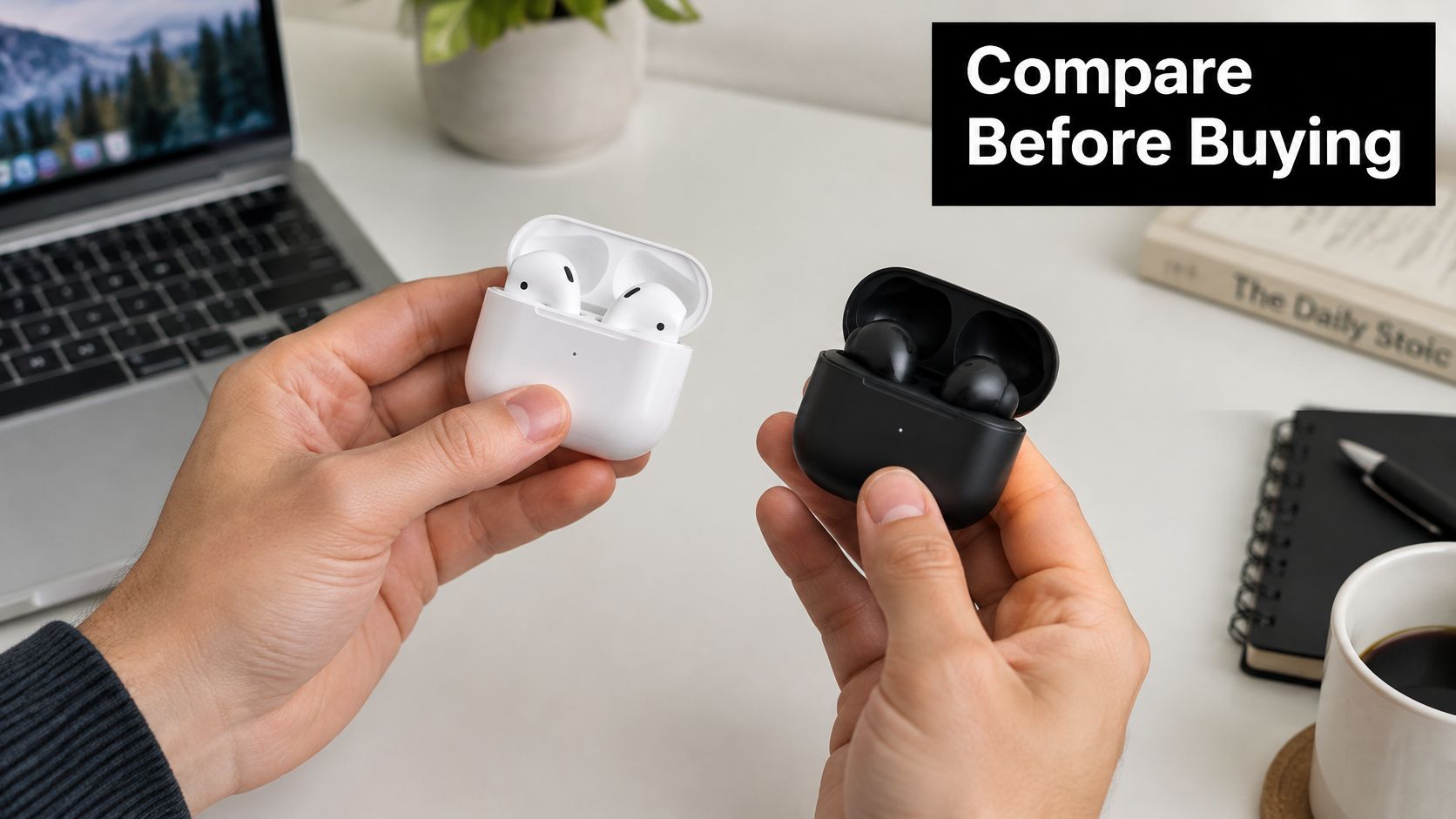
A worked comparison structure
- Hook: "One of these took twice as long to set up, and it wasn't the cheap one."
- Title prompt: "Tool A vs Tool B. I Timed 10 Real Tasks."
- Thumbnail prompt: both products side by side, one clear metric, no fake shocked face.
Disclose sponsorships at the start, not in a buried description line. For software, compare workflows with concrete measures you can show on screen, such as time to complete the same task, number of clicks, or export quality. If you earn from recommendations, read Genesize's YouTube affiliate program guide before you build the revenue side.
Practical rule: If you wouldn't show the test that produced your score, don't publish the score.
Say an agency compares two scheduling tools by timing the same ten-post batch in each. That's a verdict a viewer can verify.
Repurposing chain: full comparison, a Short with the single biggest difference, a "best for" roundup once you've tested four or five options, and a pinned update when a new version ships.
3. Vlogs and Day-in-the-Life Videos
A vlog doesn't sell information. It sells company. Casey Neistat's daily vlogs and Emma Chamberlain's looser personal style work because viewers return for the person and the rhythm, not a searchable answer. That's powerful for loyalty and weak for discovery, so plan accordingly.
Decide your boundaries before you film. Choose which parts of your home, family, clients, and revenue are off limits, and write that list down. Vloggers burn out when the camera turns every workday into content and there's no private version of the day left.

Give the day a story, not just footage
Shoot more than you need, then build a story arc in the edit. A launch day has a natural arc. A random Tuesday doesn't, unless you name the tension early. "We have six hours to ship this before the client call" gives the viewer a reason to stay.
- Hook: "Launch day, and the demo just broke."
- Title prompt: "A Real Launch Day at a Two-Person Startup."
- Thumbnail prompt: one candid moment, a time stamp, minimal text.
Say a bakery owner films market day from the 4 a.m. bake to the last sale. The useful footage is the decisions, what sold out, what she misjudged, what she'll bake less of next week.
Keep a consistent upload day so returning viewers can build a habit. Repurposing chain: vlog, one Short of the best unscripted moment, stills for community posts, and a monthly "lessons from the month" recap.
4. Challenges, Experiments, and Stunts
A challenge gives a viewer a question they can't answer without watching. MrBeast's large-scale videos, Mark Rober's engineering experiments, and Dude Perfect's trick shots all state the test clearly. You don't need their budgets. You need a measurable outcome and honest rules.
Define the outcome before filming. "Can I learn this editing shortcut workflow in seven days and cut my edit time in half?" is testable. "Getting better at editing" isn't. Write the rules on screen, show failures, and don't restart when the attempt goes badly.
Where small challenges beat big ones
Small experiments are repeatable, and repeatability is what builds a channel. A creator who tests one claim a week for a month learns more about her audience than a creator who spends eight weeks on one spectacle. Scale the budget only after the format proves it can hold attention.
Start with the smallest version that still produces a real result. If the small test bores viewers, a bigger budget won't save it.
- Hook: "I tested this for 30 days. Day 12 is where it broke."
- Title prompt: "I Tried Posting Daily for 30 Days. Here's the Cost."
- Thumbnail prompt: the challenge visible at a glance, plus the number of days.
Safety comes first. Skip any stunt that risks injury, property damage, or copying by younger viewers. Say a fitness creator tests a morning routine for two weeks and reports sleep, energy, and missed days. That's a challenge viewers can trust.
Repurposing chain: full experiment, a results Short, a follow-up video answering the top objections, and a rematch episode with one variable changed.
5. YouTube Shorts
Shorts are a discovery engine, not a complete strategy. Tubular Labs reported that videos under one minute generated 77% of global YouTube views in 2025, according to TVREV's summary of the Tubular Labs data. That volume is real, but raw views don't tell you whether anyone subscribed or watched your long-form work.
Hook in the first one or two seconds with a result or a sharp question. Use vertical framing and large captions, since many viewers watch with the sound low or off. Cut anyone who needs three seconds of throat clearing before the point.

Build Shorts from pillars, don't chase trends
Take one long-form topic and split it into a sequence. One Short states the problem, one shows the surprising result, one teaches a single tactic, and one points to the full video. That sequence gives new viewers repeated, coherent touchpoints instead of disconnected clips.
- Hook: "This one setting is why your audio sounds thin."
- Title prompt: keep it short and search-friendly, "Fix Thin Audio Fast."
- Execution note: end on the payoff, not a long subscribe plea that kills replays.
Say a cooking channel turns a knife-skills tutorial into five Shorts, one grip or cut per clip. Each clip stands alone, and together they sell the full lesson.
Track subscribers and long-form views per Short, not just views. If you're batching them, read how scheduling YouTube Shorts ahead of time works so daily posting doesn't become daily manual work.
Repurposing chain: long-form pillar, three to five Shorts, one community poll on which clip to expand next.
6. Explainer and Documentary-Style Videos
Explainers are the most expensive format on this list per minute, and often the most durable. Kurzgesagt, Tom Scott, and Veritasium earn long watch times because every section advances one clear question. If a segment doesn't move the argument forward, it gets cut, however interesting it is.
Outline the story before you script. Write the question, the turning point, and the answer in three lines. If you can't, the topic is still too broad. Cite sources in the description and on screen for claims a viewer might challenge, and keep a consistent visual style so the channel is recognizable from a thumbnail alone.
The localization opportunity most creators skip
An explainer that works in one language often works in others, because the topic travels better than slang or local news. YouTube reported in February 2025 that videos with dubbed audio generated more than 40% of their total watch time from viewers who selected a dubbed language, according to YouTube's big bets for 2025. You may not need more ideas. You may need to extract more demand from the ideas you've already made.
Start cheaply. Check geography in Analytics, translate titles and subtitles first, then dub the videos with universal topics and strong retention.
- Hook: "Why does this everyday system fail in exactly the same way, every time?"
- Title prompt: "The Hidden Reason [Familiar Thing] Works Like That."
- Thumbnail prompt: one object, one arrow or contrast, no paragraph of text.
Say an educator explains how search ranking works using one worked example. Before scripting, it's worth learning to plan an effective explainer video so structure comes before visuals. For drafting angles and scripts faster, see how an AI content generator can support YouTube ideation.
Repurposing chain: explainer, chapter based Shorts, a sources post, translated versions of the strongest episode.
7. Reaction and Commentary Videos
Reaction videos are fast to produce because the source material already exists. They're also the easiest format to do lazily, and lazy reaction content gets flagged, demonetized, or ignored. Your value is the analysis only you can add.
React to a trailer, a product launch, or an industry announcement within hours or days, while interest is live. Pause often, add research, disagree with specifics, and show evidence. Long unbroken clips of someone else's work with your face in the corner won't build a defensible channel.
Add a take a viewer can quote
State your angle in the title. "A Filmmaker Breaks Down That Trailer's Lighting" promises expertise. "My Reaction" promises nothing. Credit the source clearly and link to it in the description.
- Hook: "Everyone's praising this launch. The pricing page tells a different story."
- Title prompt: "What [Company] Didn't Say in That Announcement."
- Thumbnail prompt: source image on one side, your one-line verdict on the other.
Say a software reviewer reacts to a rival product launch by testing the headline claim live on screen. That turns borrowed interest into original evidence, and it's the difference between commentary and reposting.
If you're cutting source material for commentary clips, learn how to clip a YouTube video cleanly for reuse before you build the workflow.
If removing your commentary leaves a video that still works, you didn't add enough.
Repurposing chain: timely commentary, a Short with your sharpest point, a follow-up once the story develops, and a roundup when a pattern emerges across several launches.
8. Series and Episodic Content
A series turns one good idea into ten publishable videos. Binging with Babish recreating dishes from film and TV is the model. The premise stays fixed, the episode changes, and viewers know exactly what they're returning for. Production gets faster because you're not reinventing the format weekly.
Plan five to ten episodes before you launch. If you can't list ten episode topics in one sitting, the premise is too narrow or too vague. Keep the opening, segments, and episode length consistent, and use playlists and end screens so finishing one episode starts the next.
Why frequency favors series
Returning viewers are the compounding asset here. In a Pew Research Center survey of 1,391 U.S. teens aged 13 to 17 conducted in fall 2024, 90% said they used YouTube and 73% said they visited it daily, according to Pew's Teens, Social Media and Technology 2024 report. Frequent visitors reward recurring formats. A predictable series gives them a standing appointment.
- Hook: "Episode 4, and this is the build step where many creators quit."
- Title prompt: "Rebuilding a [Project] From Scratch, Part 4."
- Thumbnail prompt: same layout every episode, change only the episode image and number.
Say a woodworker films a full furniture build as six episodes, one stage per video. Each episode ends with the next problem visible on the bench.
Publish on a consistent day, and check the best time to upload YouTube videos for your audience rather than guessing.
Repurposing chain: episode, a progress Short between episodes, a full season playlist, then a condensed "whole project in one video" cut.
9. Live Streams and Q&A Sessions
Live video trades polish for trust. Viewers ask questions, watch you think, and learn how you handle the problems a scripted video would edit out. For SaaS founders, indie developers, and consultants, that direct contact often produces better product feedback than a comment section.
Announce the stream in advance and schedule it as an event viewers can set a reminder for. Prepare a rough agenda and three discussion prompts, because silence while you wait for questions kills a young stream. Open by answering a strong question you collected beforehand, then move to live chat.
Turn audience questions into your content system
The best live sessions don't end when the stream ends. Log every repeated question. Those questions are your next tutorials, Shorts, and series episodes, already validated by real viewers. This is how a channel stops brainstorming from zero every week.
- Hook: "Bring your hardest setup problem. We'll fix three live."
- Title prompt: "Live Q&A. [Topic] Problems Solved in Real Time."
- Thumbnail prompt: your face, the word Live, and the specific topic, nothing else.
Say a design educator runs a monthly portfolio review stream. She answers live, then clips the three strongest critiques into standalone videos the following week.
If subscriber thresholds are blocking you, read how livestreaming on YouTube works without 1,000 subscribers before you assume you can't start.
Repurposing chain: live session, timestamped replay, two clipped highlights, one Short per sharp answer, and a poll that picks the next topic.
10. Behind-the-Scenes and Build-in-Public Videos
Build-in-public videos show how a product or business gets made, including the numbers and the setbacks. Indie founders publish monthly revenue updates, product teams document a launch from idea to release, and agencies walk through client work without exposing confidential details. Viewers follow the journey, not just the launch announcement.
Decide in advance which metrics you'll share, and stick to that list on good months and bad ones. The format collapses when a creator shares revenue while it rises and goes quiet when it falls. Honest reporting on a down month earns more trust than a highlight reel.
Record as you go, not after
Capture screen recordings, whiteboard photos, and short voice notes during the work itself. Reconstructing a month from memory produces a tidy story that nobody believes. Real artifacts, a failed mockup, a support ticket spike, a pricing argument, are what make the format credible.

- Hook: "Revenue dipped this month. Here's the decision that caused it."
- Title prompt: "Building [Product] in Public, Month 6. What Broke."
- Thumbnail prompt: one real chart or artifact, large month number.
Say a two-person SaaS team shares sign-ups, churn reasons, and the one feature they killed. Prospective users watching that series arrive pre-sold on the team's competence.
You can use SleekPost to schedule clips from each update across platforms and keep the cadence steady while you're busy building. Repurposing chain: monthly update, one lesson per Short, a written recap, and a quarterly "state of the project" episode.
How the ten YouTube content formats compare
| Item | Main Benefit | Production Effort | Search Value | Best Repurposed As |
|---|---|---|---|---|
| Tutorials and How-To Videos | Build authority and earn lasting views | Moderate; requires precise, tested steps | High; targets specific queries | Short clips highlighting individual steps |
| Product Reviews and Comparisons | Help purchase decisions and support monetization | High; requires product testing | High; evergreen comparison searches | Side-by-side comparison clips |
| Vlogs and Day-in-the-Life Videos | Build audience loyalty and show personality | Low to moderate; flexible filming | Low; less search-driven | Behind-the-scenes clips |
| Challenges, Experiments, and Stunts | Drive clicks, shares, and rapid audience growth | High; often costly and time-consuming | Low; relies more on curiosity and sharing | Short highlight clips |
| YouTube Shorts | Reach new audiences and direct viewers to longer videos | Low; quick vertical production | Low; discovery-led rather than search-led | Clips from long-form videos |
| Explainer and Documentary-Style Videos | Build authority and audience retention | High; requires research and careful production | High; strong evergreen value | Short clips explaining key ideas |
| Reaction and Commentary Videos | Capture timely interest and encourage discussion | Low to moderate; quick turnaround | Moderate; depends on timely topics | Short commentary highlights |
| Series and Episodic Content | Encourage repeat viewing and strengthen channel identity | Moderate; requires consistent planning | Moderate; benefits from connected episodes | Playlists and episode compilations |
| Live Streams and Q&A Sessions | Build community and get direct audience feedback | Moderate; requires preparation and moderation | Low; strongest value is live engagement | Clips from the replay |
| Behind-the-Scenes and Build-in-Public Videos | Build trust and attract customers through transparency | Moderate; requires consistent updates | Moderate; attracts interest in the project or business | Short progress updates across platforms |
Pick Two Formats and Build a Repeatable Calendar
You don't need ten formats. You need two that fit the hours you have. A creator with four hours a week shouldn't choose documentary explainers and daily vlogs. A founder with deep expertise and no camera confidence shouldn't start with day-in-the-life content. Match the format to your production budget first, then to your ambitions.
I recommend this pairing for most independent creators and small businesses. Choose one long-form format for search and retention, such as tutorials, comparisons, or explainers. Choose one discovery or community format, such as Shorts, live Q&A, or build-in-public updates. The long-form video earns durable views. The second format keeps you visible between uploads and tells you what to make next.
A two-week cycle you can actually hold
Batch one long video per cycle. Script it, shoot it, and edit it in blocks rather than spreading small tasks across every day. While you edit, mark the three moments that can stand alone. Those become your Shorts.
- Days 1 to 2: pick the topic from comments, support questions, or a live session log, then write the hook and title before scripting.
- Days 3 to 5: film the long video and capture behind-the-scenes clips in the same session.
- Days 6 to 8: edit, add chapters, and cut two or three Shorts from marked moments.
- Days 9 to 14: schedule everything, reply to early comments, and log the questions for the next cycle.
Scheduling is where most calendars fail. The videos exist, but posting each clip to each platform by hand eats the time you saved batching. Put the finished assets into a queue, set the dates, and let the cadence hold during busy weeks. That discipline matters more than any single upload, which is why content creation best practices for 2025 keep returning to consistency systems rather than one-off effort.
Review monthly and retire formats without sentiment
Once a month, compare your formats on outcomes that matter. Look at subscribers per video, returning viewers, average percentage viewed, and how many Shorts viewers clicked through to a long video. Raw views flatter Shorts and challenges. Retention and returning viewers tell you what built an audience.
Keep the format that earns subscribers or long-form views per hour of your time. Retire the rest, even if you enjoy making it. A format you love that nobody finishes is a hobby, and there's nothing wrong with that, as long as you label it as such.
Monthly test: If you had to delete one format tomorrow, which deletion would your returning viewers actually notice? Protect that one and question the other.
Also watch for the quiet winners. A narrow tutorial that brings steady search traffic and qualified comments can outperform a broad trend video for a small business, because the viewers arrive with a problem your product solves. Measure revenue, sign-ups, or booked calls per video where you can, not just views.
Start this week with a list, not a camera. Write ten episode topics for your chosen long-form format. If the list comes easily, you've found a format with range. If you stall at four, pick a different format now, while changing course is still cheap. Then film the simplest useful version, publish it, and let real retention data shape episode two.
The creators who last aren't the ones with the most ideas. They're the ones who picked a format they could repeat on their worst week, learned from every upload, and kept the calendar moving.
Turn each long video into a week of posts without manual uploading. SleekPost lets you schedule and publish videos, Shorts clips, images, and text posts to YouTube and your other platforms from one dashboard, with a content calendar and per-platform variants. Visit SleekPost, queue your next tutorial and its clips, and keep your two-format calendar running during busy weeks.