A content calendar can look excellent on day one. By week three, one missed batch session has left the feed empty, captions are being written at the last minute, and nobody knows whether the next post is a Reel, carousel, or product update. The problem usually isn't a lack of ideas. It's a workflow that asks more from the creator or team than they can repeat.
This guide compares eight ways to plan Instagram posts, from a free spreadsheet to a multi-platform scheduler. Each option includes a practical template, a sustainable posting cadence, and a clear limitation, so you can match your Instagram content calendar to your publishing volume, team size, approval process, and comfort with manual posting. A well-designed system should make batching easier, keep responsibilities visible, and leave enough room to respond to timely conversations.
If your calendar depends on outside support, Latin American virtual assistants can also help with research, asset organization, caption preparation, and scheduling administration. The tool still matters, but the repeatable handoff matters more.
Table of Contents
- 1. Google Sheets Instagram Content Calendar Template
- 2. Notion-Based Instagram Content Calendar Template
- 3. Canva's Instagram Content Calendar and Design Integration
- 4. Buffer's Instagram Scheduler with Content Suggestions
- 5. SleekPost's Native Instagram Content Calendar
- 6. Later's Visual Instagram Content Calendar
- 7. Hootsuite's Instagram Content Calendar
- 8. Asana Instagram Content Calendar Template
- 8-Tool Comparison: Instagram Content Calendars
- Pick the Calendar Your Workflow Can Sustain
1. Google Sheets Instagram Content Calendar Template
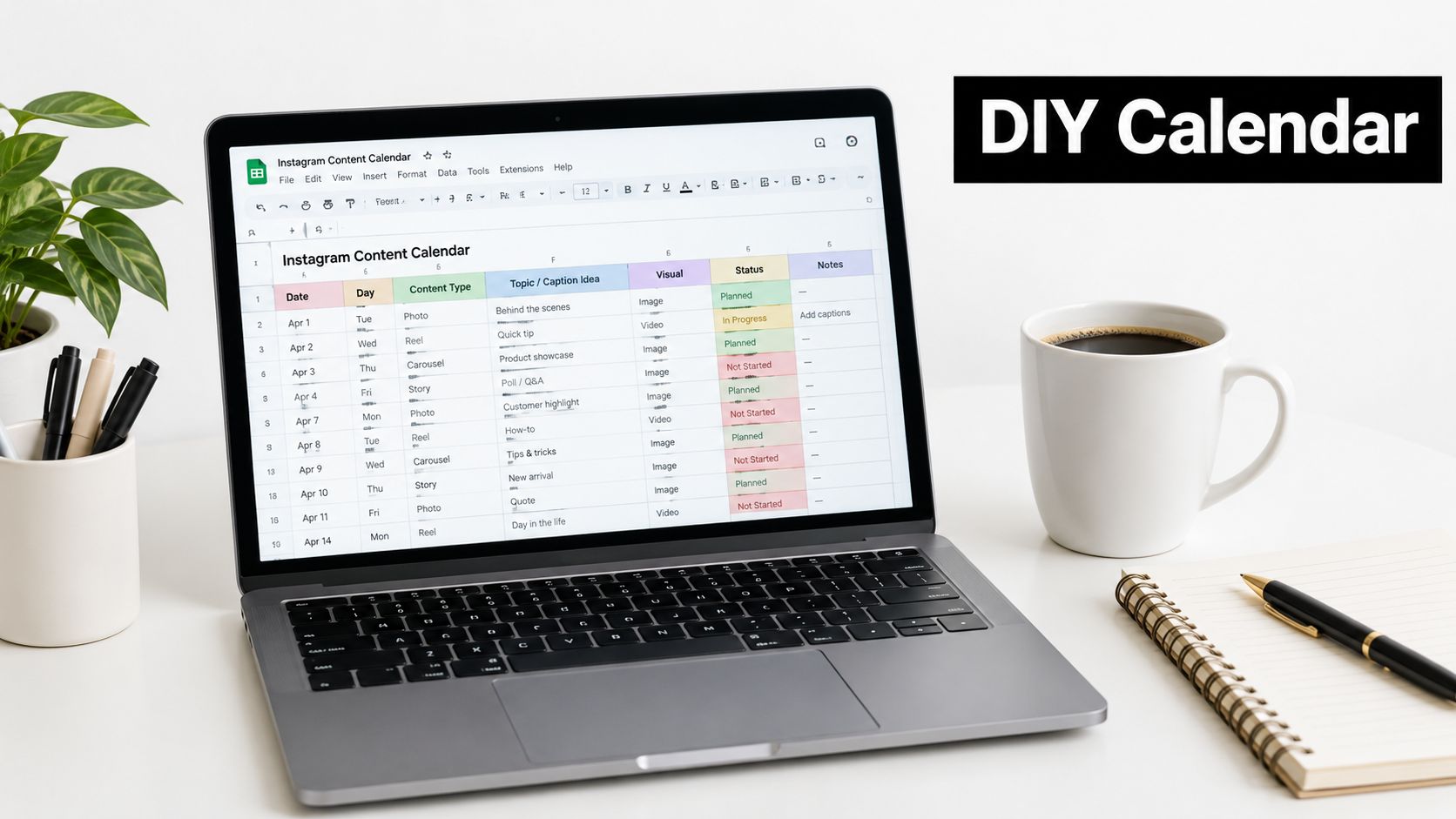
Google Sheets is the best starting point when you need structure before automation. It costs nothing to build, works well for a solo creator or one local business, and gives you complete control over the fields in your content calendar Instagram workflow. You can track the publishing date, caption draft, media link, format, hashtags, CTA, approval status, and notes in one shared file.
The trade-off is simple. Sheets organizes the work, but it doesn't publish the work. Someone still needs to move the approved caption and asset into Instagram, check the preview, and confirm that the post went live. That manual step is manageable for a single account with a modest rhythm. It becomes a recurring bottleneck when several people or accounts depend on the same calendar.
Build the sheet around decisions
Start with a master tab, then add a performance tab after posts go live. Use color-coded content pillars such as education, product demonstration, community, testimonials, and behind the scenes. Add dropdowns for Reel, Carousel, Post, and Story, then use conditional formatting to flag posts due within the next 48 hours.
Useful columns include:
- Publishing details: Date, time, account, format, and campaign.
- Creative status: Asset link, draft status, approval owner, and revision notes.
- Copy controls: Caption, CTA, hashtag set, and platform-specific variation.
- Results: Reach, saves, shares, comments, profile actions, and conversions.
A one-person consultancy could batch three feed posts on a fixed day, keep Stories flexible, and use Sheets as the approval record. A neighborhood restaurant could plan educational food content, customer features, and promotions without committing to a scheduler before the process is proven.
Practical rule: If updating the sheet takes longer than preparing the post, simplify the fields before buying software.
2. Notion-Based Instagram Content Calendar Template
A technical founder with one weekly product explainer can use Notion to connect the idea, draft, review, and publishing record in one workspace. The calendar might contain a carousel draft, a supporting Reel, a Story question, and a later customer version of the same topic. This setup suits teams that need context around each post, not just a date and caption.
Create one content database with properties for format, status, owner, content pillar, publishing date, and campaign. Show the same records in calendar, board, gallery, or filtered-list views. Add pages for briefs, brand guidelines, references, and campaign notes, then link them to the relevant posts.
Use separate stages to keep unfinished work out of the publishing view:
- Ideas: Hooks, audience questions, references, and possible formats.
- Production: Assigned tasks, draft captions, asset links, and review status.
- Published: Live URLs, performance notes, and repurposing opportunities.
A linked hashtag library stores reusable combinations, while filters isolate posts awaiting approval, Reels for the current campaign, or work assigned to one person. Agencies can give each client a separate workspace and retain a shared template for briefs, approvals, and reporting. Automation can send engagement data into the published database, but the process should remain usable if that connection fails.
Notion's trade-off is configuration time. Existing Notion users can build the system quickly. A creator opening it only for Instagram may spend too long designing views instead of preparing posts. Team approval works well when every caption, asset, and revision note stays on the post page. Native scheduling requires extra configuration or another tool.
A practical cadence is three planned feed posts each week, with timely Stories added manually. Notion fits content development and context better than high-volume native publishing.
3. Canva's Instagram Content Calendar and Design Integration
A small business owner preparing a carousel can edit the design, write its caption, and schedule the approved post in one Canva workflow. That close connection suits accounts where the person planning Instagram also produces most of the creative.
Start with a brand kit containing typography, colors, logos, and recurring visual elements. Group projects by product, service, campaign, or content pillar so the calendar does not become a crowded asset folder.
Build a repeatable production rhythm
Use the calendar to assign each post a clear purpose, such as teaching, demonstrating, answering a customer question, or promoting an offer. Then create related designs together. Batch production keeps layouts consistent and reduces the time spent reopening templates between posts.
Before scheduling, inspect every slide for readable text, accurate spelling, and one clear next action. Save the final files outside Canva as a backup, especially when several people handle revisions or a scheduled post may need to be rebuilt.
A coach could prepare educational carousels, client-question graphics, and testimonial posts in one session. An Etsy seller might place product images and launch reminders in the same project, then schedule those finished assets from the calendar. The template should include the intended format, caption status, reviewer, publishing date, and asset link, so design work does not become disconnected from publishing decisions.
Canva fits a steady, design-led cadence of roughly three feed posts per week. It works well for batching when one creator or a small team controls the visual system. Team approval becomes harder as review stages multiply, and the calendar is less suitable for complex cross-client dependencies. Accounts built around spontaneous video or ongoing conversation may also find its design-first workflow restrictive.
Use one named reviewer and a clear handoff: draft, review, approved, scheduled. That setup keeps design and publishing together without pretending Canva replaces a larger approval system. Manual posting may still be required for some Instagram formats or last-minute content, so leave room in the calendar for those posts.
4. Buffer's Instagram Scheduler with Content Suggestions
Buffer is a good fit when the central problem is remembering to publish. Its queue-based workflow lets a creator establish recurring publishing slots, add approved posts, and see the upcoming sequence in a visual calendar. The interface is intentionally lighter than an enterprise social suite, which helps a solopreneur move from draft to scheduled post without building a large operating system.
Use Buffer for a rolling queue rather than a rigid seasonal archive. Prepare one or two weeks of posts, then leave space for timely content, customer questions, and changes in the business. Its content suggestions can help when the idea bank is empty, but suggestions shouldn't replace a clear set of content pillars or a defined audience.
Match the queue to the account
A freelance coach might schedule an educational Reel, a client objection carousel, and a personal brand post each week. A small SaaS team could reserve one slot for product education, one for a customer problem, and one for a company update, then reuse the underlying ideas in other channels with platform-specific edits.
Buffer's optimal-time guidance can reduce guesswork, but account-level performance should decide whether those slots remain useful. A time recommendation isn't a reason to publish weak content. The calendar should still record the intended format, audience, CTA, and success metric.
The limitation is depth. Buffer is easier to operate than a heavily configured workspace, but teams with layered client approvals, extensive asset dependencies, or detailed reporting needs may outgrow its simplicity. It suits creators and lean teams that value a clean publishing queue over a large feature set.
Review results once a week, then adjust the next queue based on reach, saves, shares, profile actions, and conversions. Don't judge the system only by whether it filled every slot.
5. SleekPost's Native Instagram Content Calendar
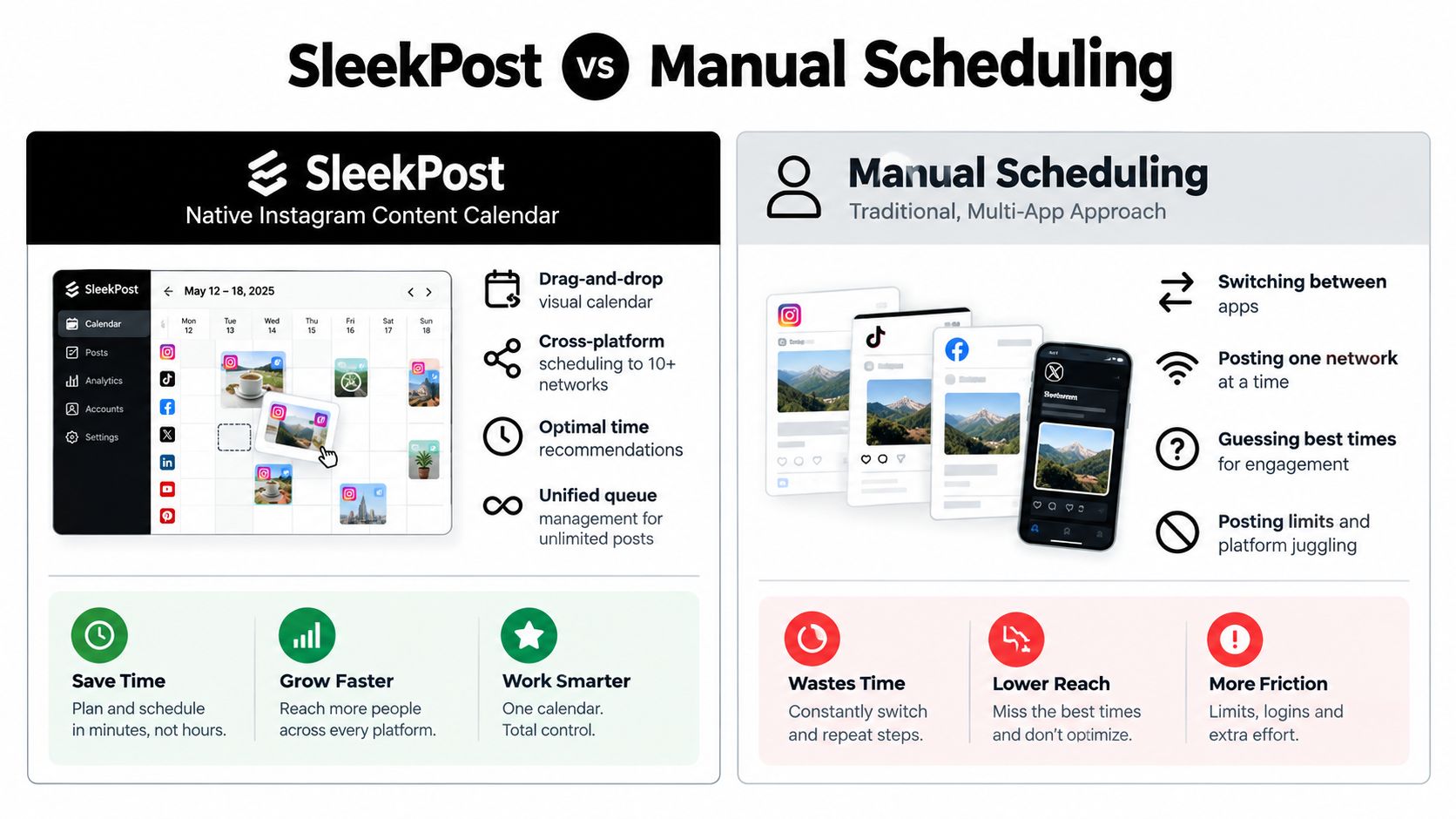
SleekPost suits teams that want planning, approval, and publishing in one shared dashboard. Its calendar displays Instagram posts and Reels by day or week, while queues and recurring slots turn approved content into a repeatable workflow. The multi-platform setup also supports adaptations for TikTok, LinkedIn, Facebook, YouTube, Threads, Pinterest, and other channels.
Use one idea as the starting point, then rewrite each version for its destination. A product demonstration could become an Instagram Reel, a LinkedIn explanation, a shorter TikTok edit, and a text-led update elsewhere. Sharing the idea across platforms saves time only when the copy, media, format, and CTA fit each audience.
Build the calendar around approval stages
A workable SleekPost routine starts with the production queue:
- Batch ideas: Collect the week's themes, product updates, customer questions, and evergreen topics.
- Create channel versions: Adapt captions, CTAs, media, and aspect ratios for every network.
- Route for approval: Keep drafts, revisions, and approved Instagram posts visible to the relevant team members.
- Schedule the queue: Place approved content into recurring or one-time publishing slots.
- Check coverage: Look for empty days, repeated formats, and campaigns competing for attention.
- Review results: Compare performance by platform, format, and objective before preparing the next batch.
A micro-influencer managing several accounts can keep brand voices separate within one dashboard. A small ecommerce team can schedule product content while leaving room for stock changes. An agency can see which client post needs approval without searching through separate messages.
A weekly batching cadence fits this setup, with extra Stories or timely posts added when needed. Manual posting may still be required for formats or account settings that are not fully supported, so the calendar should mark those handoffs clearly. SleekPost reduces context switching, but it does not replace editorial review. Teams still need accurate assets, platform-specific copy, and a decision on whether each post earns a place in the queue.
6. Later's Visual Instagram Content Calendar
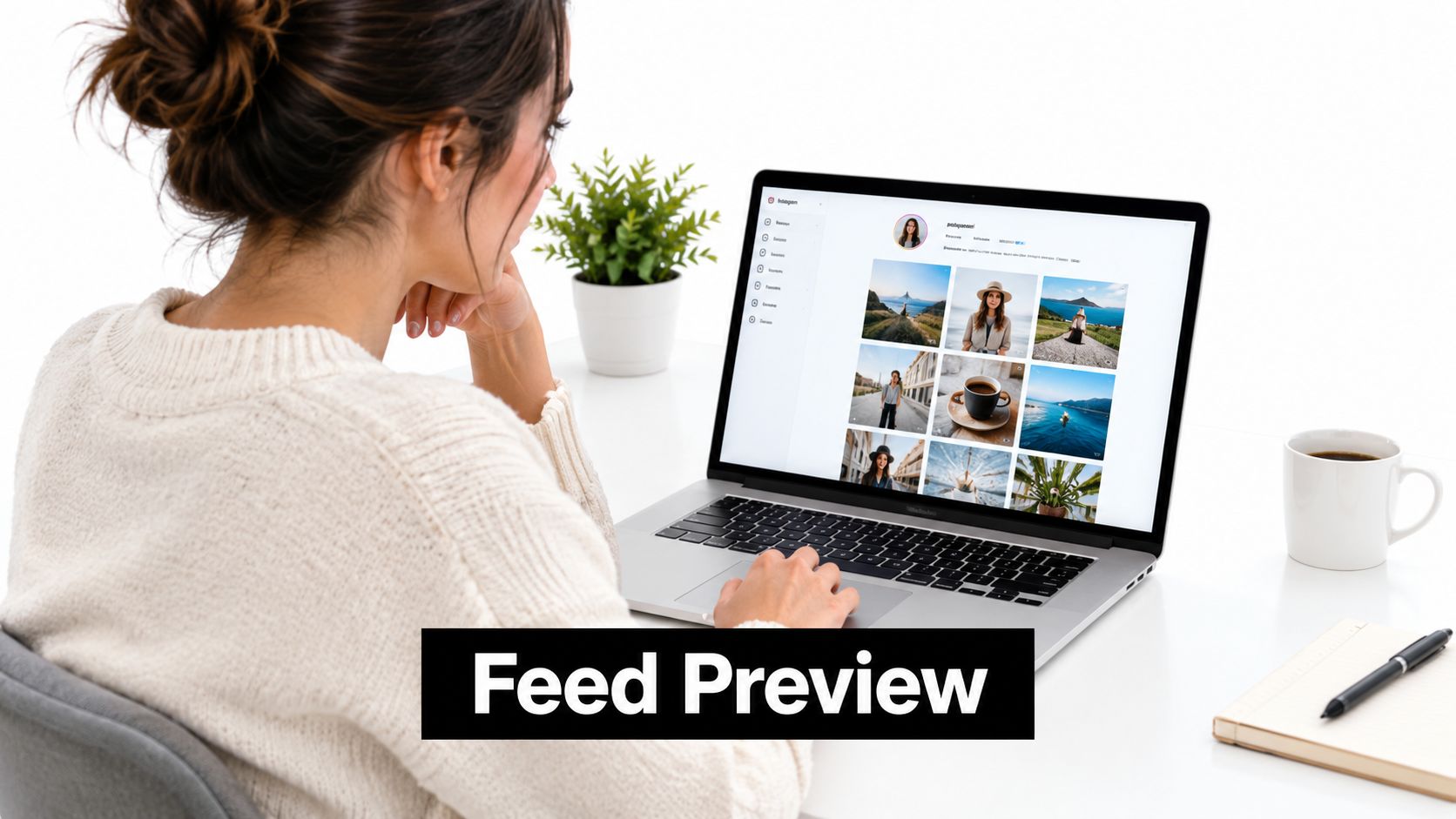
Later is the strongest choice for a team that judges an Instagram calendar by how the grid looks before anything goes live. Its visual planner helps creators arrange images, carousels, and videos into a coherent sequence, which makes it useful for fashion, lifestyle, beauty, and boutique ecommerce accounts where visual continuity supports the brand.
Start with the feed rather than the caption. Upload the likely assets, move them into position, and look for awkward color clusters, repeated compositions, or a run of promotional images. Then write captions that support the visual story instead of forcing the design to accommodate copy that was already finalized elsewhere.
Give visual planning a defined job
A boutique clothing shop could alternate product details, styling advice, customer content, and seasonal promotions. A personal brand could balance portraits, teaching carousels, event clips, and direct offers. The visual grid provides a useful quality check, but it shouldn't become a reason to reject a valuable post just because its colors don't fit an artificial pattern.
Schedule several weeks ahead when a campaign needs a consistent look, but keep the final decisions flexible. Product availability, customer responses, and current conversations can change the strongest sequence. Caption templates can protect the brand voice, while a reusable hashtag library can shorten preparation without making every post sound the same.
Later's limitation is its specialization. It serves visual Instagram planning well, but a team that needs complex approvals, broad operational reporting, or extensive non-visual workflow may need another system around it. It also won't solve a content shortage. A polished grid with interchangeable posts is still a weak calendar.
Use a steady cadence that gives the creative team time to maintain visual quality. For a strongly branded account, three carefully planned feed posts per week can be more workable than filling every available slot and weakening the grid.
7. Hootsuite's Instagram Content Calendar
Hootsuite fits organizations where the calendar is part of a larger reporting and governance process. The platform supports visual planning, previews, scheduling, and analytics, so a marketing team can connect the publishing queue with performance discussions and stakeholder reports. That makes it more appropriate for larger agencies, in-house teams, and brands with many accounts than for a creator who only needs a reminder to post.
The value appears during coordination. A social lead can assign ownership, an editor can review the caption, a brand manager can approve the asset, and a reporting specialist can compare the results with the campaign objective. The calendar becomes a shared operational record rather than a list of personal reminders.
Build approvals into the publishing rhythm
A retail brand with many regional accounts might plan product launches centrally while adapting captions to each market. An agency can schedule client planning sessions around the calendar, tag responsibilities, and export reports after publication. In both cases, the team needs clear statuses, deadlines, escalation rules, and a named final approver.
Use a cadence that gives reviewers enough time to comment before the publishing window. For many teams, planning a couple of weeks ahead creates useful room for revisions without freezing the entire strategy. Keep a separate process for reactive posts, because breaking a scheduled workflow every time a timely opportunity appears can create confusion.
A calendar earns its place in a large team when everyone knows who owns the next action.
Hootsuite's limitation is operational weight. A small creator may find the broader platform unnecessary if the only requirement is scheduling a few posts. Teams should also test the exact Instagram formats, previews, account permissions, and approval paths they use most often before standardizing the workflow.
Measure more than activity. Connect each post to a goal, then evaluate reach, saves, shares, comments, profile actions, and conversions in the context of the content type. A large reporting dashboard doesn't make weak goals clearer.
8. Asana Instagram Content Calendar Template
Asana is a strong option when Instagram publishing sits inside a broader marketing project. It treats every post as a task with an owner, deadline, status, dependencies, and approval path. That structure helps a team coordinate writing, design, filming, editing, legal review, and publishing, even though Asana itself isn't an Instagram-first visual planner.
Create recurring task templates for Reels, carousels, Stories, and promotional posts. Add custom fields for content pillar, funnel stage, account, campaign, asset status, and post-publication metrics. A board view can show production stages, while a calendar view shows the publishing sequence.
Separate production from manual posting
The most important limitation is that Asana doesn't remove the final publishing step by itself. Someone must manually cross-post the approved content to Instagram or use a connected publishing tool. That extra handoff can work well if your organization already has a defined social media operator. It becomes risky when the task is marked complete before the post is live.
An agency could create one project for a client campaign, assign a copywriter and designer, route each asset through approval, and keep the publishing task open until the Instagram URL is added. An in-house team could group posts by education, entertainment, and promotion while coordinating them with email, website, and paid media tasks.
Asana suits a planned rhythm where production takes priority over fast queue management. It can support three weekly feed posts or a more complex launch schedule, but the right cadence depends on how many tasks each post creates. A simple meme doesn't need the same workflow as a filmed Reel requiring editing and compliance review.
Manual posting warning: Assign publishing to a named person and require the live URL or screenshot before closing the task.
Asana's strength is accountability. Its weakness is the distance between project completion and native publication. If the team doesn't maintain that final checkpoint, the calendar can look complete while the account remains inconsistent.
8-Tool Comparison: Instagram Content Calendars
| Tool | Core Features (✨) | UX / Quality (★) | Pricing / Value (💰) | Target Audience (👥) | Unique Selling Point (🏆) |
|---|---|---|---|---|---|
| Google Sheets Instagram Content Calendar Template | ✨ Custom columns, real-time collaboration, version history | ★★☆☆☆ Manual posting, no visual preview | 💰 Free | 👥 Solo creators, micro businesses, DIY teams | Simple, fully customizable spreadsheet, lowest cost |
| Notion-Based Instagram Content Calendar Template | ✨ Databases, multiple views, relations & rollups | ★★★☆☆ Powerful but steeper setup | 💰 Free → paid tiers | 👥 Power users, agencies, builders who use Notion | Highly flexible workspace for custom workflows |
| Canva's Instagram Content Calendar & Design Integration | ✨ Drag‑&‑drop templates, brand kit, editor → schedule | ★★★★☆ Excellent design UX, basic scheduling | 💰 Pro $13/mo | 👥 Non-designers, small businesses, solopreneurs | Design + simple scheduling in one app |
| Buffer's Instagram Scheduler with Content Suggestions | ✨ One‑click scheduling, AI optimal times, ideas feed | ★★★★☆ Clean, easy UX | 💰 $5–35/mo | 👥 Solo creators, small teams, indie startups | Balanced, minimal tool with smart posting times |
| 🏆 SleekPost's Native Instagram Content Calendar | ✨ Drag‑drop calendar, cross‑platform scheduling, AI Content Generator | ★★★★★ Fast, lightweight, visual multi‑platform view | 💰 Fair tiers, 7‑day free trial, unlimited posts (paid) | 👥 Creators, marketers, small agencies managing 3–20+ accounts | 🏆 Recommended, multi‑platform in seconds, unlimited posts, AI captioning, saves hours |
| Later's Visual Instagram Content Calendar | ✨ Grid feed preview, shoppable posts, Linkin.bio | ★★★★☆ Strong visual planning for feed aesthetics | 💰 Mid‑tier IG-focused pricing | 👥 Visual brands, influencers, lifestyle shops | Feed preview + creator-focused IG analytics |
| Hootsuite's Instagram Content Calendar | ✨ Visual calendar, batch uploads, deep analytics & reporting | ★★★☆☆ Robust but feature-heavy, steeper learning | 💰 Expensive (enterprise oriented) | 👥 Large teams, enterprises, agencies | Enterprise-grade analytics and team workflows |
| Asana Instagram Content Calendar Template | ✨ Task workflows, approvals, custom fields, dependencies | ★★★☆☆ Great project management, not IG-native | 💰 Paid plans; can be costly for small teams | 👥 Agencies, in‑house marketing teams, large orgs | Task-based approvals & timeline management for complex teams |
Pick the Calendar Your Workflow Can Sustain
The best Instagram content calendar is the one your team will still use in month three. A feature-rich tool that requires constant maintenance can produce less consistency than a simple sheet with clear owners, realistic deadlines, and a fixed batching session. Judge each option by the work around publishing, not by the length of its feature list.
Choose Google Sheets when you need a free foundation and manual posting isn't a burden. Choose Notion when ideas, briefs, approvals, and performance notes need to live in a flexible workspace. Canva is a natural fit for design-led accounts where the same person creates and schedules the content. Buffer works for a lean publishing queue. Later suits accounts where grid cohesion matters. Hootsuite and Asana make more sense when multiple people, clients, or approval layers are involved. SleekPost fits teams that want one shared calendar for Instagram and broader platform distribution.
Your posting rhythm should reflect production capacity. A peer-reviewed analysis of Instagram, Facebook, and Twitter engagement found no statistically significant relationship between Instagram posting frequency and engagement, with a reported coefficient of B = −22.41 and p = .083. Because the p-value exceeded the conventional threshold used in that study, the result didn't establish a dependable effect from frequency alone. Read the peer-reviewed Instagram engagement analysis as a reason to test your own cadence, not as proof that frequency never matters.
Hootsuite's 2025 guidance recommends roughly 3 to 5 Instagram posts per week, while also arguing that two strong posts can outperform 20 mediocre ones and identifying 6 to 7 high-quality posts per week as a possible upper rhythm for teams with enough creative capacity. Sprout Social's benchmark reports 28% year-over-year engagement growth and 27 daily engagements in its regional comparison. These benchmarks are useful context, but they aren't promises for your account. Start with three strong weekly feed posts, reserve capacity for Stories and timely content, then increase volume only when quality and measurement remain stable. The benchmark details are available in Sprout Social's industry analysis.
Format choice deserves the same discipline. Recent benchmark evidence reports that video reaches more people on average, while carousels generate 22.73% higher engagement than videos and photos. Another analysis found no substantial reach or interaction difference between publishing five and 15 times per week, while a separate analysis associated three to five weekly posts with a 12% increase in reach per post. The conflicting results are exactly why your calendar should distinguish discovery content from relationship content. Use Reels to test reach, carousels to teach and earn saves, and Stories to collect questions that can become future posts. Review the Instagram posting-frequency analysis without turning its findings into a universal quota.
Instagram's scale also changes the cost of inconsistency. The platform launched on October 6, 2010, reached 1 million accounts by December of that year, and reached 10 million users by September 2011, according to Instagram's product evolution history. Meta's advertising tools indicated potential reach of 1.74 billion users worldwide in January 2025, up 90.8 million users, or 5.5%, from January 2024, according to DataReportal's Instagram statistics. Those figures describe platform scale, not guaranteed organic reach. Use them to justify a measured distribution system with audience, market, format, funnel stage, and objective fields.
Pick one weekly template. Batch-create on one fixed day. Schedule only what is ready and approved. Keep a small evergreen queue, but leave room for customer questions and timely ideas. Once a month, remove formats that consume too much effort without producing qualified actions, then give the saved capacity to the posts that teach, build trust, or support a clear business goal.
SuperX's content calendar insights can provide another planning reference, but your own calendar remains the final test. If the process is too complicated to update, too slow to approve, or too disconnected from publishing, simplify it before adding another tool.
SleekPost gives creators, marketers, and small teams a shared visual calendar for Instagram posts and Reels, with queue-based scheduling, recurring posts, bulk planning, and platform-specific caption and media customization. Use SleekPost to test a practical batching workflow across Instagram and other channels, then keep the setup that your team can operate consistently.