The cheapest social media scheduler isn't necessarily the one with the lowest advertised price. 73% of social media marketers now use dedicated scheduling tools, compared with 61% in 2024 and 47% in 2022, while users manage an average of 5.2 platforms and save 6.3 hours per week compared with manual posting, according to ScheduleWave's social media scheduling statistics. Those figures change the buying question. You aren't just purchasing a calendar. You're deciding how much it will cost to publish consistently across every account, format, collaborator, and platform your workflow requires.
A low monthly fee can work beautifully for one creator with a single channel. It can also become an expensive workaround once you add profiles, teammates, video, carousels, recurring posts, or newer networks. This guide evaluates affordability through total workflow cost, not the most attractive number on a pricing page.
Table of Contents
- Why Finding the Cheapest Social Media Scheduler Matters Now
- What Cheapest Really Means Beyond the Sticker Price
- Detailed Comparison of Low Cost Scheduling Options
- Hidden Costs and Limitations of the Cheapest Tiers
- Which Cheapest Scheduler Fits Your Real Workflow
- How to Choose and Implement Your Budget Scheduler Without Overpaying
- Our Recommendation for Affordable No Bloat Scheduling
Why Finding the Cheapest Social Media Scheduler Matters Now
5.79 billion people use social media worldwide, and people spend an average of 18 hours and 36 minutes each week on social and video platforms, according to Forbes Advisor's social media statistics. For creators and small businesses, that reach creates a recurring publishing workload. The budget question is therefore practical: what does it cost to stay visible across several networks without adding another full-time administrative task?
A scheduler becomes financially relevant when the same content must be adapted, uploaded, checked, and maintained across multiple accounts. The cheapest subscription can still produce a high total cost if it charges per channel, limits posts, excludes a required network, or handles video and carousels poorly. A low sticker price is useful only when it covers the workflow you run.
The category has expanded with that workload. Dedicated tools now serve an average of 5.2 platforms per user, compared with 3.8 in 2023, and the same scheduling summary reports a 3.8x improvement in engagement ROI for brands using them. That result is not a promise for every buyer. It does show that multi-platform publishing is no longer an unusual requirement, so reducing repetitive work can have measurable economic value for a small operation.
Time is the first budget line
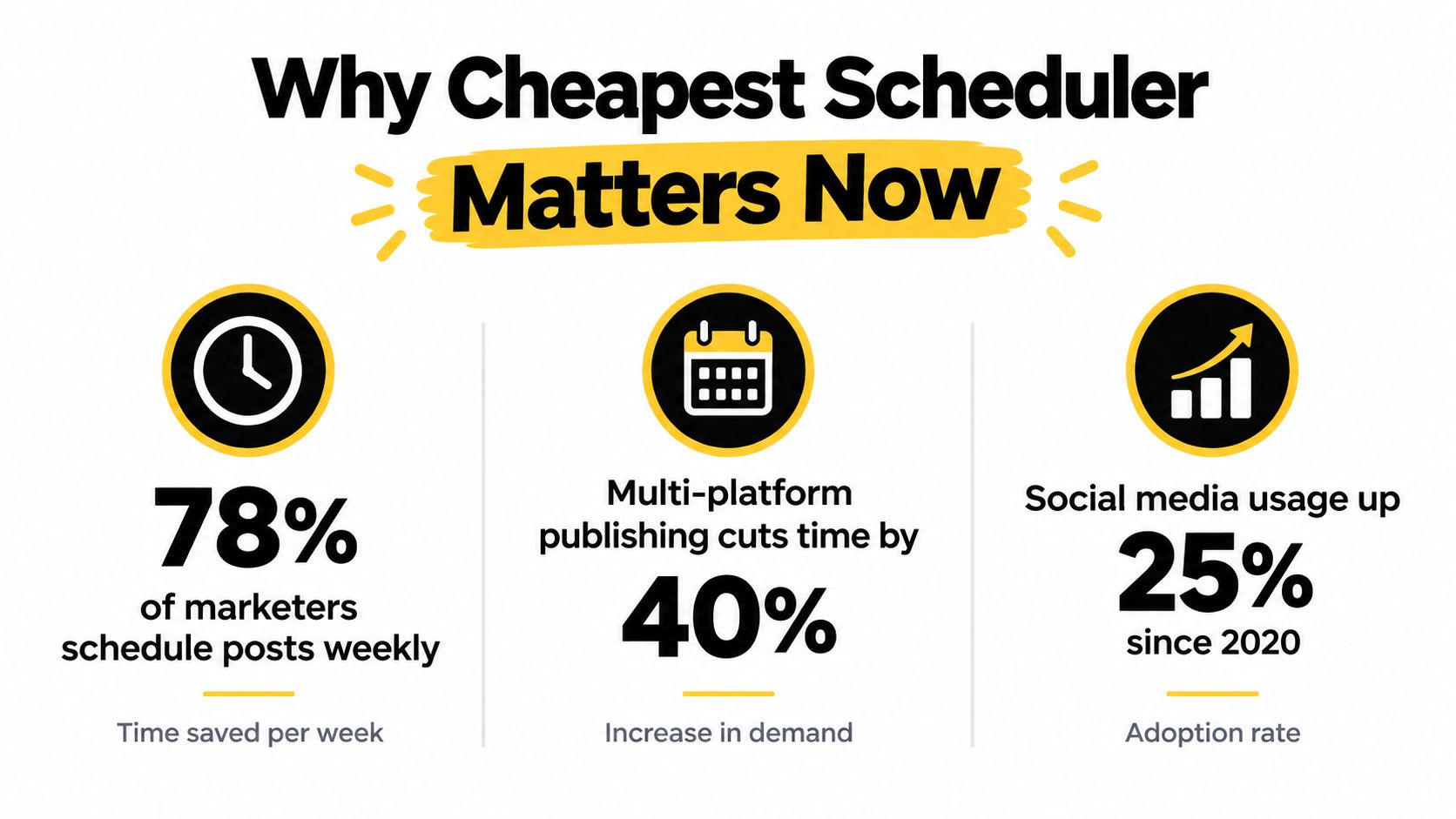
Manual posting requires repeated logins, media uploads or resizing, caption changes, publishing-time selection, and confirmation that each post went live. It also repeats those steps for every network. Users of scheduling tools report saving 6.3 hours per week, or about 328 hours per year, compared with manual posting, according to the same ScheduleWave analysis.
A $5 plan does not automatically create $5 of value. The saving depends on supported formats and networks. If the entry tier requires manual video publishing or separate recreation of one post for each channel, its subscription reduces less work than the headline price implies.
Small teams can assess that trade-off alongside this guide to affordable social media management. Price sensitivity is rational when recurring publishing spans several channels and limited staff time.
Why “cheapest” has become a serious search
Market forecasts indicate continuing demand for scheduling software. One independent estimate values the market at USD 2.67 billion in 2025 and projects USD 7 billion by 2035. Another places it at USD 2.43 billion in 2024 and USD 7.0 billion in 2035, with a 10.1% CAGR, as summarized by ScheduleWave.
Those projections do not identify one universal winner. They help explain the range from lightweight schedulers to larger suites. The cheapest social media scheduler matters because buyers increasingly need repeatable publishing across real channels, while paying only for features and capacity their workflow uses.
What Cheapest Really Means Beyond the Sticker Price
The advertised starting price is only one input in scheduler cost. The bill follows the pricing unit, connected profiles, users, post volume, required features, and any workarounds outside the platform. Four structures appear repeatedly in current comparisons, and each changes the answer as a publishing workflow expands.
The billing unit changes the answer
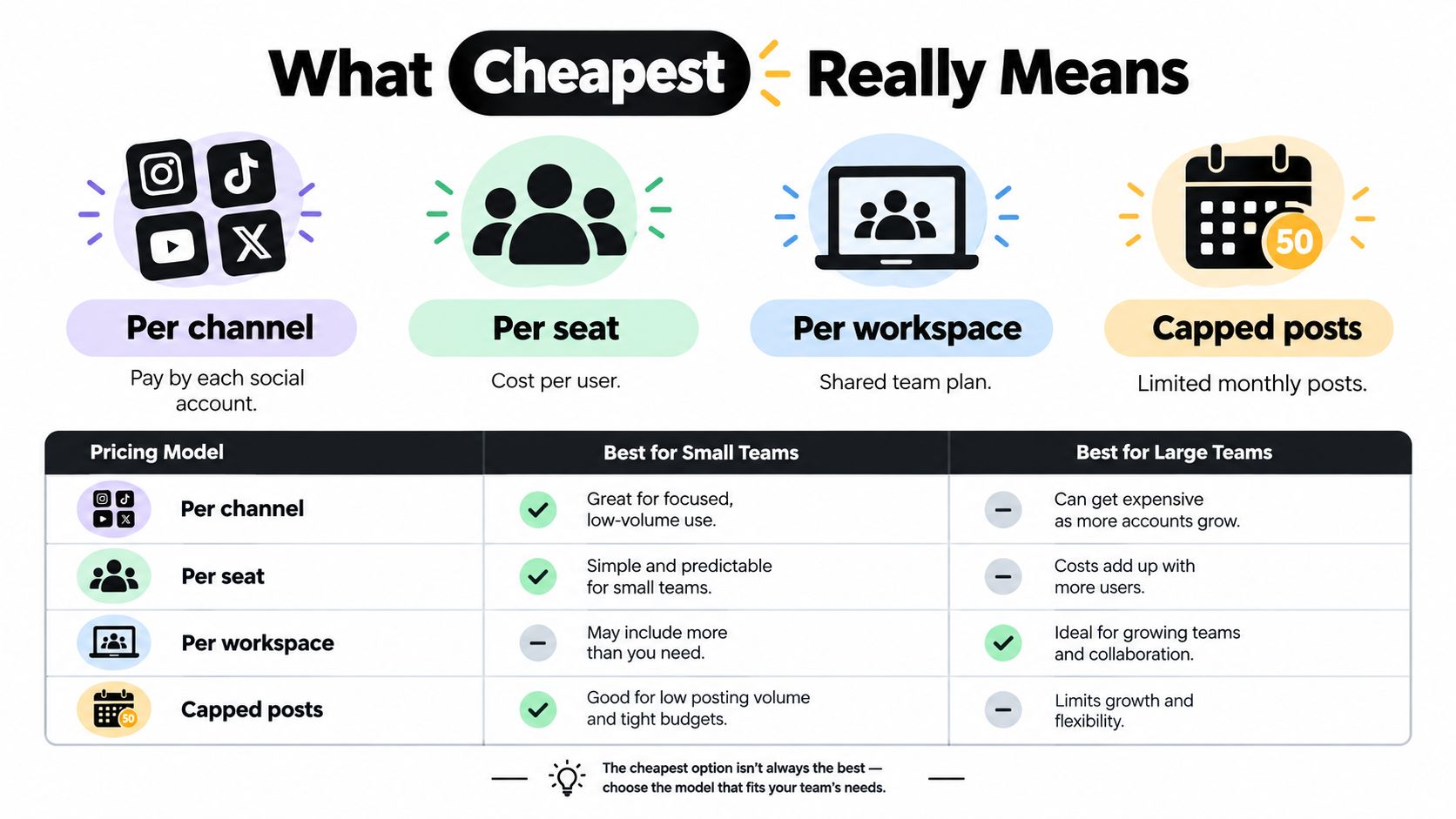
Per channel: You pay for every connected social account. This can suit a creator with only a few profiles, but the bill rises with each added channel. Independent comparisons place Buffer's entry tier at about $5 per month per channel, according to Buffer's scheduling tools comparison.
Per seat: The charge follows the number of users. A solo operator may pay for unused collaboration capacity, while a team must include every person who needs access.
Per workspace: One shared plan can cover a brand, client group, or team workspace. Flat alternatives begin around $17 to $25 per month in recent comparisons, although included profiles and features differ by product. Teams that want flexibility should also review no-commitment pricing options before accepting an annual commitment.
Capped posts: The plan supports a fixed number of scheduled posts each month. A low account fee loses its advantage when frequent campaigns or evergreen queues exceed that limit.
The same starting price can produce very different totals. At one channel, a per-channel plan may be the cleanest fit. At five channels, a flat workspace plan deserves a direct calculation. At ten accounts or more, comparisons note that a low entry price can reach $99 or more per month, depending on the pricing unit and plan requirements, as discussed in PostJay's 2026 scheduler pricing comparison.
Calculate the complete monthly bill
Use this model before comparing feature lists:
Total monthly cost = base plan + channel charges + seat charges + workspace charges + required add-ons.
Then price the workarounds. If a plan lacks a required format, the workflow may require manual publishing, another design tool, or a separate approval system. The subscription remains inexpensive, while staff time and supporting software raise the total cost.
Practical rule: Count profiles, people, posts, formats, and approval steps before comparing prices. A starting price without those inputs is not a quote for your operation.
Check every pricing page against these questions:
- Does the plan charge per profile, brand, workspace, user, or a combination?
- Are posts unlimited, or does the plan impose a monthly cap?
- Are Threads, Bluesky, TikTok, YouTube, and Pinterest included in the tier you can afford?
- Do collaborators require paid seats?
- Are bulk scheduling, recurring posts, analytics, approvals, and media storage included?
A cheap scheduler remains cheap only after its platform coverage, capacity, and manual work fit the workflow.
Detailed Comparison of Low Cost Scheduling Options
The table below uses the pricing architecture and product details available in the supplied comparisons. It doesn't pretend that every tool can be reduced to one perfectly comparable figure. Profiles, post limits, and platform breadth determine whether the entry tier fits the workflow.
| Tool | Entry Price Model | Profiles Included | Post Limits | Platform Breadth |
|---|---|---|---|---|
| Buffer | About $5 per channel per month | Varies by channel plan | Free and paid limits vary by plan | Core networks, with channel support varying by tier |
| CoSchedule | Flat user plan | Varies by plan | Varies by plan | Core social channels and marketing integrations |
| Zoho Social | Per brand | Supports multi-channel publishing | Varies by plan | Core networks including TikTok, YouTube, Pinterest, and Google Business Profile |
| Sendible | Flat plan | Varies by plan | Varies by plan | Core networks, blogs, and publishing integrations |
| Planable | Per workspace | Workspace-based | Basic and Pro plans use different caps | Broad network support, including Threads and Pinterest |
| SleekPost | Paid plan with unlimited posts | Multi-platform dashboard | Unlimited posts for paying users | X, Instagram, LinkedIn, Facebook, YouTube, TikTok, Threads, Pinterest, Bluesky, and more |
Where the low-entry models work
Buffer is the clearest example of a low sticker price that can suit a light publisher. Paying per channel avoids paying for unused account capacity, but the same structure becomes less attractive as the account list expands. It belongs on the shortlist when the workflow is narrow and channel count is stable.
CoSchedule uses a per-user structure and includes queue-oriented marketing planning features. That can suit a solo marketer who values evergreen organization, but the buyer should check whether the included social publishing capability matches the required network mix.
Zoho Social uses a per-brand model, which can be easier to forecast than a per-channel bill for a business managing multiple channels under one brand. It becomes less straightforward when the buyer manages multiple brands or needs approvals.
Where flat pricing earns its keep
Planable uses workspace pricing and supports collaboration and approvals, which makes it more relevant to teams than to a solo user seeking only a queue. Its post allowances differ by plan, so a workspace buyer must compare expected publishing volume rather than assuming a flat fee means unlimited output.
Sendible offers a broader agency-oriented workflow, including queues and client management features. It can be more economical than assembling separate tools when those features replace manual coordination, but a small creator may pay for capabilities they won't use.
For another focused view of entry tiers and pricing mechanics, compare social media scheduler pricing. Buyers who need a lightweight free option can also review a free social media post scheduler, then test the same workflow with real media and captions.
The cheapest plan is a useful starting point. It isn't the cheapest workflow until it publishes every required post in the required format.
Hidden Costs and Limitations of the Cheapest Tiers
Low-cost plans usually save money by narrowing scope. The restriction may affect channels, posts, formats, collaborators, or workflow controls. None of those limits is automatically bad. They become expensive when they interrupt the way you already publish.
A creator may need Instagram carousels, TikTok videos, and a recurring queue. A small business may need separate copy for LinkedIn and X. An agency may need client review before anything goes live. If the entry tier handles only simple text and image posts on a limited channel set, the buyer pays with manual work instead of cash.
The restrictions that create workarounds
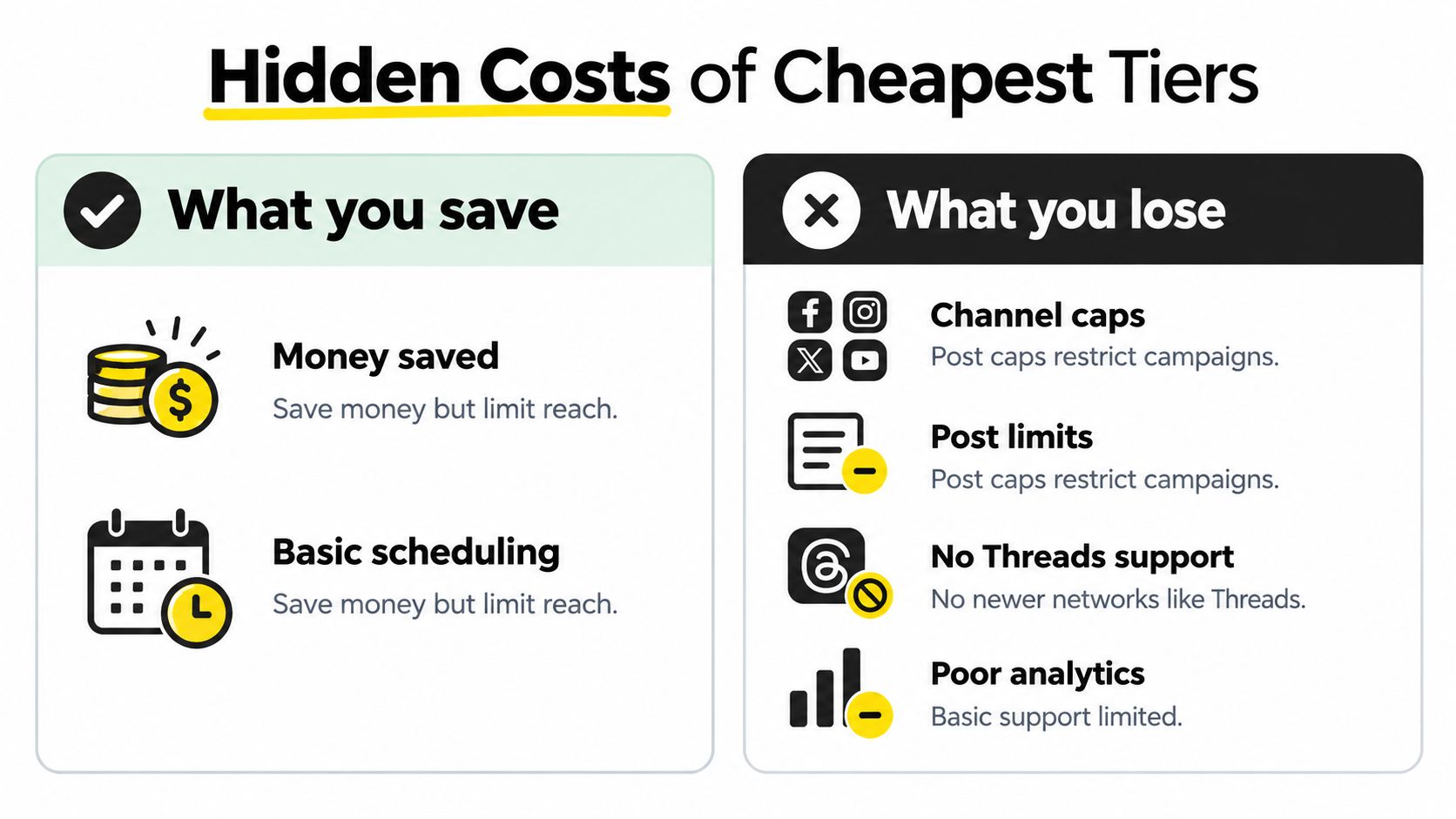
Channel caps: A per-channel plan can look inexpensive until the business connects every required profile. A tool that supports only a subset of newer networks may force separate native scheduling.
Post limits: Monthly caps punish campaigns with frequent publishing, batch uploads, or evergreen reposting. The team either upgrades or tracks which posts must be published manually.
Format gaps: Carousels, reels, videos, and platform-specific media often require deeper integration than a basic text queue. A scheduler that accepts only a narrow format range may not remove the work buyers hoped to automate.
Weak collaboration: Missing approvals, comments, or role controls create email threads and manual sign-off. For multi-client work, the cheapest solo plan may be unsuitable even if it technically publishes posts.
Thin analytics: Basic reporting can force marketers to open each native platform separately. That may be acceptable for a small personal account, but it reduces the value of a centralized dashboard for a business tracking several channels.
Recent roundups specifically highlight Threads, Bluesky, TikTok, and YouTube as part of the modern platform mix, while noting that lower-priced plans may restrict channels or posts. The Planable scheduling guide also emphasizes that agencies need more than publishing, including drafting, feedback, approvals, and multi-account coordination.
Media handling is part of affordability
Large video files and image libraries can expose another hidden limitation. If uploads fail, storage is restrictive, or media must be moved through an extra service, the scheduler no longer functions as a complete publishing workspace. Review the requirements for large file uploads before choosing a plan for video-heavy content.
A cheap tier saves money only when it removes work. If it creates a second manual publishing system, calculate the cost of the workaround.
Which Cheapest Scheduler Fits Your Real Workflow
The right choice changes with account count and publishing intensity. A solo creator, a local business, and an agency can all search for the cheapest social media scheduler and reasonably choose different pricing models.

Solo creator with three to five profiles
A creator managing a personal brand across a handful of profiles usually benefits from a per-channel or low flat plan. The key requirements are a visual calendar, reliable queues, platform-specific caption editing, and support for the media formats that drive the creator's content.
At this scale, a channel-based plan can remain efficient because the creator isn't paying for unused team capacity. The decision changes if the plan caps posts tightly or excludes a network the creator uses regularly. A low fee that requires manual video publishing isn't necessarily cheaper than a slightly broader plan.
A creator who wants a mobile-friendly workflow can also investigate the practical differences between desktop dashboards and a social media scheduler app. The useful test is whether the app supports the full task, not merely approval notifications.
Small business with five to eight brand channels
A small business needs more than a place to store posts. It may need separate versions for each network, a shared media library, recurring promotional content, and a way for another person to review copy before publication.
Here, flat workspace or per-brand pricing can beat per-channel billing if the business actively publishes across its full channel set. The buyer should model the recurring queue and monthly volume first. If the plan restricts profiles or posts, compare the next tier rather than judging the product by its lowest advertised price.
The cheapest viable option is the one that lets the team publish from one workflow without creating a manual exception for every important format.
This video provides another way to think about scheduling workflows and content operations:
Freelancer or agency with ten or more accounts
An agency managing ten or more client accounts should prioritize workspace structure, approvals, profile breadth, and predictable scaling before chasing the lowest entry price. Per-seat pricing can rise quickly as collaborators join, while per-channel pricing can become difficult to forecast across clients.
A flat workspace plan may cost more at the beginning but reduce coordination work when it includes approvals, shared assets, and unlimited or generous publishing capacity. If the tool lacks those functions, the agency may need separate systems for client feedback and media management, which turns a cheap scheduler into an expensive stack.
How to Choose and Implement Your Budget Scheduler Without Overpaying
Start with a usage inventory, not a feature wishlist. Write down every profile, brand, collaborator, post type, recurring series, and approval step you expect to use during a normal publishing cycle. Then calculate the plan cost for the current workflow and the next realistic stage of growth.
Use a trial as a workload test
A trial should answer operational questions that a sales page can't:
- Connect every required platform: Test the actual mix, including newer networks, rather than checking only the headline integration list.
- Publish representative media: Schedule a carousel, video, reel, and text update if those formats belong in your calendar.
- Run a batch: Import or create several posts in one sitting. Watch whether the calendar, queue, and media library remain usable.
- Invite a collaborator: Confirm whether review, comments, permissions, and approvals require another paid seat.
- Calculate the next tier: Price the account count you expect to have after expansion, not only today's number.
Check the points where budget tools break
Look for per-platform customization, recurring posts, queue controls, post recycling, media storage, and analytics. A tool that handles only identical cross-posts may force you to rewrite content manually for each channel. A tool that lacks recurring scheduling may require repeated calendar maintenance for evergreen campaigns.
Don't pay for enterprise features you won't use. A solo operator generally doesn't need multi-layer approval governance, while an agency shouldn't select a solo plan because the entry price is lower. Match the billing unit to the people and profiles involved.
Migrate in a controlled batch
Move your active content library first, then recreate recurring schedules and verify the next published posts on every network. Keep the old process available until the new scheduler has completed a normal publishing cycle without missed media, broken links, or incorrect platform formatting.
Implementation checkpoint: The plan is affordable only after the first real campaign runs without manual rescue work.
Our Recommendation for Affordable No Bloat Scheduling
For creators, small businesses, and lean teams that need broad publishing without an enterprise suite, SleekPost fits the total-cost criteria established above. It provides one dashboard for X, Instagram, LinkedIn, Facebook, YouTube, TikTok, Threads, Pinterest, Bluesky, and other platforms, with per-platform customization rather than forcing every network to receive identical copy.
Its workflow includes queues, recurring posts, auto-reposts, a media library, support for carousels and videos, and an AI Content Generator that turns prompts or links into platform-oriented drafts. Paying users get unlimited posts, and the product offers a 7-day free trial, according to the publisher information supplied for this comparison.
That combination matters because unlimited publishing removes one common source of false economy, while broad platform coverage reduces the need to maintain separate native scheduling routines. It won't be the right fit for a company that needs deep social listening or complex enterprise governance. For a price-sensitive publisher whose priority is reliable multi-platform scheduling, it offers a more direct match than paying for a large suite of unrelated features.
Creators who also need lightweight production tools can pair their workflow research with basic AI video creation, but they should still compare the combined cost against a scheduler that already handles their required media formats.
Visit SleekPost and use the 7-day free trial to connect your real profiles, test queues and recurring posts, and measure the workflow cost before committing. If it publishes your channels and media without the workarounds that make cheap plans expensive, you may have found the affordable scheduler that still delivers.